
Turning on shop tags doesn't make an Instagram account ready to sell. That popular advice confuses a product label with a complete purchase path. When someone asks how do you sell on Instagram, the practical answer starts elsewhere. Sellers need an offer a buyer can understand, a price that can be checked before payment, and fulfilment terms that survive after the post disappears from the feed.
Table of Contents
- How Instagram Selling Works From Post to Payment
- Setting Up Your Profile to Sell on Instagram
- Packaging Each Offer So Buyers Can Say Yes
- Pricing and Promotions That Lift Conversions
- Confirm Your Offer and UK Rules Before You Post
- Placing Your OfferLink in Stories, Captions and DMs
- Choosing a Checkout Route and Running Orders After Payment
How Instagram Selling Works From Post to Payment
Sellers sell on Instagram by using posts, Reels, Stories and DMs to attract attention, then moving buyers to one offer page where the purchase can be reviewed and completed. Instagram earns the click. The offer page holds the terms.
The audience justifies that effort. DataReportal's Digital 2025 United Kingdom report reported 33.4 million Instagram users in the UK in early 2025, with 56.3% penetration among eligible users aged 13 and over.
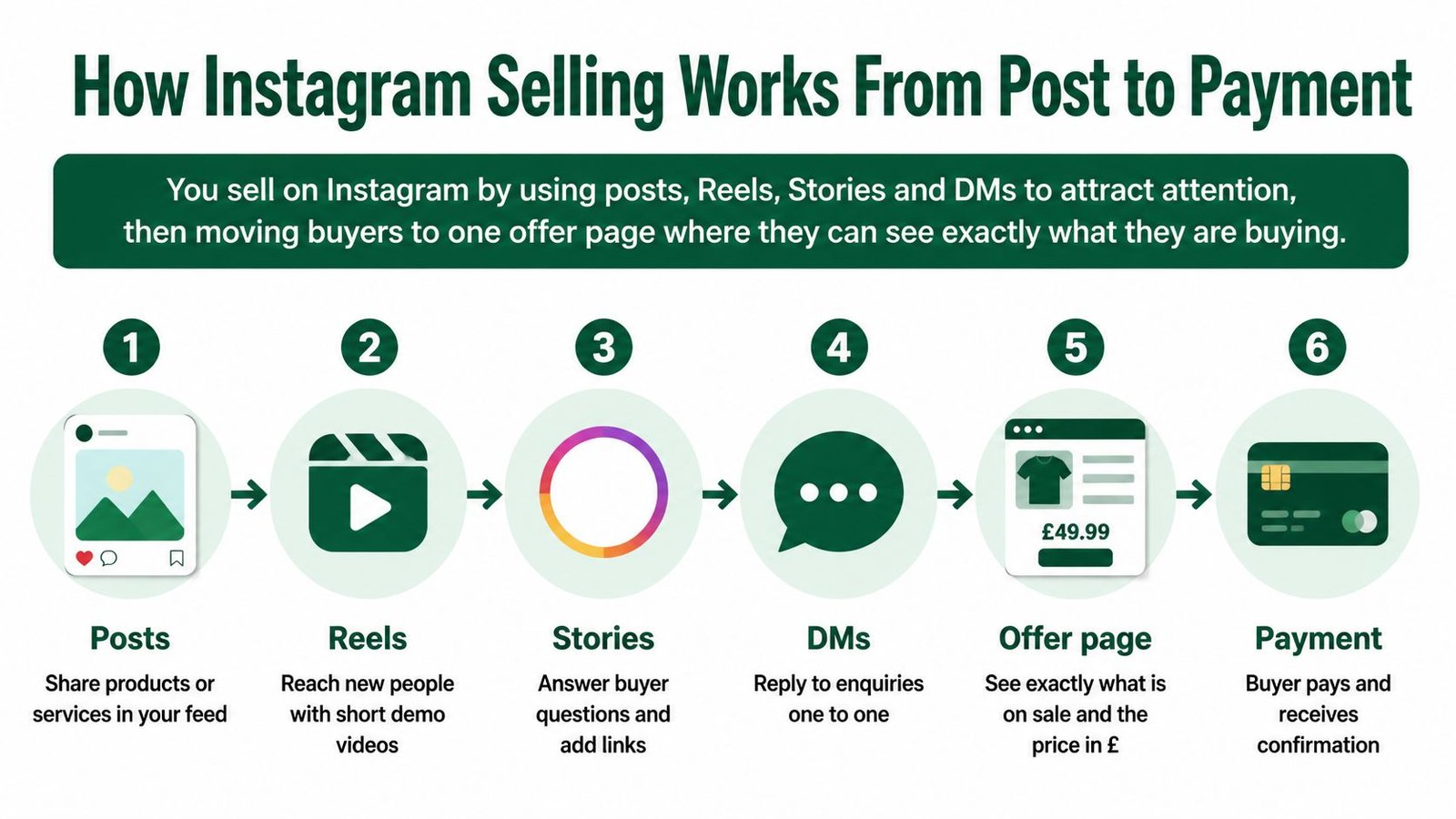
The five stage route
- Discovery content: A Reel, carousel or Story shows the result, problem or finished work.
- One labelled link: The bio and highlights point to a specific offer, not a general homepage.
- Offer page: Scope, inclusions, price, delivery or booking timing and cancellation information appear before payment.
- Checkout: The buyer confirms the total and pays through the chosen route.
- Order record: Messages, delivery or access steps and completion stay attached to that purchase, following an order management workflow rather than scattered chats.
Broader strategies for monetizing Instagram can help with revenue formats, but selling direct offers depends on this division of labour. Instagram builds visibility and trust, while the offer page carries price, expectations and next steps.
Setting Up Your Profile to Sell on Instagram
Profile setup should remove questions before a visitor reaches the link. A buyer shouldn't need to scroll through months of posts to work out what's for sale, who it's for or where payment happens.
Setup in order
- Switch to a professional account: Choose business or creator in account settings, so profile tools and insights are available.
- Write a functional bio: State who the seller helps, what's sold and where to buy, within Instagram's bio character limit.
- Add one main link: Use the primary OfferLink rather than a list of competing destinations.
- Create plainly labelled highlights: Use Offers, How It Works, Reviews, FAQs and Delivery so common questions can be answered without a DM.
- Match the business name: The profile name should match the name on the offer page and receipts.
- Pin three useful posts: Show one finished piece of work, one example of delivery or a session, and one post demonstrating how an order or booking is placed.
Every profile element needs checking against the linked offer page. Names, price language and promises should match exactly, because a caption saying "includes revisions" conflicts badly with an offer page that doesn't mention revisions. Within ten seconds, a visitor should understand who the account serves, what's for sale and which link to tap.
Why tags aren't the whole setup
Shop tags can suit some physical goods, but a tagged product isn't a completed sale. Services, coaching, downloads and live sessions usually need scope, timing and access details that a tag can't carry well. Research summarised in Whito's UK social media statistics notes that only 5% of UK adults identified Instagram as their primary social-shopping platform in a March 2025 YouGov survey. That makes the profile's real job clear. It doesn't have to close every sale inside the app. It has to point confidently to an offer page that can.
Packaging Each Offer So Buyers Can Say Yes
A buyer decides on the offer page, not in the caption. Every offer therefore needs the same core fields: title, plain description, inclusions, price, fulfilment or booking details, boundaries, optional extras and FAQs. Optional extras should be genuinely optional, with prices shown before checkout rather than added through later messages.
The detail changes by offer type because each fails in a different place. A parcel fails on dispatch timing, a download on access, a service on revisions and a live session on dates or time zones.
What to define for each offer type
| Offer type | Define before publishing | Example detail | Common gap |
|---|---|---|---|
| Physical product | Price, variants, postage cost, dispatch time and returns route | Hand-poured candle, 200 g, dispatched within 3 working days | Dispatch time not stated |
| Digital product | File format, access method, licence terms and any future updates | PDF planner delivered by download link after payment | Access steps missing |
| Service | Scope, deliverables, number of revisions, turnaround and what the client must supply | Logo package with two concepts, two revision rounds and a 10 working day turnaround | Revisions not defined |
| Live session | Date, start time with time zone, length, platform, recording policy and booking deadline | 60 minute session on Zoom, 18:00 London time, recording sent afterwards | Time zone omitted |
Exclusion test: Write one sentence stating what isn't included. That single line prevents many disputes.
New sellers should start with one complete offer, publish it fully and watch where buyers hesitate. Variations make sense only after that first offer has run long enough to reveal repeated questions. A smaller, clearer range converts better than five half-described options.
Pricing and Promotions That Lift Conversions
A promotion should make the decision easier, not obscure the actual price. Buyers respond well to a genuine saving, a useful bundle or early access, but they abandon checkout when postage, fees or a balance appears late. Sellers building short-form demand can also compare content-led approaches in Unfloppable's guide to monetizing Reels, although the offer page still has to carry the final price clearly.
Promotion tactics by fit and risk
| Tactic | Best for | Watch for |
|---|---|---|
| Launch price with an end date | New products or services where early reviews are wanted | Returning to full price needs clear notice on the offer page |
| Bundle of two or three items | Physical products and digital packs | Bundle price must not hide postage or extra charges |
| Deposit with balance before delivery | Commissioned work and bookings | Deposit refund terms must be stated before payment |
| Early-bird places for a live session | Dated sessions with fixed capacity | Seat limits must be accurate and visible |
| Percentage discount code | Clearing stock or rewarding repeat buyers | Discounts reduce the price, so check the final total before posting |
| Review-led proof with a before-and-after | Services and higher-priced offers | Permission to use the review and a typical-result caveat |
Three points sit beneath any tactic. First, the total should be visible before payment, including fees, postage or deposits where they apply. Second, deposit wording needs care. A deposit refunded on different terms from the balance creates disputes, so both parts should be explained before money changes hands. Third, reviews and customer photos need permission, and an exceptional result shouldn't be presented as typical.
If a buyer can't check a promotion's end date, stock limit or seat limit, that promotion isn't ready to publish.
Confirm Your Offer and UK Rules Before You Post
The following checks are general information, not individual legal or tax advice. Sellers should confirm their own position through GOV.UK and HMRC, and this guide to starting selling online in the UK can help structure the wider setup.
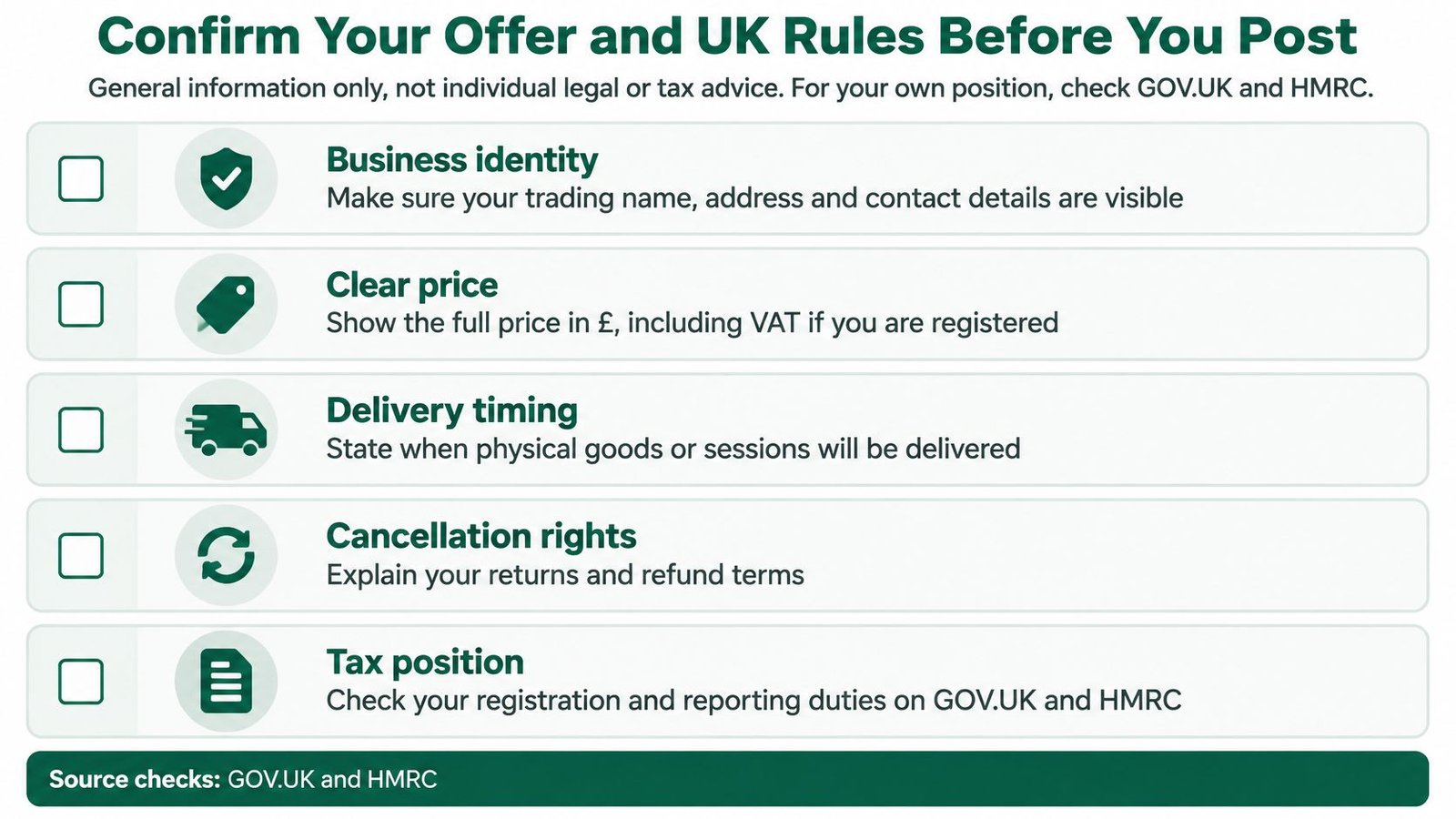
Pre-post checklist
- Business identity: Show the seller's identity and a contact address on the offer page.
- Total price: State the price including taxes where applicable, plus any additional charges.
- Main characteristics: Describe exactly what's included and any material limits.
- Delivery or performance: Explain dispatch, access, booking or session arrangements.
- Cancellation information: GOV.UK guidance on online and distance selling says consumers generally have a 14-day cancellation period for most online purchases of goods and services, although exceptions and different rules can apply.
- Digital access: State format, delivery method and any conditions affecting use.
- Extras: Price optional additions before payment, not after an order starts.
Messaging and tax also need attention. ICO guidance on electronic mail and direct messages states that social media direct messages can count as electronic mail, so unsolicited marketing will usually require consent, sender identification and a valid opt-out. HMRC guidance on income from online platforms says total trading income above the £1,000 trading allowance in a tax year needs to be reported, with income from separate activities potentially counting together. Records of sales, fees, refunds and expenses should therefore be kept from the first order.
The sensible decision is narrow. Publish one complete offer, set a fixed review date for funnel measures, and widen the range only after that review.
Placing Your OfferLink in Stories, Captions and DMs
Placement works when every surface leads to the same specific page. A bio link alone leaves too much work to the buyer, especially when a Reel creates interest in one product but the link opens a general destination. The funnel should feel repetitive to the seller and obvious to the buyer.
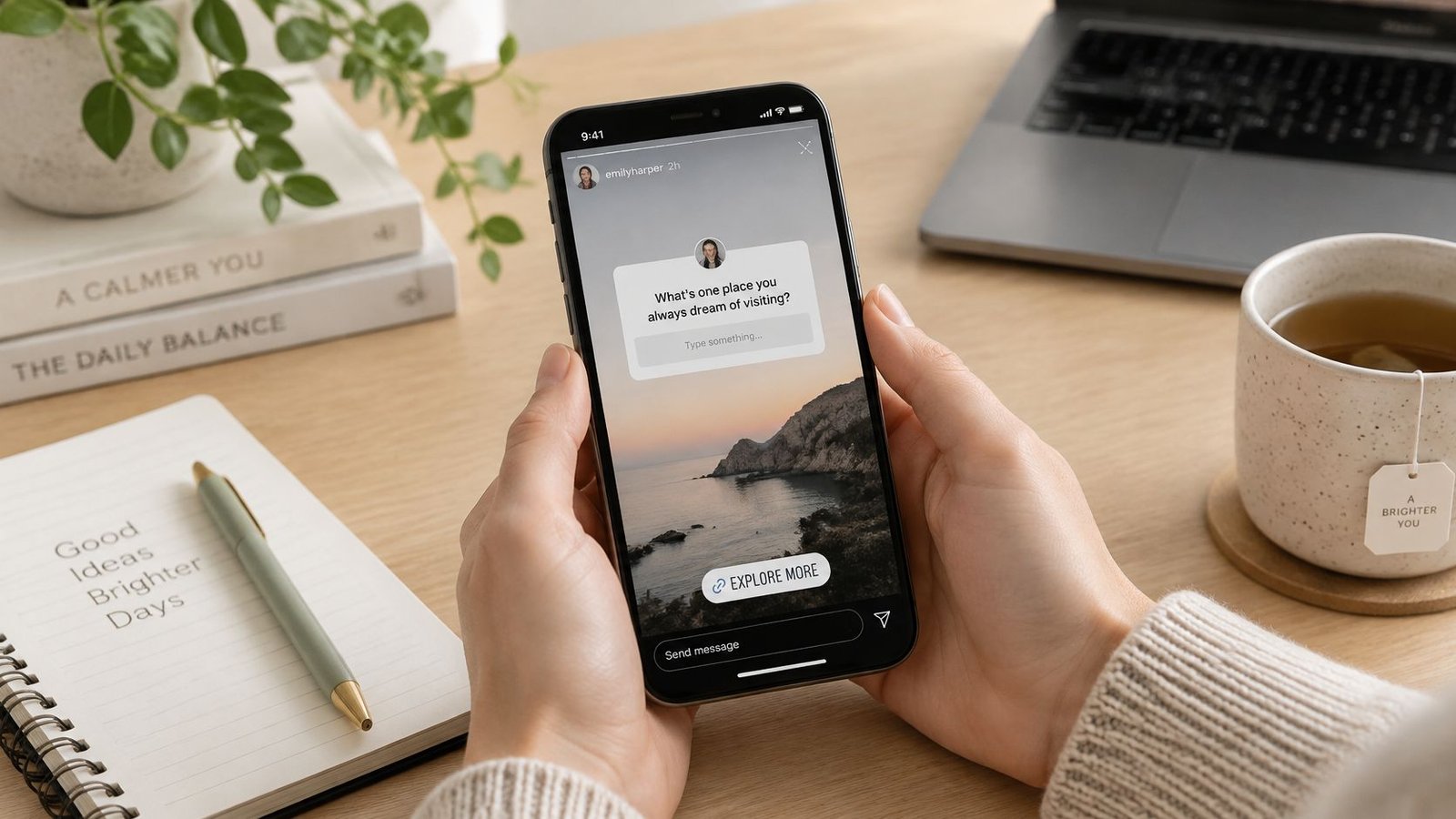
Placement steps
- Use Stories for objections: Answer delivery time, inclusions and recording questions, then link each Story to its specific offer page. Careful UTM tagging for Instagram Stories ads can also help separate paid Story traffic from organic taps.
- Match captions to offers: Place the relevant OfferLink with each Reel or carousel, rather than sending discovery traffic to a homepage.
- Repeat one call to action: Use consistent wording such as Get the download or Book a session across captions, highlights and the bio link.
- Send specific links in DMs: Share the OfferLink for the product, service or session being discussed, not a request to negotiate terms in chat.
A specific link beats a generic one because it removes a decision and keeps fulfilment details attached to one offer. Talkwalker's UK social media statistics reported that mobile accounted for about 73% of UK social-commerce purchases, so the linked page must read clearly on a phone before it's promoted.
Measurement should follow the money. Track OfferLink clicks divided by profile visits, checkout starts, and completed orders divided by checkout starts. Likes can show attention, but they don't reveal whether price, scope or delivery wording stopped a purchase. Sudden drops between clicks and checkout starts usually point to a page problem, not a content problem.
The most common mistake remains the vague "DM for price" post, which forces a conversation before any terms are visible.
Choosing a Checkout Route and Running Orders After Payment
Checkout choice should happen before publishing, not after the first enquiry arrives. Different offers place different demands on the buyer. A standard physical product may need variants and postage, while a commissioned service needs scope, client inputs and revision limits. A live session needs date, capacity and joining details. The route has to display those points before payment.
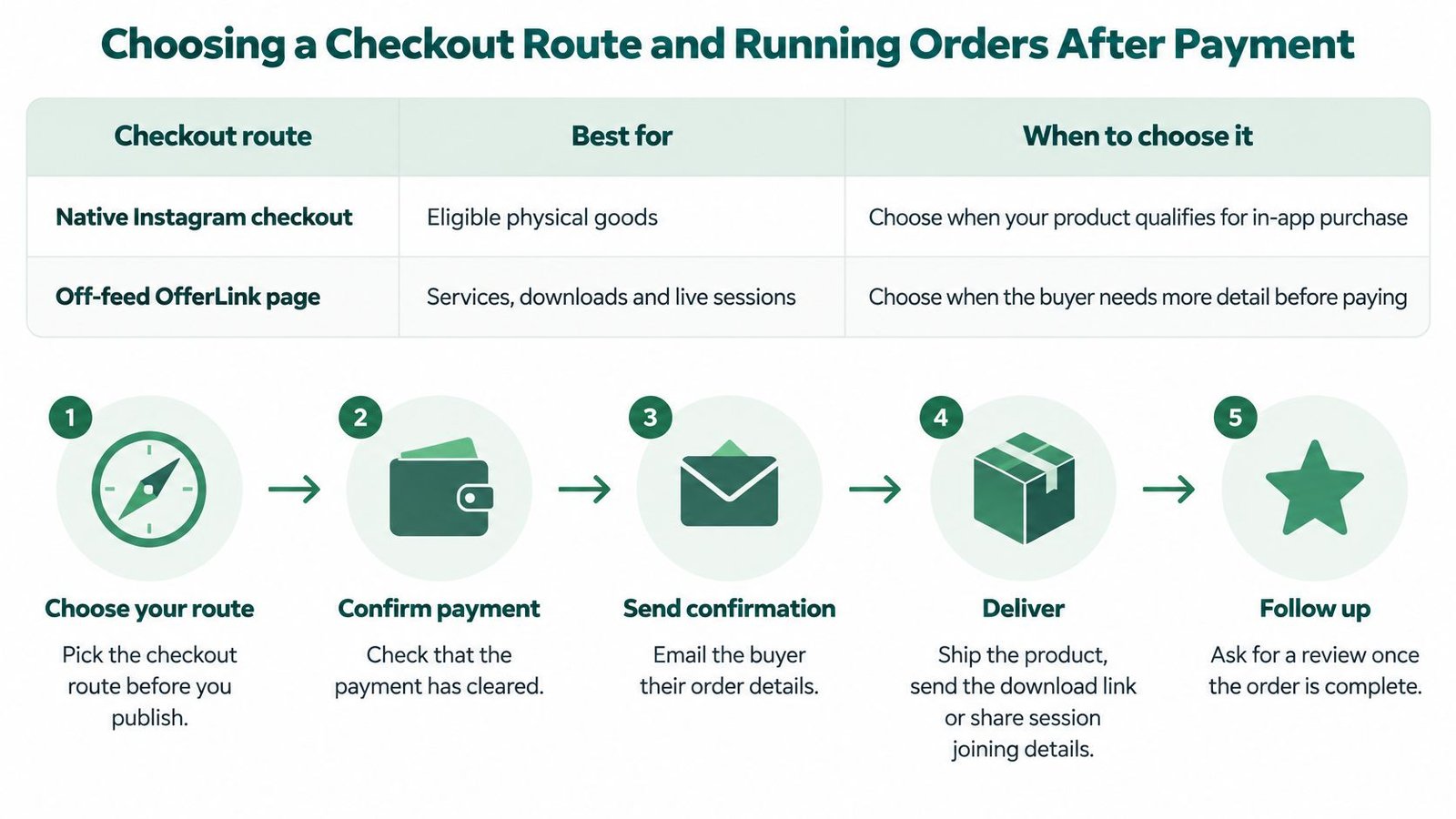
Checkout routes compared
| Checkout route | Best for | Watch for |
|---|---|---|
| Native Instagram checkout | Eligible physical goods | Availability and rules vary, so check current platform requirements before relying on it |
| Off-feed OfferLink page | Services, downloads, live sessions and bespoke work | The seller controls the terms, so the page must carry every disclosure before payment |
| Direct payment request in DMs | One-off work agreed individually | Terms must still be written out and recorded, and marketing messages need consent |
An off-feed route is often the practical choice for non-standard offers. AmaJova, for example, provides an OfferLink page that sellers can share from a bio, Story or message, with the offer presented before checkout. Whichever route is selected, sellers should test the complete journey on a phone and check the guidance on how to accept payments online before directing traffic to it.
Trust and friction at checkout
Instagram selling is partly a trust-and-friction problem. Mintel's UK Social Commerce Market Report indicates that 71% of social-media buyers make spontaneous purchases, while only 46% of online retailers had enabled direct social purchasing despite 76% of UK consumers planning to buy through channels such as Instagram Shopping or TikTok Shop in 2025.
That gap rewards clarity over pressure. Show the use case visually, add proof such as demonstrations or testimonials, disclose inclusions before payment and use one explicit call to action such as Buy, Book or Get the download. Sellers testing improvements should change one variable at a time, whether it's the hook, creative format, price framing, proof or call to action. Changing everything at once makes the result impossible to interpret.
Diagnostic rule: Strong reach with weak checkout completion usually signals unclear terms or insufficient trust, not an audience that's too small.
Running the order after payment
- Show the order summary: Repeat price, inclusions, extras and delivery or booking timing before payment is completed.
- Send confirmation promptly: State what happens next, when it happens and how the buyer can get help.
- Deliver in the order thread: Send access details, files or booking information through the same record rather than a separate DM.
- Update at real milestones: Notify the buyer when production starts, dispatch happens or a live session is approaching, and explain genuine delays early.
- Confirm receipt or completion: Ask the buyer to confirm delivery, access or attendance so the order has a clear endpoint.
- Use the stated support route: Handle problems through the process written on the offer page, not through improvised negotiation across messages.
Keeping the order record complete protects both sides. It shows what was promised, what was paid, what was delivered and when completion was confirmed. Screenshots scattered across chats don't provide the same reliable reference if a refund or dispute arises.
Four fulfilment measures deserve regular review: completed-order rate, average order value, refund or dispute rate, and time to fulfilment. Rising disputes alongside strong sales often mean the offer page promises more than operations can deliver. Slow fulfilment points to capacity or process problems. Weak average order value may justify a bundle or relevant extra, but only where the addition genuinely helps the buyer. Those measures turn Instagram from a posting schedule into a selling system that can be improved deliberately.
Turn one service, product, download or live session into a clear OfferLink with the price, inclusions and fulfilment details buyers need before payment. Visit AmaJova to create that page, place it in an Instagram bio, Story or DM, and keep each resulting order organised from checkout through completion.