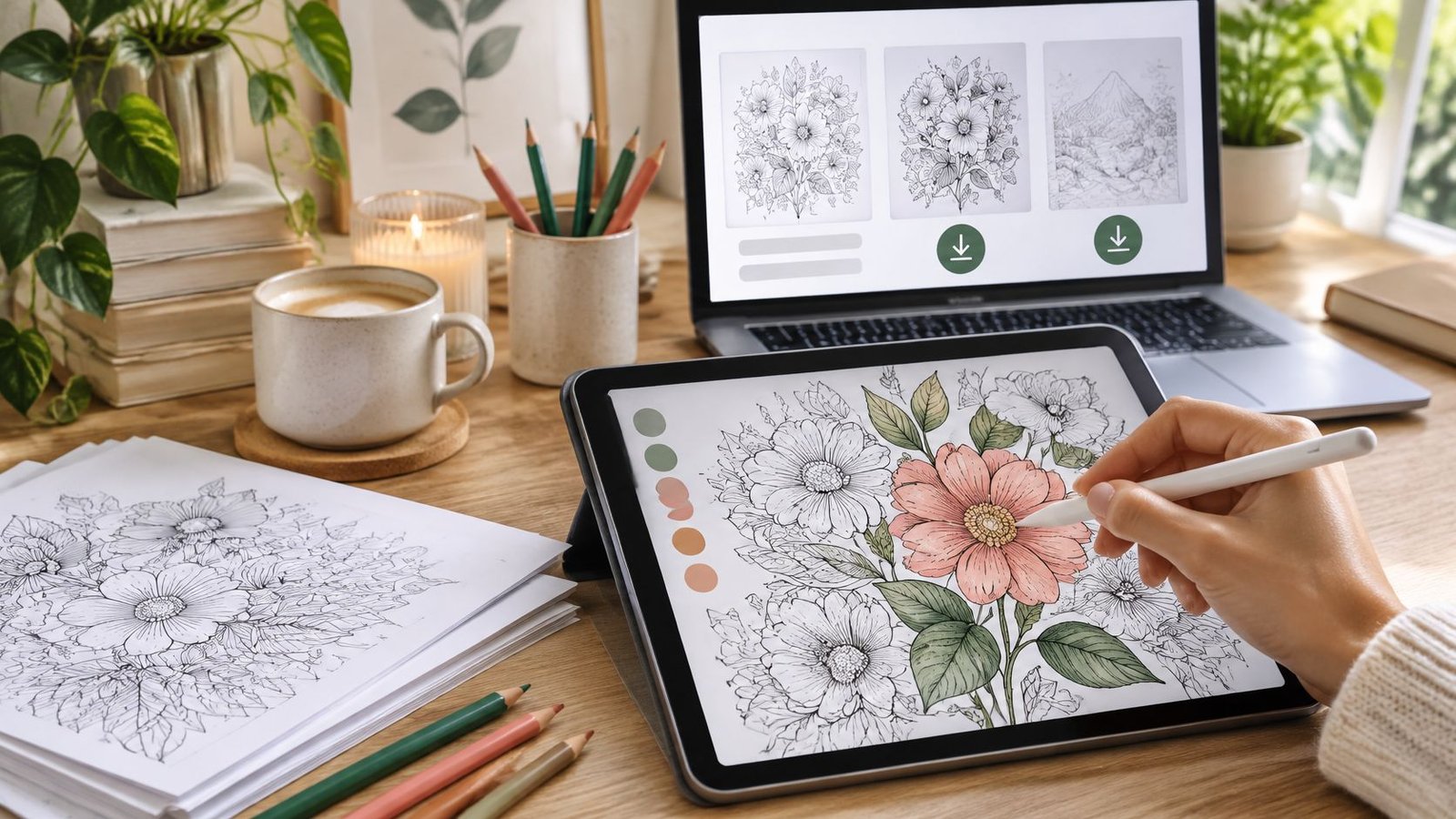
The illustrations look finished on a laptop, but the first test print has clipped borders. A buyer wants to colour on an iPad, while another expects a file that opens straight from a phone. Neither problem needs more artwork. Both need decisions about the product before the remaining pages are drawn.
A sellable digital colouring book starts with the buyer's device, paper and access needs. Print-first and screen-first files can share the same artwork, but they shouldn't be treated as interchangeable. The practical work is turning those illustrations into a clearly described pack that buyers can open, use and understand without repeated support messages.
Table of Contents
- Choose the Right File Format and Page Set
- Test Demand Before You Draw the Full Set
- How to Prepare Line Art for Print and Screen
- How to Package and Check the Download
- How to Price a Digital Colouring Book
- Buyer Expectations, Cancellation and Support
- Publish Your First Colouring Book Pack
Choose the Right File Format and Page Set
The first question isn't which drawing app to use. It's whether the buyer will print the pages, import them into a colouring app, or do both. That answer determines the canvas, export settings, instructions and previews.
For a UK-focused pack, A4 should be the default print format. State whether US Letter pages are included rather than leaving overseas buyers to discover the difference after payment. A PDF preserves the intended page layout, although printer settings can still change the output; a PNG supplies an image without a built-in paper layout.
Colouring book file formats and their trade-offs
| Format | Best for | Strength | Watch out for |
|---|---|---|---|
| A4 PDF pages | Home printing and sharing where licensed | Layout stays consistent across printers | Large files if the pack is long |
| US Letter PDF pages | American buyers printing at home | Matches US paper size | Needs a separate version; UK buyers usually expect A4 |
| PNG | Tablet and app colouring | Sharp lines and support for a transparent background | No print layout; buyers must size pages themselves |
| JPG | Quick previews and simple downloads | Small file sizes | Compression can blur fine lines |
| SVG | Scalable line art for print shops and designers | Scales without loss of quality | Not every device or viewer opens SVG natively |
| ZIP bundle of A4 PDFs and PNGs | Buyers who print and colour on screen | One download covers both uses | Buyers must unzip, so list the contents clearly |
Define the pack before production
For example, a starter specification could use A4 at 210 × 297 mm, with a separate 8.5 × 11 in Letter edition only if the intended buyers need it. A manageable hypothetical first release might contain 20 to 30 pages, supplied as print PDFs and 300 dpi PNGs. Those are production choices, not evidence of an ideal commercial pack size.
PNG resolution needs careful wording. A resolution label alone doesn't guarantee sharp artwork; the image also needs enough pixels for its intended dimensions. Transparent backgrounds must be deliberately exported, not assumed from the file extension.
For sellers exploring generated concepts, starryai's guide to design colouring pages with AI offers a starting workflow. Generated artwork still needs close inspection for malformed shapes, inconsistent outlines and awkward spaces before it becomes a usable page.
Practical rule: Sell the tested file set, not a promise that the artwork works everywhere.
A sensible default is a ZIP containing A4 PDFs and screen-ready PNGs. Describe that exact set on the offer page, and add Letter pages when buyer enquiries justify maintaining another edition.
Test Demand Before You Draw the Full Set
A sample pack that collects hundreds of downloads and zero purchases tells you almost nothing. What matters is whether visitors who match your target buyer take the steps that precede a sale, and which step they abandon.
Three to five finished sample pages are enough for a first test. Show them to the first 100–200 qualified UK visitors and treat the response as directional evidence about which theme and use case deserve a full set, rather than a definitive market estimate.
Run a small, observable test
- Publish distinct sample themes. Botanical drawings, animals and abstract patterns give buyers meaningful choices. Keep presentation quality comparable so a polished preview doesn't win merely because another looks unfinished.
- Collect email sign-ups from UK visitors. Explain what subscribers will receive and keep marketing permission separate from access to the sample.
- Offer a free sample or a waitlist. The sample tests file usability; the waitlist tests interest in the proposed finished pack. Neither should be presented as a completed product.
- Record the whole buying path. Track landing-page visits, sample downloads, checkout starts, purchases, refunds and support requests. A sharp drop between downloads and checkout starts usually means the preview promised something the files don't deliver, so fix the preview or the files before buying more traffic.
- Compare traffic sources and devices. Mobile visitors struggling with a ZIP need a different fix from desktop visitors who download successfully but dislike the theme. Buyers who intend to colour on a tablet and buyers who intend to print are effectively testing two different products.
Trendlytic's data-driven research for Etsy POD sellers can help organise niche comparisons, but marketplace observations aren't proof that a particular downloadable pack will sell. The stronger evidence comes from the seller's own sample test, because it uses the actual files, price point and audience under consideration.
Apply a clear go-or-no-go condition
Continue when buyers repeatedly identify the same use case, such as children's activities, classroom resources, printable gifts or recreational colouring, and their questions don't reveal unresolved printing or licence confusion. Otherwise, revise the offer before expanding it.
Repeated questions about home printing, tablet compatibility or permitted use are signals to tighten the offer description and file set, not to keep drawing pages.
Before releasing samples, confirm that the artwork is original or properly licensed. Keep editable source files, creation dates and contributor permissions together; avoid unlicensed characters and assets whose terms prohibit resale in downloadable products.
If responses point toward a different kind of activity resource, the digital product ideas guide offers a useful comparison before you commit to more pages. Finish validation by fixing the target buyer, theme and page count.
How to Prepare Line Art for Print and Screen
Clean-looking artwork isn't necessarily usable line art. A tiny break in an outline can send a fill tool across the page, while delicate details that look attractive on a monitor may disappear on a home printer.
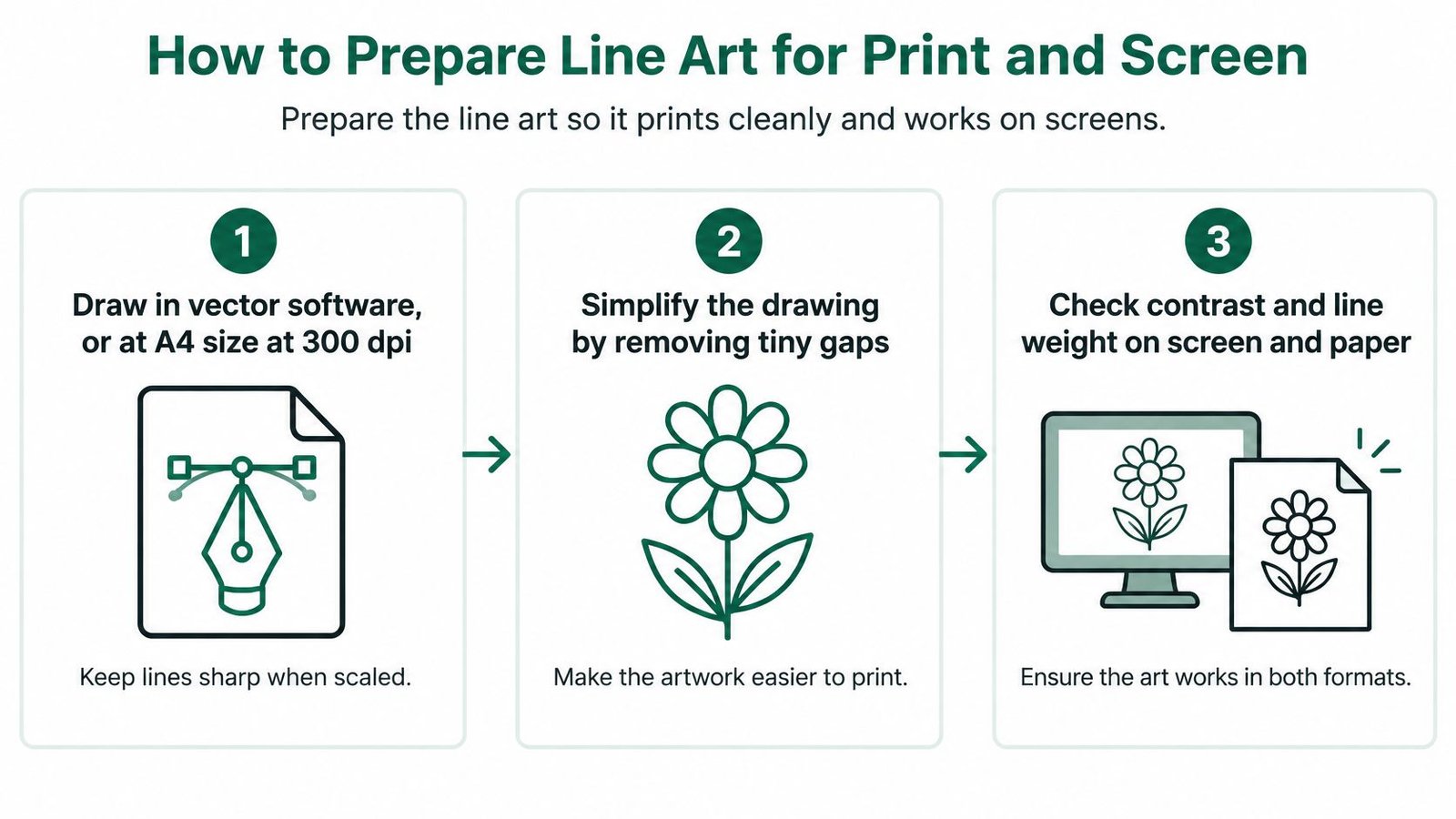
The preparation sequence below separates drawing quality from export quality.
Build a reusable master
Draw in vector software or at the intended print size. Inkscape and Adobe Illustrator suit editable vector outlines; Krita and Affinity Photo suit raster workflows. For a hypothetical print specification, an A4 canvas at 300 dpi provides a clear starting point. Enlarging a small flattened image later won't restore missing detail.
Remove tiny gaps and stray specks. Inspect joins, crossings and overlapping objects at high zoom. The common slip is assuming that lines which appear to touch form a closed region. Use a fill tool on a temporary layer to expose leaks before export.
Make the smallest regions usable. An example accessibility-conscious starting point is enclosed areas around 5 mm across, adjusted for the intended audience and tools. Crayons, broad markers and finger input need more room than a fine stylus. Decorative detail should never make the main activity frustrating.
Choose a consistent line-weight system. For example, a bold, simple pack might trial outlines around 1 to 2 mm, then adjust them after printing. This isn't a universal standard: dense adult designs and large children's pictures need different treatment. Check the whole page zoomed out, not just an attractive close-up.
Export for the actual use
Protect the printable area. A hypothetical layout could begin with roughly 10 mm margins, then be tested on the intended printer. Keep important contours away from the edge. Borderless output shouldn't be necessary unless the listing explicitly says so.
Export each screen page separately. Use transparent PNGs where the tested app workflow benefits from them. Explain whether the buyer should colour beneath the outline layer or use a fill tool, because those methods behave differently. A white-backed image imported above a colour layer can hide the buyer's work completely.
Test paper and tablet output. Print a representative page in greyscale and import another into the named app used for compatibility testing. Look for vanishing strokes, grey anti-aliasing halos, unexpected fills and lines that become jagged at a comfortable working zoom.
Fix the master before duplicating its settings across the book.
A screen-first export may need different edge treatment from the print PDF. Keep both export presets attached to the same editable artwork, and inspect the exported files rather than trusting the application preview.
Acceptance means every page prints at its intended size without cut-off lines. It also means the screen version remains usable at an ordinary working view, without requiring constant precision zooming.
How to Package and Check the Download
The delivery package should make its contents obvious before the buyer opens the first illustration. A neatly named PDF isn't enough if the instructions are trapped inside an image that assistive technology can't interpret.
GOV.UK's accessible-document guidance recommends HTML wherever possible, because PDFs can be difficult for assistive technologies, and advises providing an accessible alternative when a PDF is retained. Apply that principle to the instructions and product information rather than treating a tagged cover page as proof that the entire experience is accessible.
Assemble the delivery package
Write accessible instructions first. Use an HTML page, with a plain-text copy inside the download where useful. Cover contents, paper format, intended print scale, app-import steps, colouring tips and licence boundaries. Essential information shouldn't exist only in the artwork PDF.
Use descriptive filenames. Short, plain-English names such as
botanical-a4.pdfandleaf-screen.pngare easier to identify than export timestamps. Keep the naming pattern consistent and distinguish previews from purchased files.Set PDF document properties. Add the document language, meaningful title, reading order and tagged headings. Provide alternative text for non-decorative images. Describe each colouring subject without implying that a text description recreates the visual activity for every user.
Build clear folders. Use
print,screenandinstructionsrather than several nested folders. Remove working files, unused exports and hidden duplicates before compressing the package.Test the final archive. Extract the ZIP on desktop and mobile, open the PDFs in different viewers, move through the instruction page by keyboard and read it with a screen reader such as NVDA or VoiceOver.
State the delivery route precisely
The listing should identify whether buyers receive a ZIP, individual PDFs or both. It should also state page dimensions, print scale, restrictions and known accessibility limitations. A sample showing intricate regions helps buyers assess suitability more accurately than a broad accessible label.
For AmaJova digital orders, the seller provides the files or access through the buyer's order record. Delivery instructions should therefore tell buyers where to find that record and what to open there, rather than promising an unverified email attachment or automatic fulfilment method.
The practical guidance on selling PDFs online is useful when checking how the file description and delivery instructions fit together.
Release benchmark: No missing pages, no broken links, successful opening on desktop and mobile, and a completed accessibility checklist.
Run that check against the exact archive intended for upload. A late filename change or replacement PDF can break instructions that were correct in the working folder. If any essential file fails, the pack fails release until the replacement has been tested.
How to Price a Digital Colouring Book
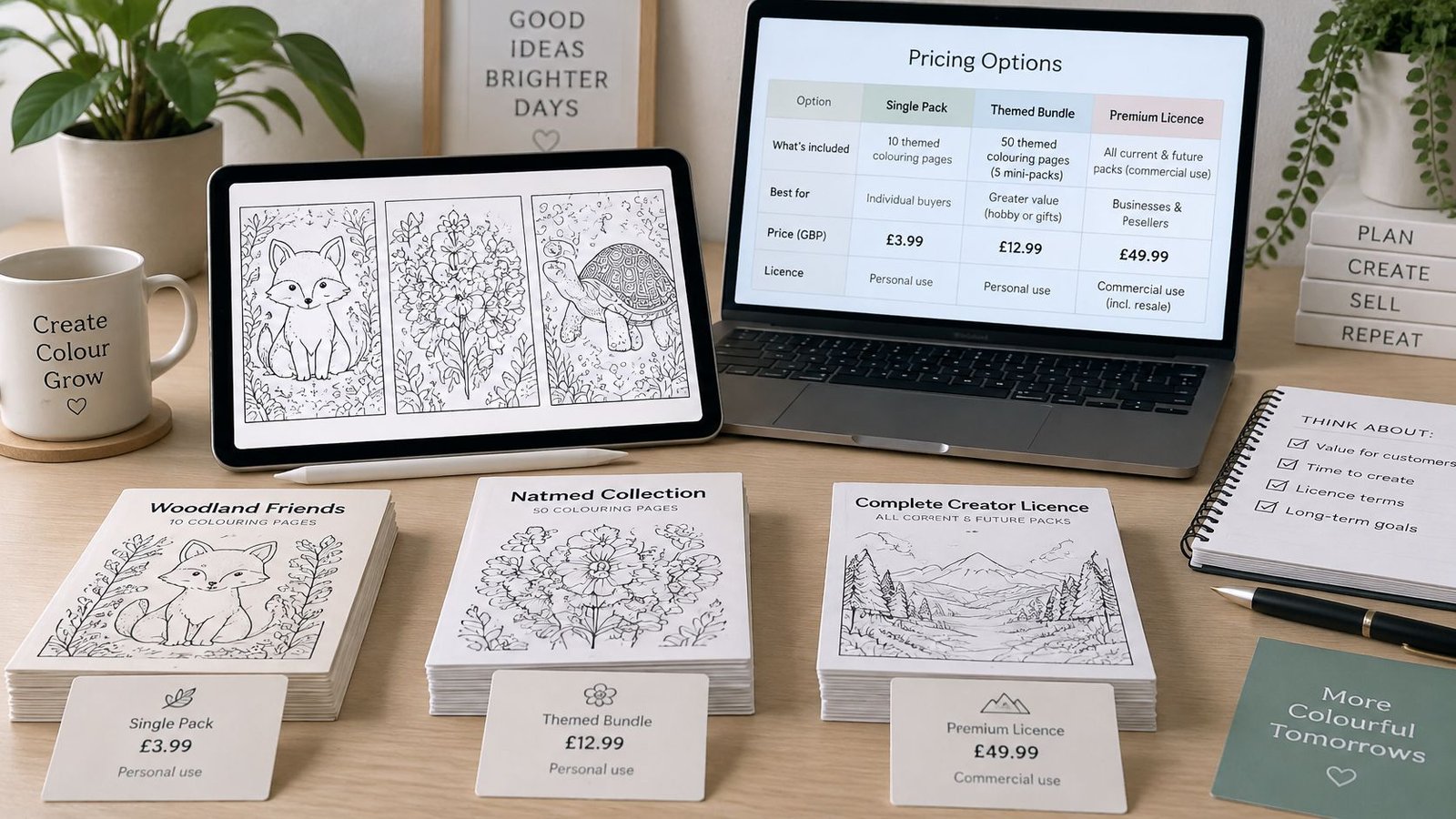
Price the defined product, not just the illustration count. A print-only personal-use pack, a classroom resource and a licence permitting resale of physical printouts grant different permissions and create different support obligations.
The pricing workspace should include production time, delivery costs and licence scope, not merely a comparison with the cheapest competing listing.
Pricing models for a digital colouring book
| Pricing model | Suits | Check before you set it |
|---|---|---|
| Single themed pack | Testing one theme and gathering early feedback | Design hours per page against the price charged |
| Bundle of themed packs | Repeat buyers, teachers and gift buyers | Whether the bundle discount still covers the seller's time |
| Pay-what-you-want | Building an audience and early reviews | Whether the licence stays clear at low or zero prices |
| Subscription or monthly drop | Creators with a steady output of new pages | Whether the schedule can be maintained over several months |
A single themed pack is usually the cleanest launch decision because the buyer can assess a fixed deliverable. A subscription adds an ongoing production commitment; it shouldn't be introduced merely to make occasional work look like recurring revenue.
Calculate design and cleanup time separately from packaging, testing and support. Include any applicable platform or payment charges using the seller's actual terms. Free distribution can still generate costly questions, so a pay-what-you-want offer needs the same clear instructions as a paid pack.
Separate permissions from presentation
Personal use, classroom copying and resale of printed pages shouldn't be bundled into vague commercial-use wording. A teacher's classroom permission can be its own licence rather than being treated as equivalent to permission to sell reproductions. Each licence should identify permitted users, outputs and restrictions.
When comparing software expenses, the SemDash guide to SEO tool pricing offers a useful reference for evaluating another recurring business cost. Such tools belong in the costing sheet only when the seller uses them.
HMRC's digital-services VAT guidance treats digitised documents, including PDFs, as electronically supplied services; the relevant VAT position depends on circumstances including the seller, customer location and nature of the publication. Check registration relevance and the applicable treatment, rather than assuming all downloads sit outside VAT or all publications receive identical treatment.
Choose a launch model, publish the price beside its licence and page count, and set an early review point. For example, reviewing after ten sales can reveal whether support time undermines the proposed margin, without pretending that such a small sample establishes the market price.
Buyer Expectations, Cancellation and Support
A digital download doesn't remove the need for clear terms. Buyers still need to know what they're buying, which equipment they need and what happens when the file doesn't work as expected.
The offer should make these points visible before payment:
- Contents: File formats, page count and whether previews show every design or selected examples.
- Requirements: Paper size, extraction software where needed, and specifically tested devices or apps.
- Permissions: Personal, classroom or commercial use, including whether sharing is allowed.
- Accessibility limits: Complex scenes, small enclosed regions and any interaction that requires precision.
- Delivery: Where access appears and what the buyer must do to retrieve it.
- Support boundaries: A contact route, an achievable response time and the issues covered.
Obtain the required cancellation confirmations
GOV.UK's online-selling guidance sets out a 14-day cancellation period for digital content not supplied on a physical medium, with immediate supply requiring express agreement to begin and acknowledgement that starting the download removes that cancellation right. Those confirmations must also appear in the contract confirmation; missing requirements can leave the cancellation right intact and affect whether the customer must pay.
Adapt the following wording and have the checkout process checked by a qualified adviser:
I want immediate access to this digital download. I understand that once the download starts, I lose my right to cancel.
The checkout must capture both express consent and acknowledgement, rather than relying on a statement buried in general terms. Repeat both in the contract confirmation. Loss of the cancellation right shouldn't be presented as removal of every other consumer right.
Give support a practical scope
For clipped output, check paper selection and whether fit-to-page changed the intended scale. For an older device that won't open the file, confirm extraction and viewer compatibility before sending a replacement. For blurred phone previews, establish whether the buyer opened the purchased image or a compressed listing preview.
The ICO's accessibility guidance provides a useful product-page benchmark: adjustable colours, contrast and fonts, zoom to 400% without content spilling off screen, and keyboard navigation. These are practical checks, not a claim that every private seller has identical public-sector duties.
Finish with plain licence wording, adapted to the actual permission granted and checked where necessary:
You may print and colour these pages for personal, non-commercial use. You may not resell or redistribute the files, or use them in commercial products, without a commercial licence.
Publish Your First Colouring Book Pack
Publication should be a sign-off decision, not the moment the seller first checks the finished download. Use the completed package, listing and checkout as a single release candidate.
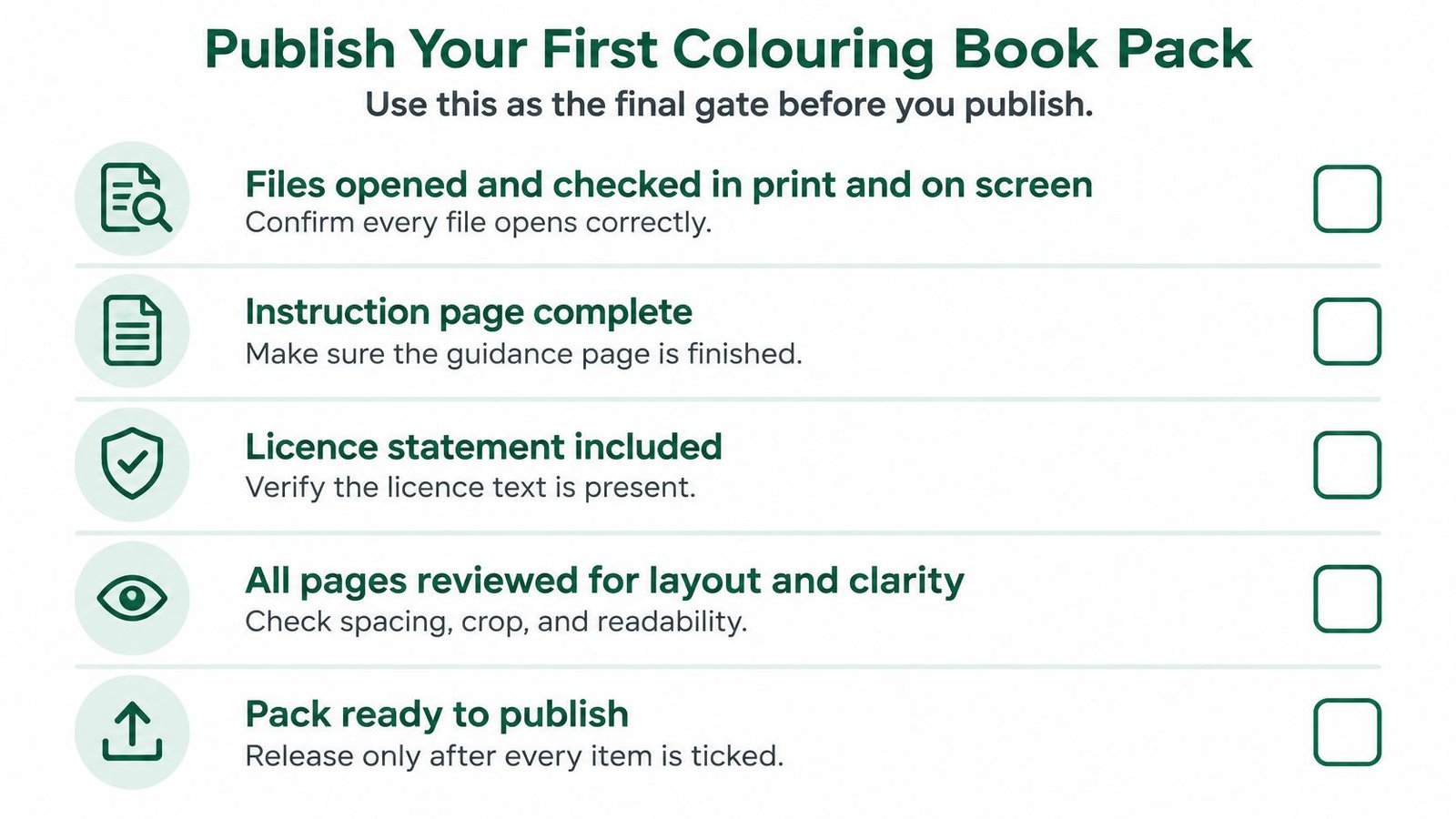
Complete the final gate
- Files approved: Every page has been opened, reviewed on screen and checked for printable layout.
- Instructions complete: Contents, retrieval and use are understandable without private clarification.
- Rights recorded: Licence wording matches the offer, and originality or contributor records are retained.
- Commercial checks finished: Price reflects the relevant VAT position, and checkout captures the required confirmations.
- Support ready: The contact route works and the stated response time is sustainable.
AmaJova requires the seller to review a completed draft before publication. Publish the pack through an OfferLink that states the file set, page count, licence and price before payment, and leave room in the launch schedule for any applicable platform review.
Digital products can include templates, guides, ebooks and resources as well as colouring pages. They can be sold as downloads and digital access through one link, but the launch description should stay focused on the specific pack. The guide to choosing the best platform to sell digital products can help assess the wider selling workflow.
After publication, log buyer questions and turn repeated uncertainties into clearer listing text. A hypothetical review of the first ten buyer questions is a practical starting point, not a performance benchmark. Publish a tested first pack before committing to a full catalogue.
AmaJova offers a single OfferLink for presenting digital products with clear inclusions, pricing and secure checkout. For a colouring book, that means describing the tested files and permissions before payment, with delivery and support connected to the order record. Visit AmaJova to prepare a focused offer for the first finished pack.