In the 12 months to May 2024, 13% of UK book purchases were influenced by the front cover, rising to 15% for print books, according to NielsenIQ BookData's Books & Consumers survey (NielsenIQ BookData's coverage of the finding). Those figures describe the cover's role as part of a book's packaging, not a promise that a redesign will produce a particular sales result.
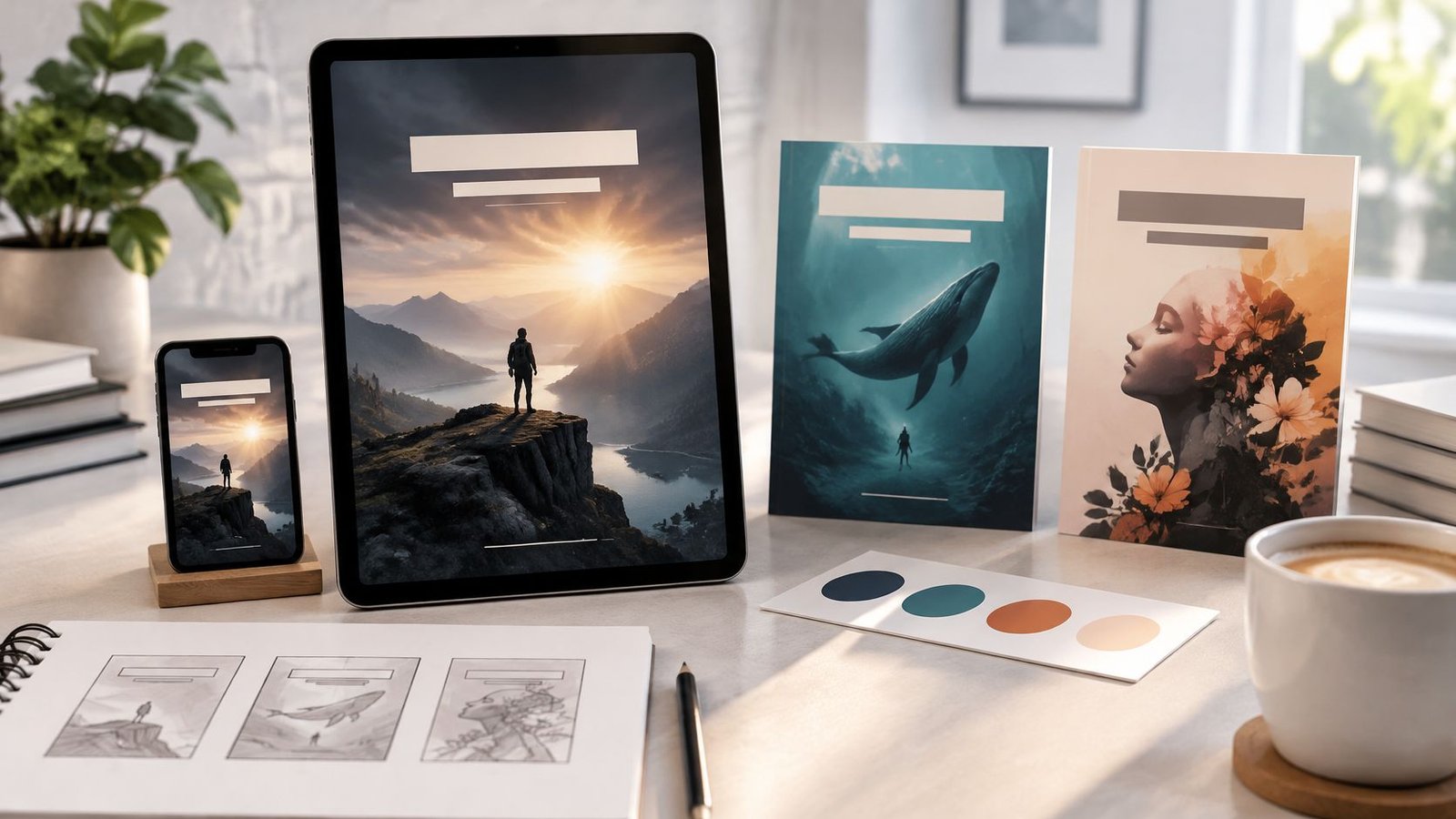
For an ebook, that packaging is often a small image in a search grid, advert, message or social post. A cover must identify the book quickly, then remain consistent with the file the buyer receives. Good covers for ebooks are judged both as tiny shop signs and as product information, including information that must not be trapped inside an image.
Table of Contents
- Why an Ebook Cover Has to Work Small
- Ebook Cover Sizes and File Specs
- Cover Types from a Single Front to a Series
- Design Tests That Survive a Thumbnail
- DIY Templates or a Hired Designer
- Three Cover Briefs That Show the Rules
- Alt Text for the Cover Image
- Check the File Then Attach It to the Offer
Why an Ebook Cover Has to Work Small
A typical reader scrolling through a book listing doesn't start with a full-size mock-up. The reader sees a small image beside other choices, perhaps on a phone, and makes a quick judgement about whether the book looks relevant. A finely detailed scene may look impressive when enlarged but lose its focal point once reduced; the title can blur, the author name can disappear, and the genre cue can become hard to recognise.
That makes an ebook cover a shop sign, not a summary of the entire book. Its first job is to help the right reader identify the title, author and kind of book. The description and sample can explain more. Trying to fit the full premise, a long subtitle, decorative artwork and extra selling copy onto the cover can leave every element competing for attention.
Design for the listing, not the mock-up
Consider a thriller with an atmospheric photograph, fine lettering and a long title. At full size, each element may look considered. In a retailer grid, the photograph's texture can merge into a dark patch and the title can become unreadable. A simpler treatment, such as a distinct object against a clean background and a compact title in sturdy type, may communicate the book more clearly at the size where it's first encountered.
This is a packaging decision, not a guarantee of increased sales. A cover can support recognition and set expectations, but it can't compensate for a mismatched description or a product that differs from what the listing promises. For a useful introduction to the terms designers and publishers use, consult cover terminology explained by Novelium.
What a working cover needs to do
The practical path starts with a standalone image file that's large enough to resize cleanly. From there, the choice of cover type depends on whether the book is a single ebook, part of a series, or paired with a paperback. Thumbnail checks help identify design problems before publishing, while a concise alternative-text description makes key information available beyond the image itself.
A seller can then decide whether to use a template, commission a designer or build the cover independently. A short brief makes those choices easier by naming the genre cue, title treatment and essential feature. The final check is whether the exported image and product description represent the same book and format.
A simpler, high-contrast cover that stays recognisable is usually more useful in a listing than a beautiful file that collapses when reduced.
Ebook Cover Sizes and File Specs
A practical master size is 2,560 × 1,600 pixels, in RGB, saved as a separate JPEG or TIFF. Its shape is wide, roughly 1.6 times as wide as it is high. A standalone image is useful for listings; an image embedded as the EPUB's first page does not replace it.
| Use | Size or limit | Shape | File rule |
|---|---|---|---|
| Practical master | 2,560 × 1,600 px | Landscape, about 1.6:1 | Separate RGB JPEG or TIFF |
| Thumbnail check | About 100 px wide | Title and author still readable | Strong contrast and little fine detail |
| What not to rely on | Cover only as EPUB page one | Embedded page | Export a standalone image for listings |
Treat the cover like a small shop sign: it should remain identifiable when reduced. At roughly 100 pixels wide, check whether the title and author are still legible. If they blur together, simplify the design before exporting.
Keep one untouched master
Retailers and reading apps may resize an image for different displays. Enlarging a small file cannot restore missing detail, and repeated JPEG saves can soften lettering and edges. Keep the master untouched, then export a fresh copy for each channel that requires a different file.
If a retailer's workflow has stricter file requirements, create a separate version to meet them rather than overwriting the master. For the wider digital-product setup, see this guide to selling PDFs online.
Cover Types from a Single Front to a Series
An ebook cover is generally a single front image, not a complete print jacket. It doesn't need a spine or back cover, and a standalone ebook image should be designed for the space where that image appears: a listing, download page or product offer. The cover needs to attract the right reader and identify the book, rather than explain every detail of its contents.
One title, one front
For a single title, a standalone front cover usually carries the book title, author name and one strong genre cue. That cue might be an illustrated object, a distinctive setting or a clear typographic treatment. The image can be full-bleed illustration, a type-led nonfiction design or a simple template layout. Those are production styles, not separate rules about what a cover must contain.
A shop sign doesn't need to explain the whole shop. Likewise, the ebook image doesn't need to include a plot summary, review snippets or every detail already available in the product description. It needs to make the book recognisable and set expectations without promising something the book doesn't provide.
A series needs a system
For planned series books, decide which features will repeat before the first cover is finished. A recurring colour family, type treatment or corner motif can signal that two titles belong together. The title, subtitle, book number or scene can then change while the shared elements remain steady.
For example, a series might use the same display type and a small symbol in the same corner on each volume. One book could feature a key and another a door, while the type and placement help readers recognise the set. Agreeing those repeated elements early can make a later cover easier to develop and keep the titles visually related.
Pairing an ebook with print
An ebook and paperback can share the same identity without using identical hierarchy. The ebook needs its title and key image to read at a small size, so it may need larger type and less texture. A paperback also needs a spine and back cover, which the ebook image doesn't include.
Shrinking a print jacket to make an ebook cover can leave the title too small or preserve details that only work at full size. A related design system gives both formats continuity while allowing the digital front to stay simpler. The decision rule is straightforward: one title calls for one strong front; more than one planned title calls for a small set of repeating elements agreed in advance.
Design Tests That Survive a Thumbnail
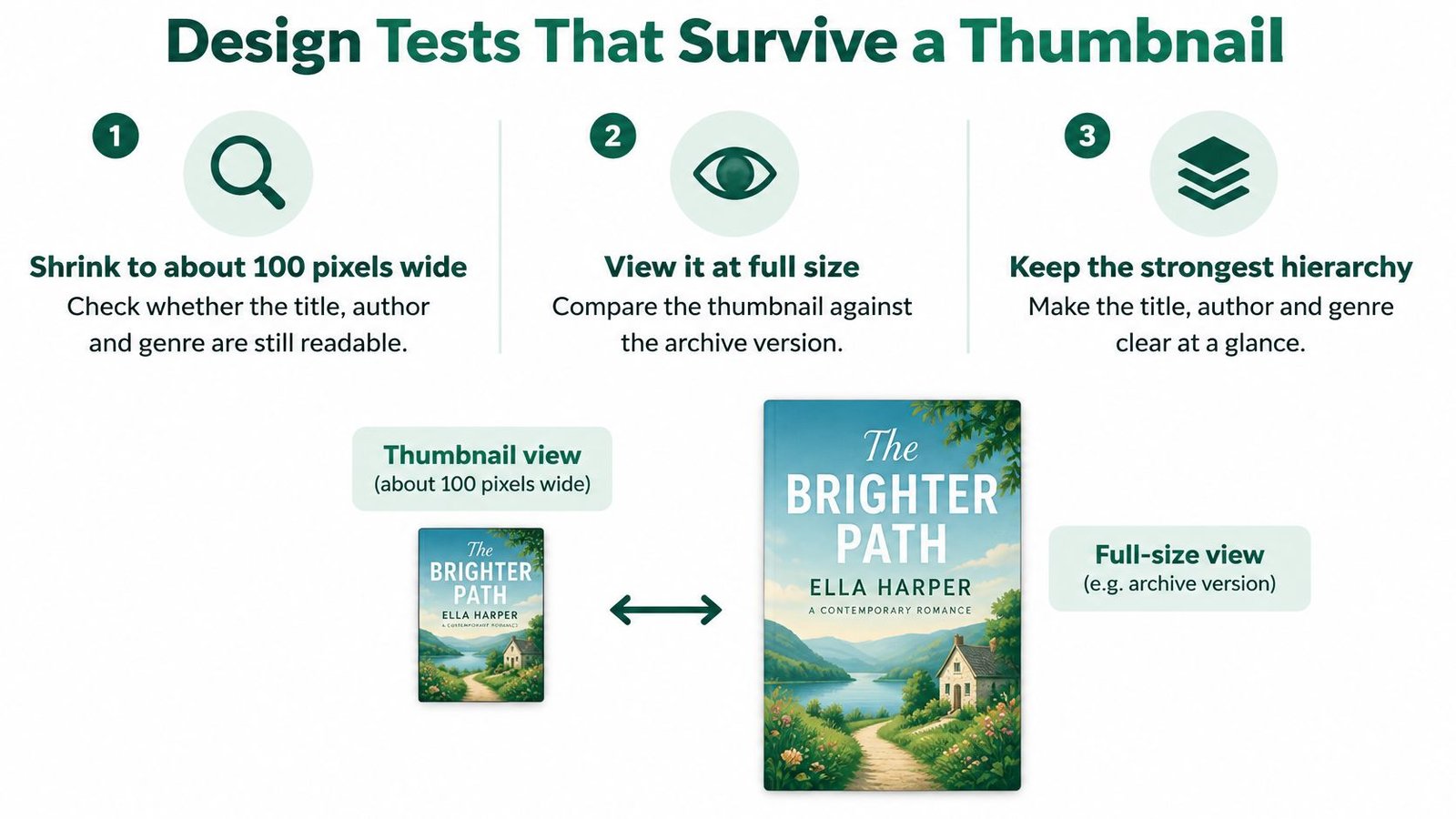
The thumbnail is the design's key test; the full-size file is its archive. UK authors benefit from checking covers in small previews, on phones and in monochrome rather than relying only on full-size mock-ups. A UK self-publishing guide also describes a market in which print remains dominant, which supports a practical balance: optimise the ebook image for digital discovery while preserving visual continuity with a print edition where one exists (UK self-publishing guidance from Bookmundo).
Run the checks in order
First, shrink the cover to about 100 pixels wide. Look for the title, author and genre cue. If the reduced image shows texture but not those identifying elements, simplify the design or strengthen its contrast. Don't judge it only in a large editor window.
Next, check the hierarchy. The title should be the first element a reader notices, followed by one image or shape, then the author name. That doesn't mean the author name must be tiny. It means the elements need an intentional order, so they don't all compete for the same attention.
Thicker letterforms tend to hold up better than delicate strokes at small sizes. Keep the title in a stable central area, away from edges that may be cropped in social previews. Busy photographs, fine patterns and heavy drop shadows can add noise without helping the reader identify the book.
Then view the cover in greyscale. If different parts merge into a grey blob, the tones are too close together. A colour contrast that looks obvious on a large screen may not survive when the image is reduced or displayed differently.
Finally, look at the design on a small phone screen and ask a one-second question: can a stranger name the genre at a glance? If a paperback already exists, retain a shared colour or motif for continuity, but simplify the ebook hierarchy rather than shrinking the entire print jacket. Small-image design has similar challenges to a favicon, where an image must remain identifiable at a tiny size; favicon design tips for small businesses offer a useful comparison.
Pass rule: The title reads, one genre cue is clear, and no essential text sits at the edges.
DIY Templates or a Hired Designer
A simple type-led cover may suit a template, while complex illustration or a coordinated set of editions can call for a designer. The right route depends on the work, the files you need and the usage rights you require.
| Route | Best fit | Cost shape | Main risk |
|---|---|---|---|
| DIY in a design tool | Simple type-led cover and a seller who'll test the thumbnail | Free to low | Font and image licences; weak small-size type |
| Template | Speed and a consistent series look | Low one-off or subscription | Sameness, and a licence that may not allow commercial ebook use |
| Premade cover | A faster stand-in for custom art | Mid, set by the seller | Artwork may not be exclusive |
| Hired designer | Illustration, a series, or ebook plus print | Higher | Unclear brief, revision limits, or usage rights not in writing |
Match the route to the work
DIY suits a simple design if you can set clear type and contrast, then check the cover as a small shop sign. It is less suitable when the lettering loses clarity at thumbnail size or you cannot confirm that the fonts and images are licensed for your intended use.
Templates and premade designs can save time. A template can give several covers a shared layout, although other users may choose it too. A premade cover offers a middle ground between a template and custom work. Before buying, check whether the artwork is sold to multiple buyers or reserved for one.
A designer is a stronger fit when illustration carries the genre signal, several titles need a consistent system, or an ebook must sit alongside a print edition. Give the designer the pixel target, the exact text, and a clear description of which files and usage rights you need. Agree the revision limits in writing.
Check the licence for every image, font and other asset. Terms may differ for an ebook listing, adverts or social posts, and printed material, so make sure the permitted uses match your plans. Keep a record of each creator, source, licence, permitted use and any credit requirement. If commercial rights are unclear, ask for written permission before using the asset.
A practical rule: choose DIY or a template for a type-led cover when the licences are clear; consider a designer when artwork must carry the genre or several editions need to match.
Three Cover Briefs That Show the Rules
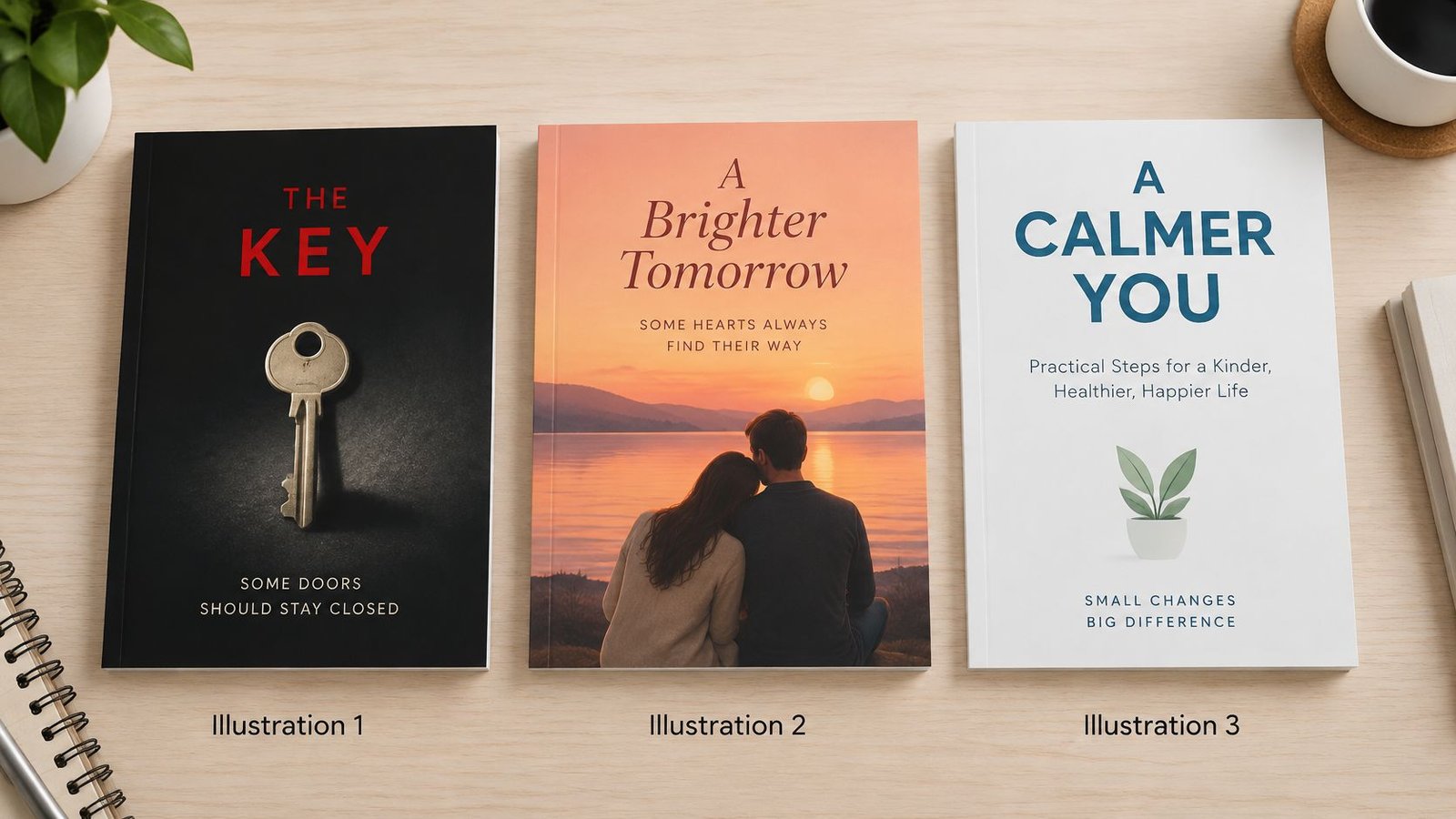
The following are illustrative briefs, not real books. Each one shows how a short instruction can keep the design focused and make it easier to spot what doesn't belong.
A commercial thriller
A near-black field, one pale object and a short title in heavy, condensed type give the cover one focal point. The author name stays smaller, but remains clear when the image is reduced. A paperback could keep the object, colour and type while adding the spine and back that the ebook doesn't need.
Design a commercial thriller cover with one pale object on a near-black background; use a short, heavy title and keep the author name readable at thumbnail size.
This brief would refuse a foggy photograph if it became indistinct when shrunk, and a thin script that disappeared at the small size used in listings. The scene can remain atmospheric, but it shouldn't obscure the one object the reader is meant to notice.
A practical nonfiction guide
A type-led layout with a plain colour block can make the book's subject easy to identify. The title should carry the book's promise; a subtitle packed with small print is unlikely to help a reader scanning a listing. Fake review quotes baked into the cover add another claim the design doesn't need. A print edition can preserve the colour and title treatment while adding its print elements.
Two titles in a short series
For books one and two, repeat the type and corner motif, and use a related palette. Change the numeral and make a small scene adjustment, so a reader can see that the titles belong together without confusing one book for the other. A paperback can carry the same system across its front, spine and back.
The same focus works for other visual digital resources, such as digital colouring books, where the image also needs to identify the product clearly. A seller can draft an original brief in three lines: genre cue, title treatment, and what must remain if everything else is deleted.
Alt Text for the Cover Image
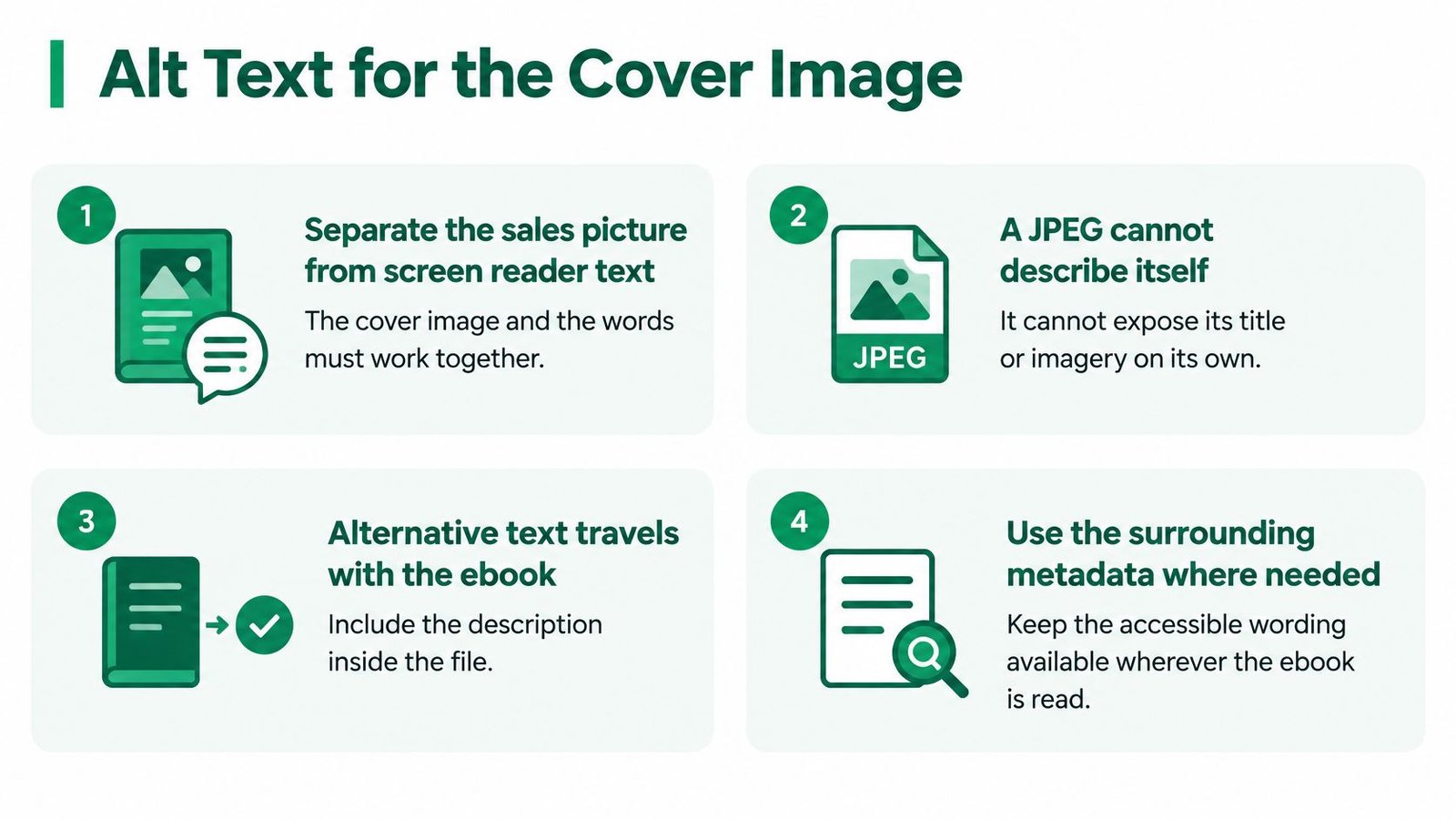
A cover can be a tiny shop sign and accessible product information at the same time. Alternative text gives screen-reader users a concise account of the image and its meaningful wording. Where a sales page supports image descriptions, the same information can help there too. Edinburgh University Press recommends describing the cover and making meaningful text, including the title and author, available in the description (Edinburgh University Press guidance on cover-image alt text).
Write what a reader needs to know
A useful pattern is title and author, followed by a short description of the imagery. For example: “The Quiet Harbour by Mina Ellis, a dark cover with a single pale key.” The title and author identify the book; the visual detail gives a reader who cannot see the image a clear cue.
Describe meaningful text and imagery, not every decorative texture. If a detail changes the cover's meaning, include it. A complex image may need a longer description in the publication's accessible layer or metadata, rather than a crowded filename. For broader principles, how to describe images for SEO explains how to make image descriptions useful without keyword stuffing.
Keep promotional language out. “Must-read” and “stunning” do not describe the image or its meaningful text.
Validate the publication, not just the image
An image editor can confirm that a file opens. It cannot show whether the finished ebook works with a screen reader or magnification. If you control the EPUB, check the publication as well as the cover image:
- EPUB3 and embedded text alternatives: Confirm that the cover description is included in the ebook's accessible publication layer.
- EPUBCheck and ACE by DAISY: Use these tools to help validate the EPUB and identify accessibility issues.
- Reading order and metadata: Check that the cover and other content appear in a sensible sequence, and that publication information is available.
- Enlarged text and magnification: Inspect the publication at increased text size and magnification, as well as at its default display.
WCAG Level AA is a widely used accessibility benchmark. The duties that apply can depend on where and how an ebook is sold. Accurate alt text keeps useful cover information available beyond the image itself.
Check the File Then Attach It to the Offer
Once the artwork is approved, a short pre-publication check can catch mismatches between the image, ebook and listing. A single link can present the product, but the seller still needs to supply the correct file and make its format clear. AmaJova's resources on how to sell a book online provide related guidance for presenting a book as an online offer.
Export from the master. Make a fresh RGB JPEG or TIFF at the practical target of 2,560 × 1,600 pixels. Keep the high-resolution master untouched and save the export as a separate file.
Inspect the reduced image. View the export at about 100 pixels wide. If the title becomes difficult to read, revise the design before publishing rather than relying on the full-size view.
Add the text description. Write alt text using the title-and-author pattern, followed by a concise description of the imagery. Put it in the ebook's metadata or accessible publication layer, and in any product-image field the sales page accepts.
Compare the listing with the file. Make sure the title, edition and format agree. The cover shouldn't imply that the buyer will receive a workbook, audiobook or print copy if the offer is for something else. Under the Consumer Rights Act 2015, digital content has statutory quality standards, and remedies can apply if the seller breaches the right to supply the content (section 45 of the Consumer Rights Act 2015). The law's application depends on the contract and circumstances, so an accurate description is a practical safeguard, not legal advice.
Use the image with a clear digital offer. Place the standalone cover beside a description and price that identify the download. Digital products can include ebooks and other resources, and they can be sold as downloads or digital access through one link. For digital products on AmaJova, the seller provides the files or access through the buyer's order record.
Cooling-off rights and rules for faulty digital content aren't the same issue, and their application can depend on the contract and jurisdiction. UK government guidance explains that a trader's process for supplying downloaded digital content during the cooling-off period involves specific requirements for early supply and acknowledgement of the cancellation right (government guidance on digital-content consumer rights). Sellers should check the rules for their own business model rather than substitute a homemade policy for legal advice.
Publish only when the thumbnail, alternative text and described format agree with the product the buyer will receive.
AmaJova lets sellers present digital products, physical products, services and live sessions through a single OfferLink, with the offer details set out before checkout. To keep an ebook's cover beside a clear description and the right digital product, visit AmaJova and explore its resources for selling online.