

A buyer pays for a budgeting template, saves the email and returns a week later to find a broken download link. The seller has the payment, but no clear record of which file was promised, when access was provided or whether the buyer received working instructions. A straightforward sale has become a support dispute.
Selling digital products in the UK starts with preventing that gap. The practical approach is to make the offer specific, establish the tax position, test delivery and keep evidence against the order. Legal and tax guidance below is general information, not professional advice; the right treatment can change with the product, customer and jurisdiction.
Table of Contents
- The Seven Stages to Sell Digital Products UK
- How to Define Your Digital Product Before You Price It
- VAT and Pricing for UK and Overseas Buyers
- Consent, Cancellation Rights and Pre-Purchase Information
- How to Deliver Digital Files and Handle Faults
- Publish Your First Digital OfferLink Once the Checks Pass
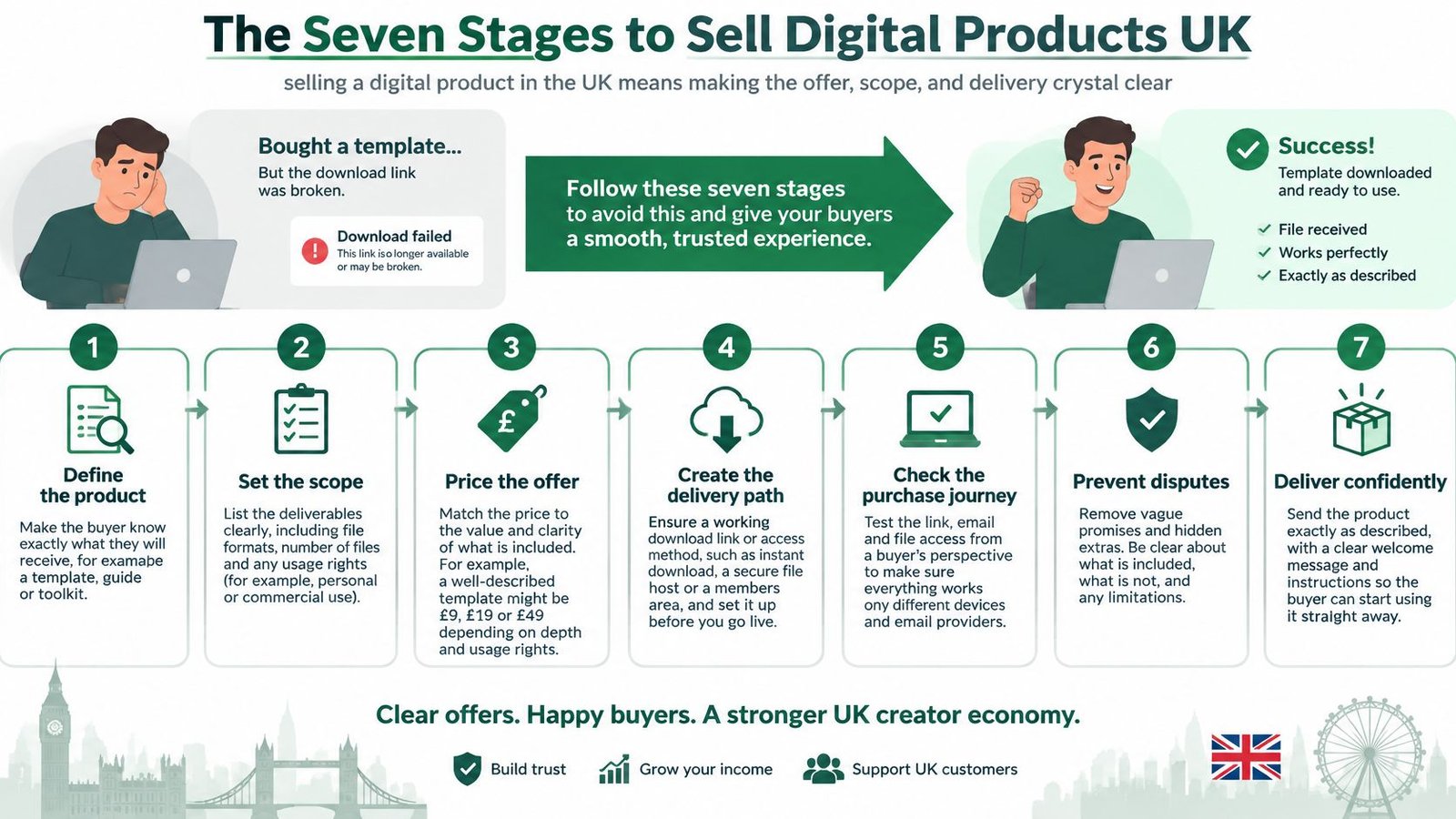
The Seven Stages to Sell Digital Products UK
Selling a digital product in the UK is a seven-stage sequence, with each stage leaving evidence that can be connected to the order history. A working checkout matters, but so does being able to reconstruct what happened after payment.
Office for National Statistics figures show internet sales reached 27.2% of UK retail sales in September 2025, a substantial online market in which clear terms and dependable access matter.
- Define the product and its scope. Specify formats, inclusions, technical requirements, support boundaries, licence terms and updates. Keep the approved description, rather than relying on whatever the current page says later.
- Confirm VAT and the total price. Establish the customer category and sales route before publishing. Retain the pricing decision and the tax treatment used.
- Prepare the purchase information and consent. Put the relevant business details, delivery terms and cancellation wording before payment. Keep the wording accepted for that transaction.
- Test the delivered files. Check the copy reached through the actual delivery path, not merely the original on the seller's computer. Record its release identifier and test results.
- Review and publish the OfferLink. Check that the completed draft matches the intended offer before sharing it. Save the publication date and live version.
- Resolve faults and document the response. Use the applicable digital-content remedies, not an absolute no-refunds statement. Keep the complaint, investigation and resolution together.
- Reconcile orders and payouts monthly. Match receipts to transactions and investigate unexplained differences. Record the reason for each adjustment.
Choose tools around the delivery model
A downloadable workbook and a structured course need different access arrangements. LearnStream's comparison of selling platforms for course creators offers a useful starting point for comparing education-focused options, but sellers should test the purchase and delivery journey themselves.
Practical rule: Keep enough evidence for someone unfamiliar with the sale to understand the promise, payment, delivery and resolution.
Work through the stages in order. A later complaint is easier to resolve when the earlier product definition and delivery evidence already exist.
How to Define Your Digital Product Before You Price It
A description such as a complete budgeting bundle leaves too much open to interpretation. Does it include editable files, bank connections, personal help or future upgrades? A buyer shouldn't need to send a message to discover the basic contents.
Digital products can include templates, guides, ebooks, resources and more. The useful distinction isn't the category label but the exact asset and permissions being purchased. Pembrokeshire Trading Standards' digital-content guidance explains why descriptions, functionality and compatibility matter to the contractual expectations surrounding a purchase.
Build a product specification
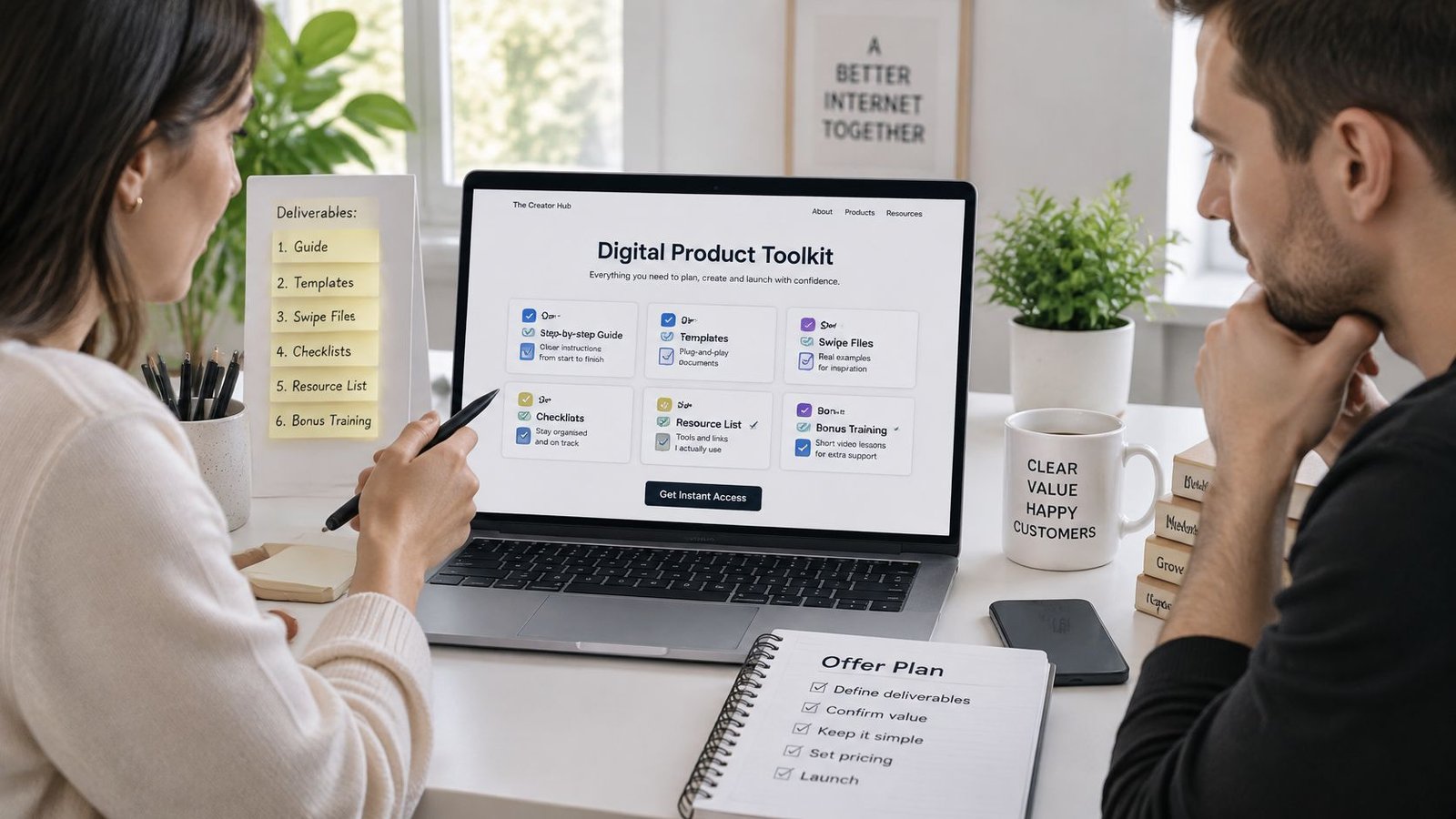
- Name the format and file types. Distinguish a PDF from an editable spreadsheet, a recording from a live session, and downloadable files from account-based access. Screenshots should show what the buyer receives, not a mock-up containing unavailable features.
- List every inclusion and exclusion. Name the templates, guides, worksheets and replays separately. If a demonstration includes sample material that isn't supplied, say so beside the inclusions.
- State technical requirements. List required software, supported devices, version limits and any internet requirement. Test the advertised combinations before describing them as compatible.
- Define the support boundary. Separate fixing a defective file from teaching the underlying software or customising the product. Set a response target that fits the seller's actual availability.
- Explain licence and usage rights. Specify personal or commercial use, editing permissions and restrictions on redistribution. For bought-in material, retain the original licence and check the guide to PLR digital products before deciding what can be offered.
- Set the update policy. State whether future versions are included and when that entitlement ends. Avoid an undefined promise of lifetime updates unless the seller has deliberately accepted that ongoing commitment.
When creating an OfferLink, sellers can set boundaries, FAQs, optional extras, price and fulfilment. Those fields should agree with the specification rather than introduce different promises.
A hypothetical budgeting bundle
The following is an illustrative product definition, not a claim about an existing product:
- Format: One PDF workbook of 20 pages and one .xlsx file.
- Requirements: Excel 2016 or later, or Google Sheets, subject to testing in each advertised application.
- Included: Monthly and annual budgeting sheets, with instructions for entering figures.
- Excluded: No bank connection, bookkeeping service or personalised financial advice.
- Licence: Personal use only, with no redistribution or resale.
- Updates: Future versions included for 12 months from purchase.
- Support: Help with access and reproducible file faults; custom formulas and individual budget reviews excluded.
Keep the finished definition with a version number, an archived page copy and the corresponding file release. When the offer changes, preserve the previous description rather than overwriting the only evidence of earlier sales.
Clear exclusions may discourage some purchases. That's preferable to accepting payment from someone expecting a different product. The final test is simple: could a buyer predict exactly what will arrive from the offer page alone?
VAT and Pricing for UK and Overseas Buyers
The starting question is who the buyer is and how the sale is made. A domestic consumer purchase, an overseas business order and a platform-mediated transaction shouldn't all receive the same tax classification by default.
HMRC's guidance on digital services supplied to private consumers distinguishes UK consumer supplies, overseas consumer supplies and transactions for which a platform may account for VAT; it also explains the requirement for two pieces of evidence of an overseas consumer's normal location where applicable. Product classification and the seller's VAT registration position still need checking before tax is charged.
Who accounts for VAT and what to record
| Buyer and route | Who accounts for VAT | What to record |
|---|---|---|
| UK consumer, sold directly | UK VAT applies to the digital service, subject to the seller's applicable registration and accounting obligations | Buyer billing country and total price including VAT where chargeable |
| Overseas consumer, sold directly | Not liable to UK VAT; may be taxable where the customer is based | Two pieces of evidence of the customer's normal location where required |
| Sale through a third-party platform | The platform may account for VAT instead of the seller | The platform's tax role as set out in its terms |
| UK business buyer | Check the relevant business-supply rules and the seller's registration position; the buyer's VAT registration alone doesn't decide the treatment | Buyer VAT number where provided |
A product being delivered digitally doesn't establish its complete tax treatment. Downloadable content, automated access and offers containing substantial human-delivered work need proper classification. A live consultation shouldn't be labelled a digital service merely because the booking happened online.
Check the current VAT registration threshold on GOV.UK, rather than using a remembered amount. For international sales, establish the overseas obligations before opening a new market, not after receipts have accumulated.
Set a price that survives reconciliation
- Decide the VAT basis. Record whether the proposed price includes VAT where chargeable. Don't describe a sale as VAT-free because a platform takes the payment.
- Show the total before payment. Include applicable taxes and any buyer-facing charges in the purchase journey. Compare the offer page with the final checkout summary.
- Choose the charging currency. Decide whether to price in pounds only or another supported currency. Make the actual transaction currency clear rather than relying on an approximate conversion.
- Date every price change. Retain the amount, currency and effective date so an older transaction can be checked against the right offer.
Pricing also needs to cover support, software, updates and the work required to maintain the product. A cheap template that creates repeated customisation requests may be harder to sustain than a clearly bounded, higher-priced bundle.
Stewart Accounting Services' discussion of the online marketplace VAT consultation provides context for monitoring policy developments, but a consultation isn't the rule to apply to a current order.
A platform's ability to accept an international payment doesn't settle the seller's tax obligations.
Keep billing country, required location evidence, currency and VAT treatment with each transaction. AmaJova sellers remain responsible for taxes, lawful offers, accurate descriptions, fulfilment, required licences, verification and cooperation with transaction reviews. Complex cross-border cases warrant an accountant or direct HMRC guidance.
Consent, Cancellation Rights and Pre-Purchase Information
Instant access doesn't remove the need for a cancellation-consent step. Under GOV.UK's online-selling guidance, a buyer may retain the 14-day cancellation right for digital content unless the seller obtains the required agreement to immediate supply and acknowledgement that cancellation rights will be lost, then confirms those agreements after purchase.
That consent concerns cancellation for a change of mind. It shouldn't be presented as surrendering remedies for defective content.
Put the essential information before payment
GOV.UK's distance-selling guidance sets out the pre-contract information and the requirement to provide a savable contract copy. The purchase journey should identify the business name, contact details and address, alongside the product description, main characteristics, relevant compatibility, total price including taxes, payment methods and delivery arrangements.
For continuing access, include the contract duration and billing period where relevant. Explain cancellation conditions and when rights end. Product language and update arrangements also belong in the description where they affect the purchase.
Record a deliberate consent sequence
- Request agreement to immediate supply. Use a clear, unticked checkbox with wording such as: Begin supplying the digital content immediately after payment.
- Request acknowledgement of the consequence. Use a separate unticked checkbox stating: The buyer acknowledges that the right to cancel will be lost once supply begins.
- Repeat the accepted confirmations in the order email. Include the actual statements, not merely a note saying terms accepted.
- Provide a savable contract copy. Send the agreed product details, price and terms by email or another suitable durable format.
- Retain the evidence. Save the acceptance timestamp, exact wording, offer version and confirmation email against the order or in a securely linked archive.
The example wording is a drafting starting point, not a professionally reviewed legal template. It should match the actual delivery process and receive legal review where the offer is complex.
Checkout check: A general terms checkbox isn't a substitute for visible, specific digital-supply consent.
The refunds and cancellations policy should be checked alongside the seller's own wording so the buyer doesn't encounter conflicting instructions. Sellers shouldn't assume a publishing tool automatically captures every consent needed for their particular offer.
Physical goods, services and live sessions require separate consideration. A posted workbook, bespoke consultancy engagement or scheduled workshop shouldn't inherit download cancellation wording just because it shares the same checkout provider. Mixed bundles need particular care over which terms apply to each component.
How to Deliver Digital Files and Handle Faults
Before every release, test the buyer-facing delivery path. A file opening correctly on its creator's laptop doesn't prove that the purchased copy, permissions or access instructions work.
- Download each delivered file. Open it from the actual access route and confirm the stated format.
- Check the release identifier or checksum. Compare it with the approved offer record so an old upload doesn't pass unnoticed.
- Test a phone and a laptop. Check both access and usability within the advertised compatibility limits.
- Scan for malware. Use current security software on the files being distributed.
- Check permissions and interrupted access. Test what happens after an expired link, a signed-out session or an interrupted download.
- Record the test date and outcome. Save the tested release, device details, faults found and corrective action.
On AmaJova, completed payment creates an order record and the seller can begin fulfilment. For digital products, the seller provides the files or access through the buyer's order record. That makes the actual fulfilment step important; payment alone isn't evidence that a usable product was supplied.
Common delivery faults and first responses
The causes below are diagnostic starting points, not conclusions to impose before checking the buyer's report.
| Fault reported | Likely cause | First response |
|---|---|---|
| Link expired or never arrived | Link sent late or lifetime too short | Resend access from the order record and log the time |
| Wrong file version | Old file uploaded after an update | Replace with the described version and note the release ID |
| File will not open | Format or software not stated, or file corrupted | Check the stated format, re-test the file and offer a working copy |
| Items missing | Inclusions list incomplete or bundle not uploaded | Send the missing items and check them against the inclusions list |
| Does not work on the buyer's device | Compatibility not stated or out of date | Confirm device and version, then offer a fix or remedy |
Resolve defects without hiding behind policy
The Consumer Council's digital-content rights guidance explains that, under the Consumer Rights Act 2015, paid digital content must be of satisfactory quality, fit for purpose and as described, with repair or replacement generally followed by a price reduction or refund where the applicable conditions are met.
A restrictive commercial refund policy doesn't erase those statutory remedies. Ask for enough information to reproduce the fault, but don't turn the investigation into repeated requests for evidence already supplied.
Set a realistic response target for access failures. Monitor median resolution time, refund rate and complaint frequency relative to order volume, separating access failures from product-quality complaints. These measures identify operational problems without pretending to guarantee sales performance.
For platform selection, the digital-product platform comparison guide can support a delivery-focused shortlist. The decisive test remains whether the seller can provide access, investigate a fault and retain the outcome.
Keep messages, delivery steps and dispute status together in the order record. A complete fault history makes the next response more accurate and avoids making the buyer repeat the problem.
Publish Your First Digital OfferLink Once the Checks Pass
Publishing should follow a completed review, not a decision to fix the details after the first sale. A seller needs a launch record that identifies exactly what went live and which checks passed.
Use a publication gate
Before sharing the offer, confirm that the following evidence exists:
- Product specification: The approved definition, version identifier, inclusions, exclusions and licence terms.
- Pricing decision: The applicable VAT treatment, charging currency and buyer-facing total.
- Purchase information: Business details, delivery arrangements, cancellation terms and the required consent statements.
- Contract confirmation: A tested email or other suitable confirmation containing the agreed terms and accepted permissions.
- Release approval: Results from testing the delivered files, with unresolved faults addressed.
- Support ownership: A named person responsible for access failures and an achievable response target.
AmaJova requires a seller to review a completed draft before publication. Its seller journey follows Create, Share, Sell, Fulfil and Get paid. The ability to create an OfferLink without a website and start selling in minutes removes website-building work, but it doesn't replace product, tax or consent checks.
Save the publication date and the release that went live. When an offer changes, create a new approval record rather than altering the evidence attached to previous purchases.
Treat payouts as a separate operational task
Check the payout terms applying to the account and offer before committing receipts to bills. AmaJova's payout-clearance period varies by seller level and by offer type: physical product, digital product, service or live session. A general payout estimate isn't a reliable cash-flow plan for an individual transaction.
For sellers assessing payment arrangements across markets, NexaPay's resource to compare gateway onboarding and regional coverage offers useful selection criteria. Gateway availability, however, shouldn't be confused with confirmed account approval, payout timing or tax readiness.
Monthly reconciliation should leave a clear trail:
- Match each order to a payout line. Retain the transaction reference and distinguish the customer's payment from the amount received.
- Flag missing, short or unexplained amounts. Investigate the applicable fees, refunds, adjustments or pending status rather than guessing.
- Record the cause and action. Attach the explanation, supporting statement and any follow-up to the relevant order or linked accounting record.
Keep orders, messages, release identifiers, timestamps, complaints and reconciliations for the period required by the applicable UK record-keeping rules. Check current GOV.UK guidance for the business and tax records involved rather than assigning every document the same retention period.
The practical action for today is to create the draft, complete the evidence checklist and publish only when every item is confirmed. A narrowly defined offer with dependable fulfilment is a stronger starting point than a larger bundle with unresolved promises.
AmaJova brings services, physical products, digital products and live sessions into a clear OfferLink with secure checkout and order-connected fulfilment. Visit AmaJova to create a digital-product draft, define its scope and delivery details, and review it against the checks before publication.