A designer has already asked about one frame from a coastal walk. The photographer has no shop and no stock account, only a folder and a buyer who wants to pay today. That is the practical version of how to sell my photo online: one photograph, one clear offer, one completed sale.
A gallery that only displays the picture stops short. A listing finishes the job when it carries a title, a price, the format, a note on usage or fulfilment, and a direct way to pay. The same frame can later support three different offers: a personal print, a digital download with stated limits, or commissioned use. Those are separate sales, not one vague file.
Online buying is already ordinary in Britain. The Office for National Statistics reported that online spending in Great Britain rose by 4.5% between June 2024 and June 2025, and monthly online spending rose by 2.3% in June 2025. Online transactions were 27.8% of all retail sales that month, up from 27.4% in May. Those figures cover retail broadly. They are not photography conversion rates, and they don't predict one seller's results. They do show that a focused, shareable offer sits in a market where people already pay online.
What a complete offer contains
Displaying an image is not the same as selling a right to use it. A portfolio can win attention. It doesn't state what the buyer receives, what they may do with the file, or when it arrives.
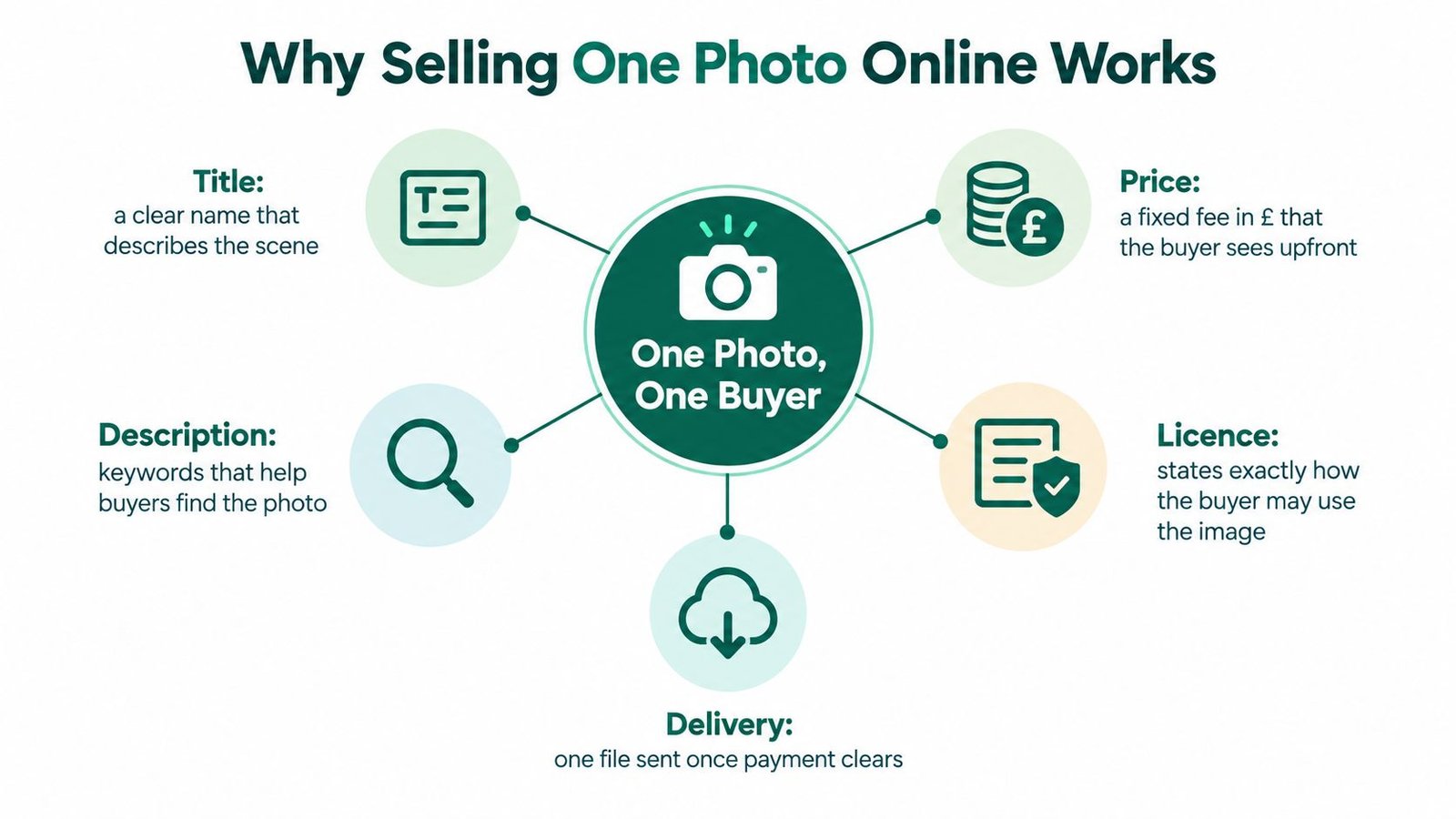
- Title: A plain name that names the place and the subject, so the buyer knows which frame they are paying for.
- Price: A fixed fee in pounds, visible before checkout, including whether VAT is included if the seller is registered.
- Format and fulfilment: Print size and shipping expectation, or file type, resolution and how the download is sent.
- Usage note: Personal display, editorial use, or a named commercial licence. If that line is missing, the buyer is guessing.
The rest of this guide takes one photograph from an ownership check to paid delivery. The first decision is whether this specific image can be sold at all.
Table of Contents
- What a complete offer contains
- Check You Can Sell the Photograph
- Define the Licence Before You List
- Choose How Buyers Pay and Receive It
- Deliver the File and Protect the Sale
- Publish Your First Photo Offer Today
Check You Can Sell the Photograph
Before any sales copy is written, the photograph has to pass a gate. UK government guidance treats photographs, in general, as artistic works. Copying or sharing an image online will usually need permission from the copyright owner, as set out in the copyright notice on digital images. Copyright in many UK photographs generally lasts for the creator's lifetime plus 70 years from the end of the year of death, though the term can depend on when the work was created.
Sell only a photograph the seller created, or one already licensed for the intended marketing and the sale itself. A download from a search result, a client's old brief, or a Creative Commons file marked non-commercial is not automatically a product. Some Creative Commons licences allow sharing and forbid commercial use. That limit has to be read before the file is priced.
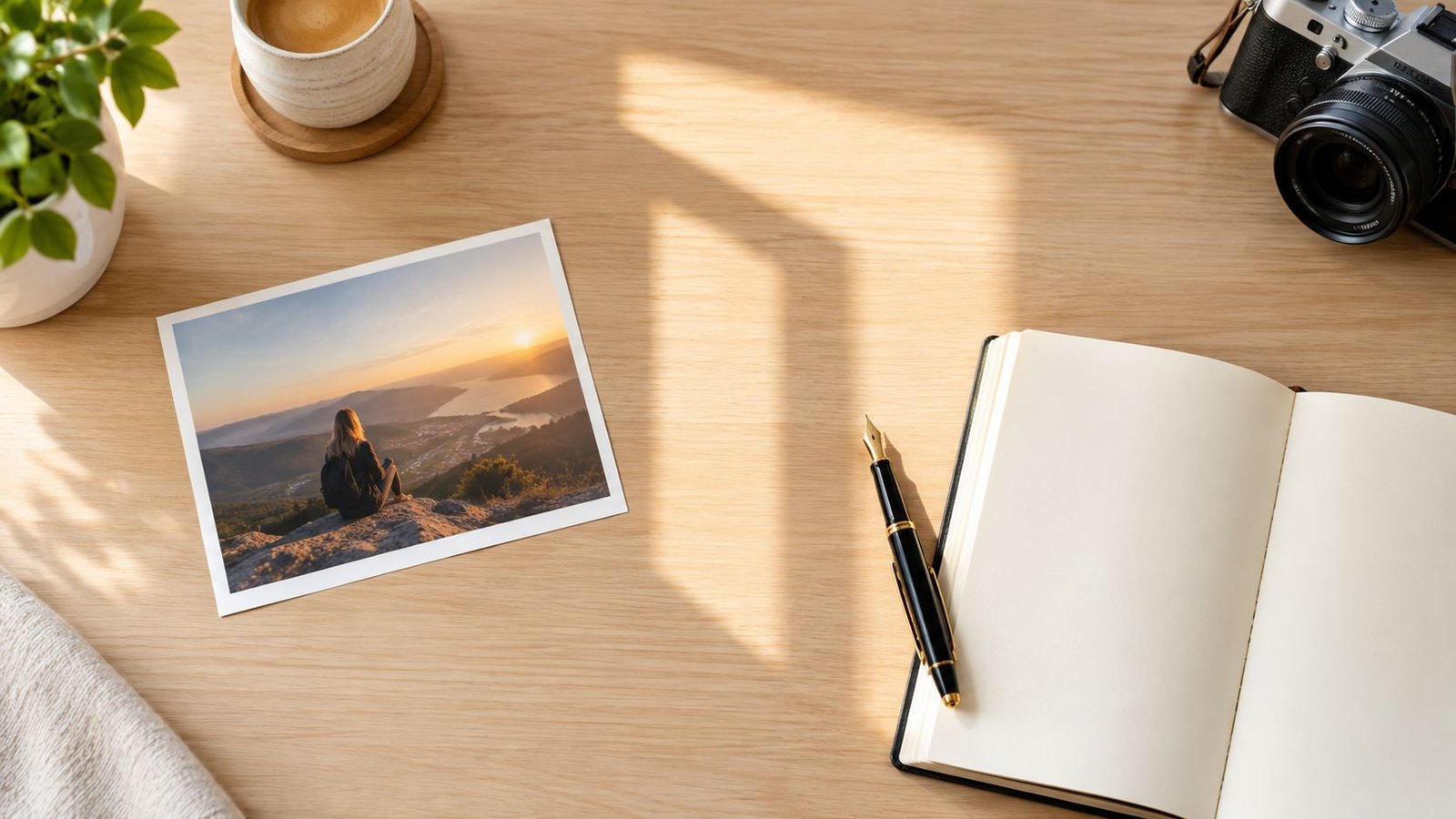
People, places and marks in the frame
Look at the picture, not the camera roll.
- Recognisable people: A face, a distinctive silhouette, or a small group that a buyer could identify. Commercial use, such as an advert or a brand's website, usually needs a model release. Editorial use is a narrower permission and should be labelled as such.
- Private property: A house, hotel interior, or garden that is clearly identifiable. A property release matters when the intended use is commercial rather than a personal print for the photographer's own wall.
- Artwork, logos and trademarks: A mural, a shop sign, or a branded garment in the frame can block a broad commercial licence even when the photographer owns the photograph.
Owning the copyright is not the same as giving a buyer permission to use the file. The seller keeps ownership unless an assignment is explicit and signed. The buyer receives only the permission written on the listing. AmaJova's notes on intellectual property are a useful companion when that split is still unclear.
If the answer for this frame is "not yet", don't list it. Chase the release, narrow the use to personal display, or pick a different photograph.
A quick check against known copies also helps. Tools that help a seller verify photo ownership can flag whether the same image is already circulating under someone else's name. The outcome for this photograph is a yes, a no, or a not-yet. It isn't a tour of copyright history.
Define the Licence Before You List
The permission check becomes the words on the product page. A rights-first sequence keeps the listing honest.
Identify every recognisable person, private property, artwork, trademark and commissioned subject. Keep model and property releases where commercial use is intended. Write the licence by medium, territory, duration, exclusivity, edits and audience. Deliver only after payment. Keep the original RAW file, the metadata and a dated export as evidence of authorship.
UK Intellectual Property Office guidance states that copying a photograph will only exceptionally qualify as fair dealing, and that a use which conflicts with the photographer's normal exploitation, such as licensing it to newspapers, would not qualify. The practical reading is in the exceptions guidance for creators. Sell a named licence, not "the photo".
A plain example a buyer can read before paying:
UK website and organic social use, 12 months, non-exclusive, no resale. Credit required. No print runs, no paid ads, no edits that add another brand's logo.
A cheap, vague "commercial download" often creates more risk than a narrower licence at a higher price. Unclear scope leads to disputes, accidental overuse and awkward follow-up emails. Handing over a high-resolution file doesn't assign copyright. Permission and ownership stay separate unless an assignment is explicit and signed.
What each photo licence should say
| Licence tier | Typical buyer | State on the listing |
|---|---|---|
| Personal | Someone buying a print or a file for their own wall or device | Personal display only. No publication, no resale, no advertising. |
| Editorial | A writer, blog or news desk | Informational use, named territory and term. Not for adverts. Credit line required. |
| Commercial | A small business for its own site or organic social | Medium, territory, duration, non-exclusive, no resale, edits limited to crop and colour. |
| Extended | A brand that needs paid ads, packaging or a larger audience | Extra channels named one by one. Still no transfer of copyright. |
| Exclusive | One client who wants others blocked for a period | Who is excluded, for how long, and in which territory. Price the lost sales, not just the file. |
Put the terms, the credit requirement, the delivery format and the prohibited uses in the description and in the order record. AI Image Detector's licensing insights are worth a look when usage labels on the open web feel slippery, because a buyer may have seen the same picture described in several incompatible ways.
This isn't legal advice, and the right wording can change with the client and the country. It is listing copy the buyer can accept or refuse before they pay.
Choose How Buyers Pay and Receive It
The licence is fixed. The next choice is the checkout, not a rewrite of the rights.
Any route should show, before payment, a preview, the resolution, the file type, the colour profile, print or download expectations, delivery timing, permitted use and exclusions. Hidden extras and a fuzzy "file coming soon" are where buyers stall.
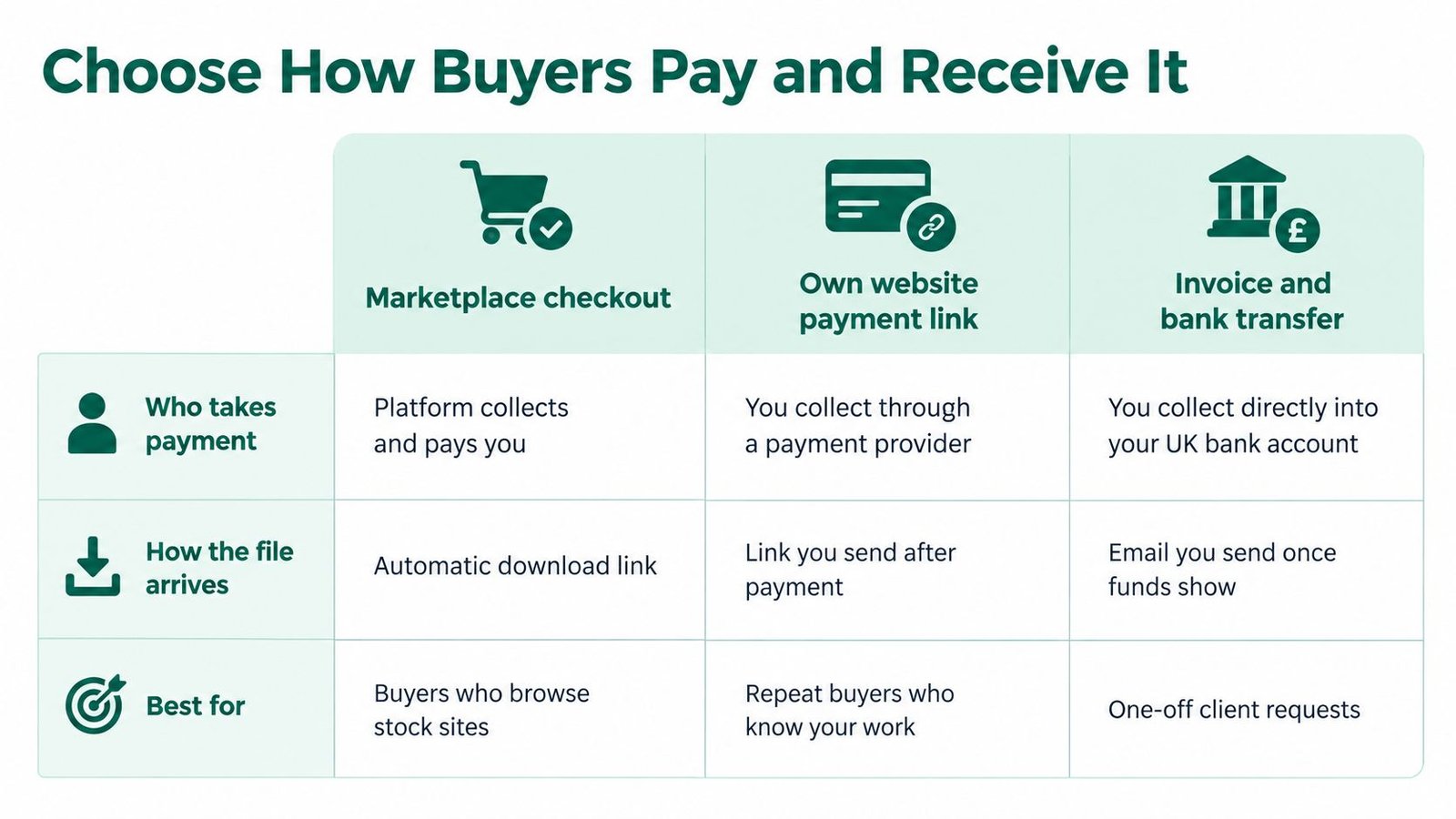
Three practical routes
Marketplace checkout suits a buyer who already browses stock libraries. The platform usually collects payment and issues a download. The trade-off is that the platform's licence language may not match the narrow wording written for this photograph. Read it before upload. If it grants wider use than the releases allow, don't use that route for this file.
A payment link on an existing site suits repeat clients who already know the work. The seller collects through a payment provider and sends the file after the payment shows. A shop may also need a downloads setting and, for prints, shipping rates. That is more setup than one sale needs, and it is reasonable once several photographs are on sale.
An invoice and a bank transfer suit a one-off client request. The seller waits until the funds appear, then emails the file. It is simple and slow. It also leaves the preview, the licence and the payment in different threads unless the seller files them together.
A single shareable offer page sits between those options. AmaJova can hold a digital product or a physical print as an OfferLink with a title, description, inclusions, price and fulfilment details, then a secure checkout with an order summary and a Buyer Service Fee disclosure when that fee applies. Messages, delivery or access steps and the payment record stay on the order. Setup can include media, FAQs and boundaries, and checkout can run in many currencies. That is one way to publish this photograph, not a requirement, and it doesn't replace the seller's own licence wording. A wider look at how to accept payments online helps when the choice is really about the payment rail rather than the picture.
Prints need a delivery window and a shipping note the seller can meet. Downloads need instant-access wording that matches the cancellation steps in the next part. Pick one route for this photograph and use it for the first sale.
Deliver the File and Protect the Sale
Payment is not the end of the sale. The file, the licence and the record have to match what the buyer accepted.
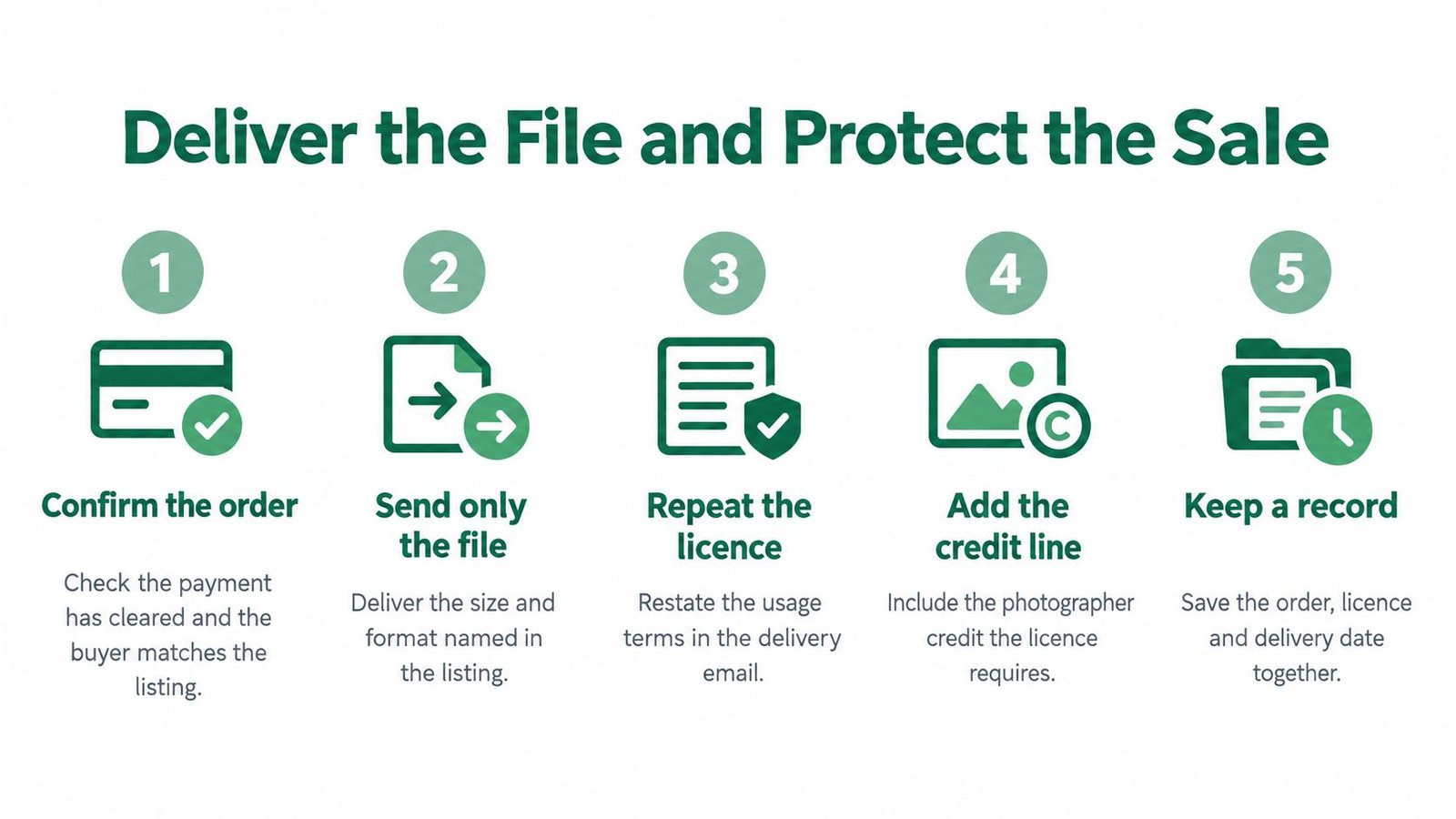
The first-order sequence
- Confirm the order. Check that payment has cleared and that the buyer, the tier and the price match the listing. Don't send the file because a message says "I'll pay tomorrow."
- Send only the file that was sold. If the listing promised a web-size JPEG, don't attach the full RAW "as a favour". A wider file is a different product.
- Repeat the licence. Restate medium, territory, duration, exclusivity, credit and prohibited uses in the delivery note, on the same order record as the payment.
- Add the credit line. If the licence requires a name and a link, write that line in the message so the buyer doesn't have to hunt for it.
- Keep the record. Save the order, the agreed wording and the delivery date together. A watermarked preview is what strangers see before they pay. The clean file goes out only after payment.
Digital downloads and the 14-day point
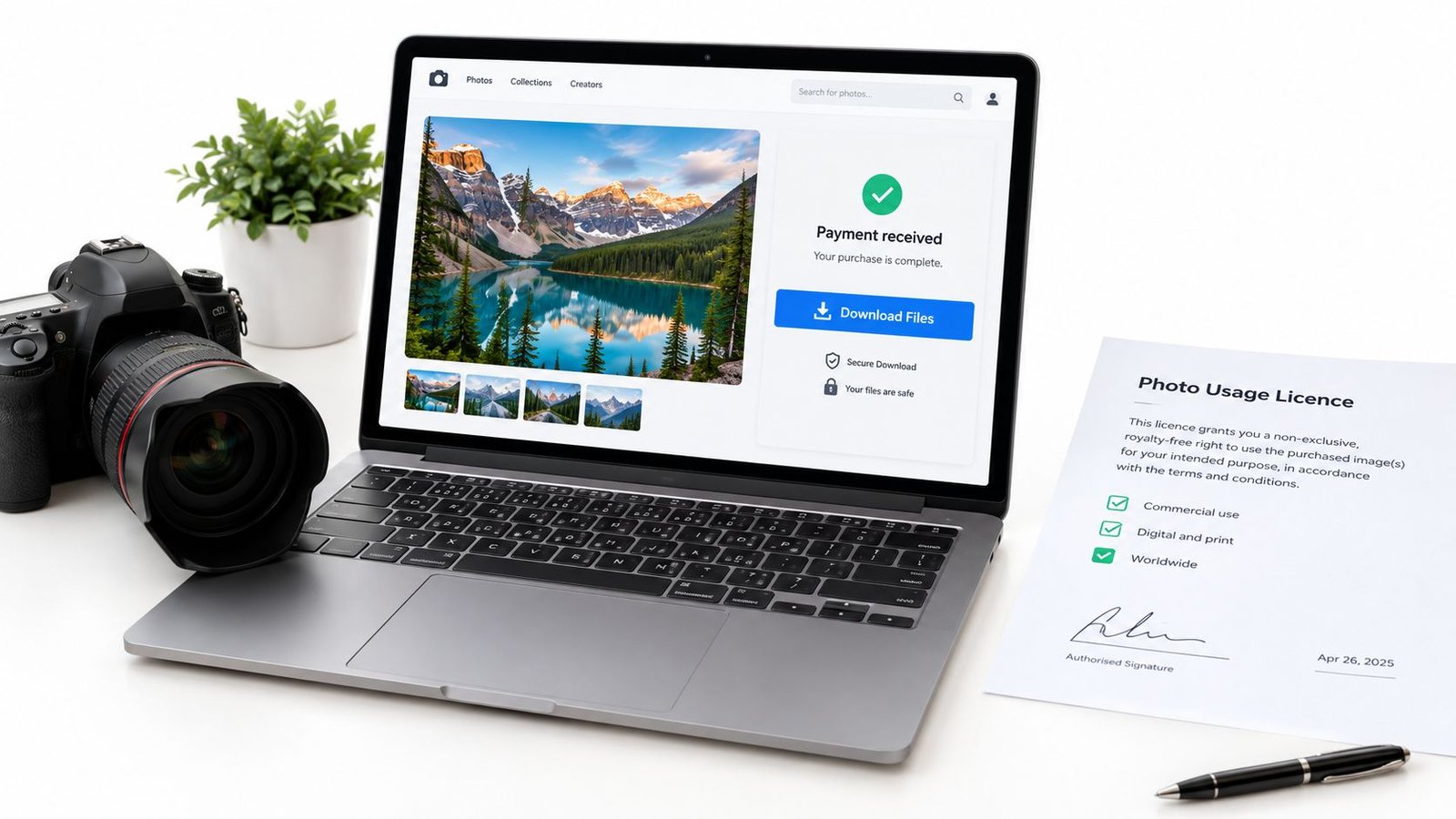
Prints and downloads are not the same product for cancellation. For downloadable photographs, GOV.UK guidance on online and distance selling says that, before the customer downloads or streams the content, the seller must get the customer's agreement to begin immediately and confirmation that the customer understands they will lose the 14-day cancellation right. Both points must also appear in the contract confirmation. If those steps are missed, the customer keeps the 14-day right to cancel without paying.
The checkout wording, the consent tick and the confirmation email have to describe the delivery that actually happens. Payment alone doesn't remove that right.
Physical prints follow a different cancellation position, so the same sentence shouldn't be pasted onto a framed order. If the buyer later asks for paid ads, a longer term, or exclusivity, that is a new offer with a new price, not a free edit to the old email.
This is general information about a selling process, not a guarantee about any platform's refund rules. Where an order record already ties messages to payment, keeping the delivery note there is the practical safeguard. AmaJova's seller protection policy is one place to read how disputes and reporting are described, and it should be read against the listing the buyer actually accepted.
Publish Your First Photo Offer Today
The next action is one photograph that already passed the ownership check. Choose one tier. Write the inclusions and the exclusions in the same short paragraph a buyer will see. Set a price the seller can explain, covering the lost alternative uses, any print cost, and the time to deliver. Then publish a single offer that can be shared from a bio, a message or an existing site.
An OfferLink is one way to put that offer, the checkout and the order record on one link. It isn't the only way, and it doesn't set the licence or the tax position.
The ledger line the listing doesn't build
After the first payment, write one line while the details are still fresh.
- Gross sale: The amount the buyer paid.
- Charges: Any buyer fee, platform charge or payment fee, each on its own.
- Refund: Zero, unless money went back.
- Expense: Print cost, postage, or a release fee tied to this frame.
- Net amount: What remains after those items.
- Product and place: Download or print, and the customer's location.
VAT is not one blanket rate
VAT depends on what is sold and where the customer is. GOV.UK states that digital services supplied by a business to UK consumers are liable to UK VAT, while cross-border digital supplies can follow the customer's country. For businesses using the EU VAT Mini One Stop Shop, GOV.UK's MOSS guidance says there is no registration threshold for qualifying cross-border supplies where the place of supply is an EU member state, and VAT is charged at the rate due in the consumer's country.
That is general information, not tax advice. A photographer selling downloads abroad should keep the product type and the customer location on the ledger, then check the position with HMRC or a qualified adviser rather than applying one rate to every sale. The first offer can go live today. The record should be ready before that first payment arrives.
AmaJova turns one photograph into a shareable OfferLink with the title, inclusions, price and fulfilment a buyer can read before paying, then keeps messages and delivery on the order record. That fits a seller who wants clear usage rights without building a full shop first. Visit AmaJova to set up that first photo offer.