
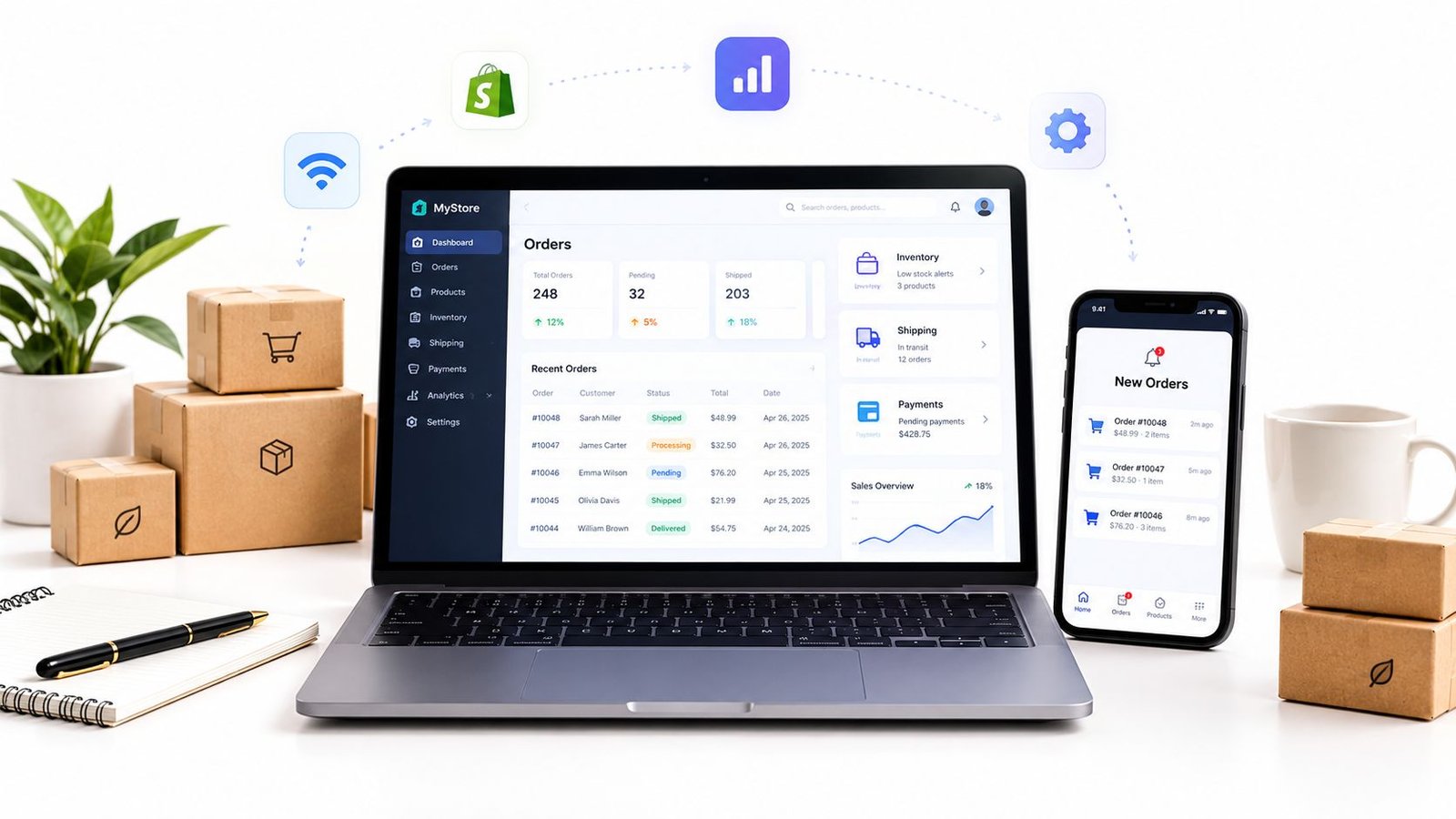
A customer buys a digital guide through a social media message, a coaching client pays through a booking page, and a physical order arrives through an online shop. By the end of the day, the business owner is checking email, spreadsheets, payment dashboards and chat threads just to answer one question: what has been bought, and what still needs to happen?
That fragmented reality makes choosing the best order management software for small business less straightforward than comparing ecommerce features. A shop that only ships stocked products needs different controls from a consultant selling appointments, a creator delivering downloads, or an educator running live sessions.
| Selling model | Operational priority | Software fit to look for |
|---|---|---|
| Services and consulting | Scope, messages, payment and delivery tracking | Unified order records and structured offer pages |
| Digital products | Clear access and fulfilment steps | Automated or organised digital delivery workflows |
| Physical products | Stock, picking, shipping and returns | Inventory-led order management with carrier integrations |
| Live sessions | Booking, payment and attendance details | Offer pages connected to booking and communication |
| Mixed formats | One record across different fulfilment types | Unified offer links with order-level tracking |
Table of Contents
- Why Order Management Frustrates Small Businesses
- Standalone Systems Versus Unified Offer Platforms
- Core Capabilities That Small Businesses Actually Need
- Matching Software to Your Selling Model
- Evaluating Costs and Implementation Realities
- When a Unified Offer Link Makes Sense
Why Order Management Frustrates Small Businesses
A small business owner can start the morning with a spreadsheet showing paid orders, an inbox containing delivery questions and a messaging app holding a refund request. A customer may have paid through one channel, supplied the delivery details through another and asked for an update somewhere else. The owner then has to reconcile those pieces manually before deciding whether the order is ready to fulfil.
That process feels manageable while sales are occasional. It becomes fragile when the business sells several formats at once. A physical parcel has a dispatch step, a digital product has an access step, a service has a delivery or booking step, and a live session may need calendar coordination. A generic ecommerce order screen often treats all four as variations of a product, even though the work after payment is completely different.

The hidden work behind every order
The visible problem is scattered information. The more expensive problem is the mental effort required to keep checking whether each promise has been completed.
A seller may need to confirm:
- Payment status: Was the transaction completed, cancelled or disputed?
- Customer details: Which email address, delivery instruction or booking preference belongs to the order?
- Fulfilment stage: Has the parcel been sent, the file delivered, the appointment arranged or the session details shared?
- Communication history: Has the customer already received an answer in another channel?
- Exceptions: Does a refund request relate to a duplicate payment, a missed appointment or a delivery problem?
When those details sit in separate tools, every handoff creates an opportunity for an incorrect status, a missed message or an awkward customer experience. The business might not lose a sale immediately, but the owner spends time investigating issues that a connected order record could have made visible.
The UK has long had a substantial base of small firms using ecommerce channels. The ONS reported that 22.9% of UK businesses made ecommerce sales in 2014, compared with 17.1% in 2009, while 19.5% sold over a website. For micro-enterprises, the same ONS data estimated £19.5 billion in ecommerce sales in 2014, including £17.5 billion from website sales. These figures are historical, but they show why order coordination became an operational requirement rather than an optional extra. The UK ecommerce and order management figures provide the underlying context.
Practical rule: If a customer has to ask whether an order is paid, booked, shipped or delivered, the business needs a clearer order record before it needs more marketing automation.
Why generic ecommerce tools fall short
A standard storefront is good at presenting products and collecting orders. It may be less suitable when the seller's catalogue includes a consultation, a download and a live workshop alongside physical goods. Adding separate plugins can solve individual gaps, but it also creates more subscriptions, settings and reconciliation work.
The correct question isn't whether a platform can capture an order. Almost any selling tool can do that. The question is whether it can keep the commercial promise, payment status, fulfilment activity and customer communication connected after checkout.
Standalone Systems Versus Unified Offer Platforms
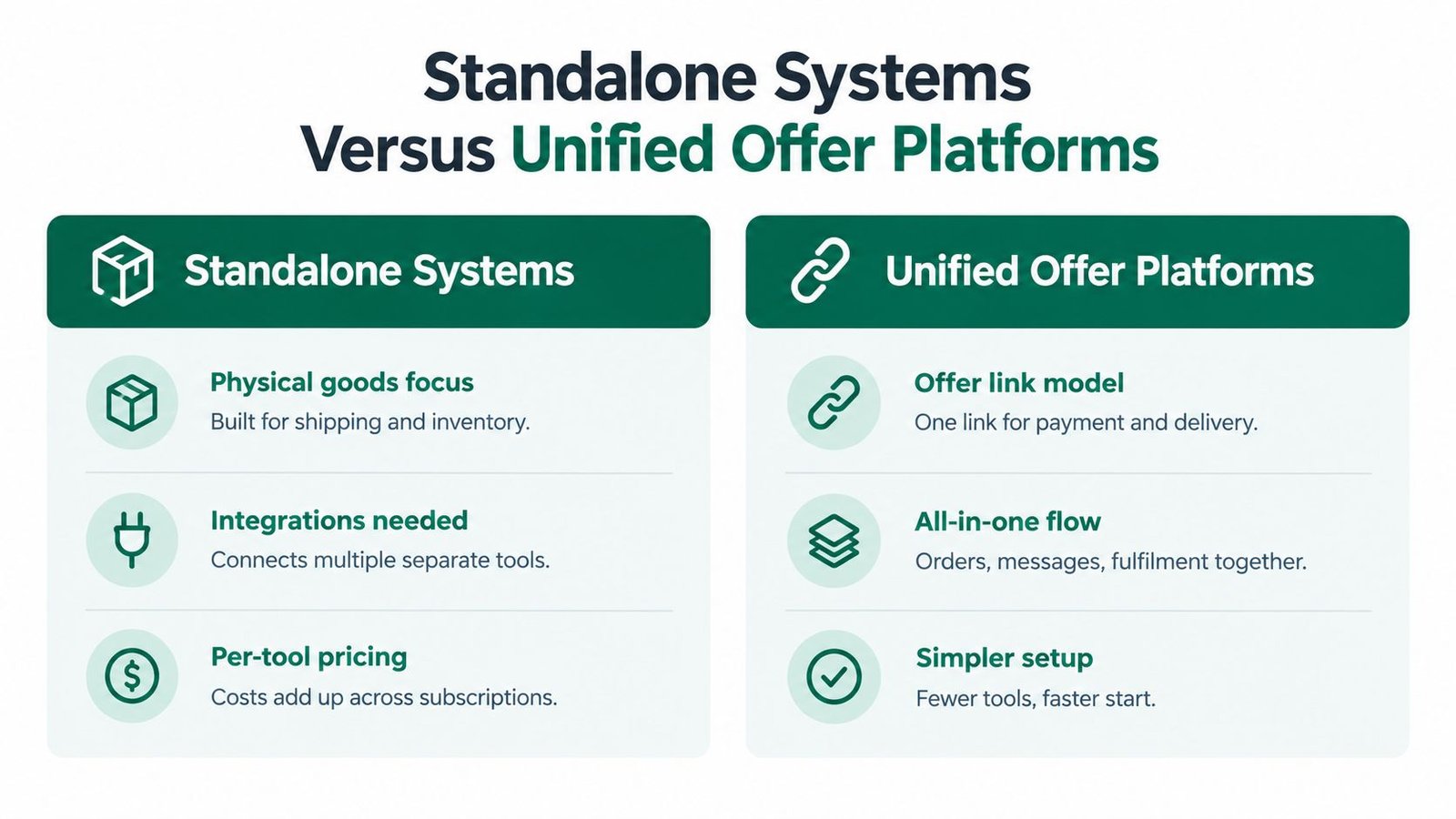
Standalone order management systems and unified offer platforms solve different operational problems. A standalone system usually sits behind an existing shop or marketplace. It concentrates on inventory, shipping, returns and channel synchronisation. A unified offer platform starts with the offer itself, then provides a clear link through which a buyer can understand the purchase, pay and follow the resulting order journey.
The distinction matters because a small retailer may need warehouse controls, while a freelancer may need a reliable record of scope and messages. Choosing the wrong model can leave a business paying for features that don't reduce its actual daily workload.
Where standalone systems work best
A standalone OMS is a sensible choice when the business has a product catalogue that needs operational depth. UK software directories commonly identify order tracking, shipping management, returns management, inventory control, payment processing and CRM connectivity as core capabilities. More advanced listings also highlight multi-location tracking, work orders, bills of materials, barcoding, reorder points and connections to EDI, shopping carts and merchant services. The UK order management software directory outlines this broader feature range.
That type of software suits a business that:
- Holds stock across locations or warehouses.
- Needs carrier labels, picking workflows or shipment tracking.
- Handles returns, backorders or partial fulfilment.
- Connects orders to purchasing, production or accounting.
- Already operates a storefront and wants a stronger back-office layer.
The trade-off is implementation. A seller often needs to connect the OMS to a website, payment processor, inventory source, shipping provider and customer service system. Each integration can be useful, but each one introduces configuration, maintenance and possible sync failures.
Where unified offer platforms fit
A unified offer platform is more appropriate when the seller's challenge is not warehouse complexity but format fragmentation. One professional link can describe a service, product, download or session with its price, inclusions, expectations and fulfilment details. The buyer reaches a defined offer rather than an improvised payment request, and the seller can keep the transaction activity tied to that order.
This approach can reduce technical overhead for independent sellers who don't need a full storefront. It can also suit a mixed business that would otherwise create separate checkout pages for services, digital content and live bookings.
The main limitation is equally clear. A unified offer link isn't a substitute for advanced warehouse orchestration, manufacturing planning or extensive marketplace integrations. A business with complex physical inventory should prioritise stock accuracy and shipping control first.
| Decision criterion | Standalone OMS | Unified offer platform |
|---|---|---|
| Primary strength | Physical goods operations | Mixed-format selling |
| Best operational record | Stock and fulfilment status | Offer, payment, communication and delivery |
| Setup requirement | Website and system integrations may be needed | Structured offer publishing with less technical setup |
| Main risk | Paying for unused operational depth | Outgrowing the platform's physical inventory controls |
Core Capabilities That Small Businesses Actually Need
The strongest order management setup isn't the one with the longest feature list. It is the one that removes the most repeated checking from the seller's day while preserving enough control for the business model.
The UK has about 5.5 million SMEs, which account for 99% of all businesses, according to the GOV.UK SME Digital Adoption Taskforce interim report. The same report cited FSB research stating that 53% of small businesses already use an online platform, while the UK ranked 20th out of 64 economies for adoption of intermediate digital technologies. The implication is practical: many small firms are already digital, but their workflows may still be split between tools.
The order record comes first
A useful system should make the order the centre of the workflow. It should show what was purchased, what was paid, what the seller has promised, what has been delivered and which messages or disputes remain open.
For physical goods, that may include dispatch and return activity. For a service, it may mean the agreed scope, messages and completion status. For a download, it should make access or delivery visible. For a live session, it should connect the purchase with the relevant booking details.
A structured offer page matters before the order exists. The page should set out the title, inclusions, price, boundaries, delivery method and next steps. Clear expectations reduce the chance that the seller and buyer hold different views of what payment covers.
| Capability | Best for | Why it matters |
|---|---|---|
| Unified order record | Mixed-format sellers | Keeps payment, messages and fulfilment connected |
| Structured offer page | Services, downloads and sessions | Defines scope before the buyer pays |
| Inventory and shipping controls | Physical product businesses | Helps coordinate stock and dispatch work |
| Delivery or access tracking | Digital and service sellers | Shows whether the promised outcome has been provided |
| Returns and dispute handling | Businesses with customer exceptions | Gives the seller a consistent place to resolve problems |
| Multi-currency payment support | Cross-border sellers | Reduces friction when buyers use different currencies |
| Reporting and integrations | Growing operational teams | Connects order activity with wider business processes |
An existing Shopify seller may also benefit from a specialist guide to AI support for Shopify tracking, particularly when the storefront remains the main order capture point. The key is to decide whether tracking support improves the existing workflow or merely adds another dashboard.
A practical workflow example is set out in this order management workflow resource. The useful test is simple: can a team member open one order and understand its current state without searching several channels?
UK compliance needs a workflow, not a footnote
UK online and distance sellers must provide specific pre-contract information and confirm the contract in a durable format, such as an email or another format the customer can keep. The confirmation must arrive no later than delivery for goods, the start of a service or the download of digital content, as explained by GOV.UK guidance for online and distance selling.
The Consumer Contracts Regulations set a 14-day cancellation period for a service contract or digital content not supplied on a tangible medium, starting from the day the contract is entered into. Digital content has an additional condition: supply shouldn't begin during that period unless the consumer gives express consent and acknowledges that the cancellation right will be lost. The specific digital content provisions set out that requirement.
These rules can depend on the offer, customer and transaction circumstances. A software choice can't replace professional legal advice, but it can make confirmations, consent records and order communications easier to organise.
Matching Software to Your Selling Model
The best order management software for small business depends less on the business label and more on what happens immediately after payment. A consultant, a download seller, a retailer and a coach may all describe themselves as online businesses, but their fulfilment actions are not interchangeable.
Service providers and consultants
A service seller should prioritise scope control and communication history. The system needs to show what the customer purchased, what information the seller requested, which deliverables remain outstanding and whether the engagement is complete.
Inventory locations and barcode support can be safely deprioritised unless the service includes physical materials. A structured offer page is more valuable than a large product catalogue because it can define inclusions, boundaries, optional extras and the expected delivery process before payment.
The practical selection test is whether a seller can answer a customer question from the order record rather than searching email threads and direct messages.
Digital product sellers
Digital sellers need a dependable path from payment to access. The offer should identify the content clearly, explain how delivery works and record whether the buyer has received the promised material.
A system built primarily around picking lists and carrier labels may create unnecessary complexity. The better fit supports digital fulfilment, customer communication, access issues and any applicable cancellation or consent records. Sellers developing this model can use guidance on how to sell digital products to clarify the offer before choosing the software layer.
The system should also make exceptions visible. A missing download, a duplicate purchase or a request for clarification shouldn't disappear into a general inbox.

Physical product sellers
A physical goods business should start with stock accuracy. It may need inventory levels, product variants, shipping connections, returns handling, reorder signals and, as the operation becomes more involved, multi-location visibility.
A simple catalogue with one fulfilment location may not require a full ERP. A business making or distributing products, however, may need work orders, bills of materials, purchasing and production links. In that situation, an offer-link approach can remain useful for presenting products, but it shouldn't replace the operational system responsible for stock and dispatch.
Educators, coaches and live-session sellers
Live sessions combine commerce with scheduling. The platform should make the session format, date or booking process, attendance information and buyer communication easy to locate alongside payment status.
A physical-goods OMS may capture the payment but leave the seller to manage calendar details elsewhere. That split can work for a small number of bookings, but it becomes inconvenient when customers ask about joining instructions, rescheduling or what the purchase includes.
For this seller, unified communication and booking context usually matter more than warehouse reporting. A tool that treats the session as a clearly defined offer can prevent the buyer from paying for an ambiguous promise.
Evaluating Costs and Implementation Realities
A low subscription price does not guarantee a low-cost system. Calculate payment charges, integrations, add-ons, migration work, staff time and the cost of workarounds when the software does not fit the way orders are sold and fulfilled.
Format fragmentation changes the calculation. A seller offering services, downloads, physical goods and live sessions may pay separately for checkout, scheduling, delivery and tracking. Compare that ongoing maintenance with one offer link that centralises the order record and keeps each purchase tied to the right fulfilment steps.
Standalone systems often require connections between a website, payment provider, shipping tool, inventory system and customer communication platform. A guided offer platform can reduce setup for a business that needs structured offer pages and order tracking, although the seller still has to prepare accurate descriptions, delivery instructions and customer information. For a structured comparison framework, see this guide to the best order management system for small businesses.
Compare total operating cost
Assess vendors against the complete workflow, not the advertised plan alone. Ask these questions:
- What is included? Check whether order records, customer messages, delivery tracking, returns and reporting come with the selected plan or require an upgrade.
- What triggers extra cost? Review payment processing, transaction charges, integration fees, additional users, extra locations and usage limits.
- What must be configured? Estimate the work to clean product data, map statuses, connect sales channels and train the people who fulfil orders.
- What happens when the business changes? Check how the system handles a new offer type, another channel, more stock locations or a different fulfilment method.
- What can be exported? Confirm how the business can retrieve order and customer information if it changes provider.
Cost discipline: A feature earns its place when it replaces a real task, prevents a recurring error or removes a tool the business no longer needs.
Keep implementation deliberately narrow
A small business should not automate every edge case on the first day. Map the journey from payment to completion, identify the handoffs that create the most confusion and configure those first. For mixed-format selling, test each route separately, since a digital delivery failure requires a different fix from a missed physical shipment or an unclear service booking.
Give the rollout one owner, a short list of offer types and a defined status vocabulary. “Paid”, “in progress”, “awaiting customer”, “delivered” and “complete” may be more useful than a long list that nobody updates consistently. Start with the statuses that support daily decisions, then add others only when the workflow requires them.
Data protection belongs in the cost assessment. The ICO says many small UK organisations that process personal data must register and pay a data protection fee, while GOV.UK states that the fee applies unless an exemption covers the business. For many businesses, the fee is £52 per year, according to ICO guidance for small organisations getting started with data protection. This is separate from software pricing, and applicability depends on the organisation's circumstances, so check the official guidance before budgeting.
Test the proposed workflow with real examples: a physical purchase, a service booking, a digital delivery and a live-session booking. Ask a second person to find the payment status, fulfilment action and customer conversation without help. If the exercise still requires separate spreadsheets, inbox searches or manual handoffs, the platform has not reduced the fragmentation that justified the change.
When a Unified Offer Link Makes Sense
A unified offer link makes sense when a seller offers several formats and needs one clear route from description to payment to fulfilment. It suits independent sellers, creators, consultants, educators and small businesses that don't need a complex storefront but do need buyers to understand exactly what they're purchasing.
The model is particularly useful when:
- Several offer types coexist: Services, downloads, products and live sessions can be presented through a consistent selling journey.
- Technical overhead is limited: A professional link can be shared through social profiles, messages, campaigns or an existing website without building a full shop.
- Buyer expectations need structure: Scope, inclusions, pricing, boundaries and delivery details appear before payment.
- The order needs context: Payment, messages, delivery or access steps, dispute status and completion activity stay connected to the transaction.
- Cross-border selling matters: The platform supports payments in 150+ currencies, according to the publisher information supplied for the service.
A unified offer link isn't the right answer for every retailer. A business with complex physical inventory, multi-location tracking, manufacturing dependencies or extensive third-party shipping orchestration should consider a dedicated OMS or ERP. It may also need specialist tools with stronger warehouse and purchasing controls. Sellers comparing customer contribution workflows can also review examples of improved pledge manager functionality, especially where order changes and supporter communication require structured handling.
For mixed-format sellers, the decision can be made by tracing one order from payment to completion. If the business repeatedly leaves the main platform to find messages, confirm delivery or check what the buyer was promised, a unified offer link deserves a serious evaluation.
AmaJova provides structured OfferLinks for services, physical products, digital products and live sessions, with checkout and order activity organised around the purchase. Sellers who want to replace scattered payment and fulfilment steps with a clearer order journey can visit AmaJova and review whether the platform fits their selling model.