
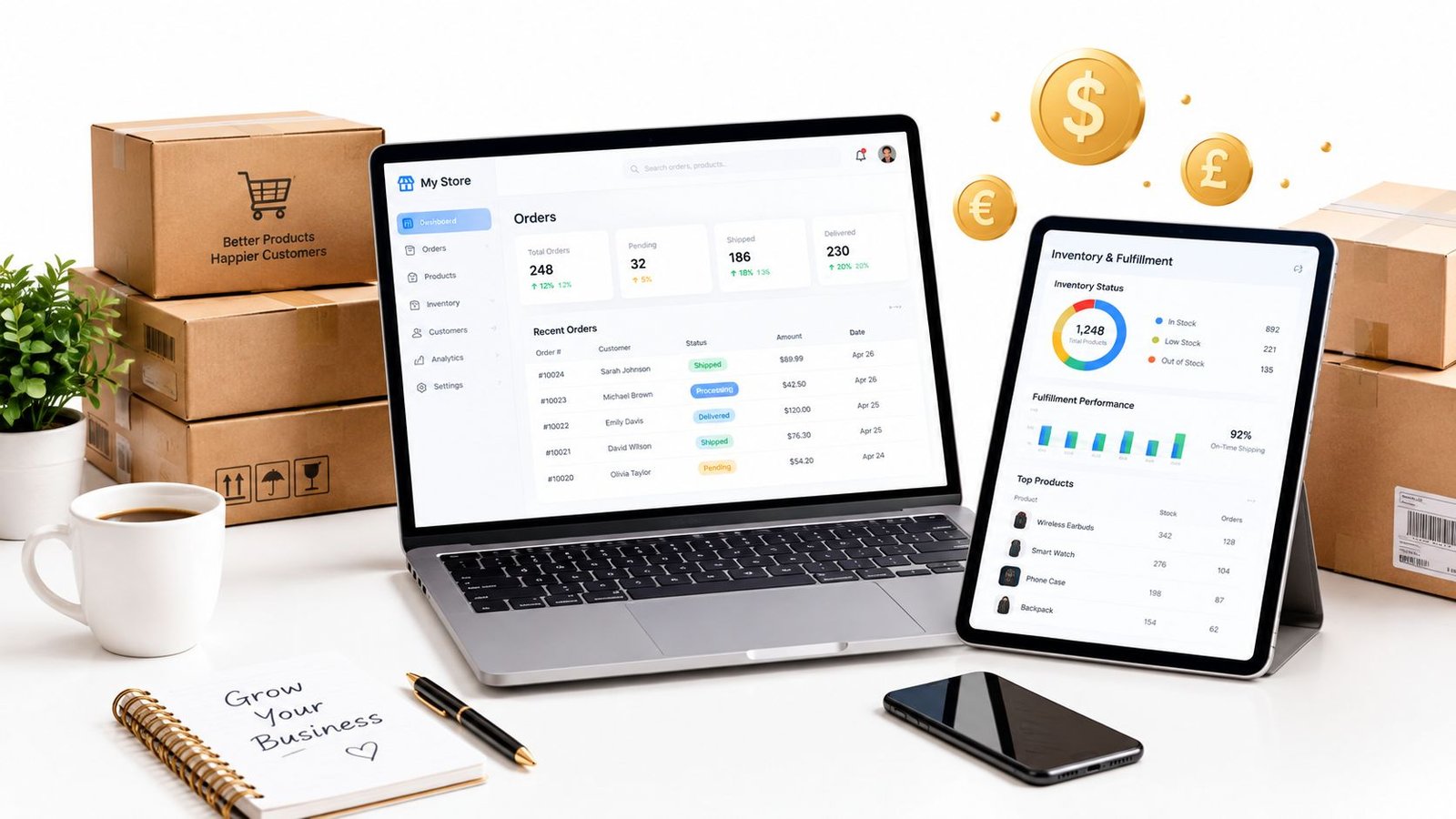
A small UK seller can start with a Google Sheet, Instagram messages and a personal Gmail inbox. That setup feels perfectly sensible while orders are occasional. Then a customer pays through a website, another sends a message asking for a different delivery address, and a third buys the last available item through a marketplace. Suddenly, nobody can say with confidence which orders are paid, packed, dispatched, refunded or still waiting for an answer.
The best order management system for small business isn't the platform with the longest feature list. It's the system that matches the seller's actual decisions, keeps the right information together and removes the manual steps most likely to create expensive mistakes. Some sellers need a multichannel inventory hub. Others need nothing more than a clearer order record and a reliable checkout link.
Table of Contents
- Why Small Sellers Struggle to Keep Orders in Order
- What an Order Management System Actually Does
- The Criteria That Matter When Comparing Options
- Comparing the Main Options Side by Side
- Matching Systems to Real Small Business Scenarios
- Where AmaJova Fits for Simple Seller Workflows
- Choosing the Right System and Getting Started
Why Small Sellers Struggle to Keep Orders in Order
A handmade-products seller might begin each morning by checking a spreadsheet, an Etsy account, Shopify, Instagram DMs and an inbox. One customer has paid but hasn't received a dispatch update. Another has asked to change the colour after ordering. A third order appears in the spreadsheet twice because the seller copied it manually from an email.
The first failures are rarely dramatic. Stock counts drift, payment status becomes unclear and fulfilment depends on memory. A second person packing orders may not know that one item has already been promised elsewhere. The seller then spends valuable time checking payment screens, searching messages and asking customers to confirm details that should already sit against the order.
The problem grows faster than the order count because every order creates several connected tasks. Someone must confirm the payment, reserve stock, prepare the item, communicate the expected delivery, update the customer and record any refund or change. A seller can handle a modest flow by hand, but the same process becomes fragile when several channels and product variations are involved.
Practical rule: If an order needs a search through more than one inbox or spreadsheet before its status becomes clear, the process has already outgrown its current tools.
The operational tipping points
Manual tracking stops being harmless when it causes one of these outcomes:
- Missed dispatch windows: A paid order sits in an inbox because nobody owns the next action.
- Duplicate shipments: Two people fulfil the same order, or a replacement goes out without the original being marked.
- Multi-channel stockouts: A product sells on TikTok Shop while another channel still shows the final unit as available.
- Refund disputes: The seller can't quickly prove when a refund was agreed, processed or communicated.
- Weak tax records: The accountant receives disconnected payment exports, partial refunds and handwritten adjustments.
UK online selling was already substantial enough to require formal order control for small firms years ago. In 2014, UK micro-enterprises generated £19.5 billion in e-commerce sales, equal to 4.1% of their turnover, while UK businesses overall generated £593 billion in e-commerce sales, as reported in the UK order management data summary. The same source records website orders from UK customers, other EU countries and the rest of the world, showing why order tracking has long involved more than a checkout screen.
A small seller doesn't need an enterprise suite just because spreadsheets have become uncomfortable. The sensible move is to replace the most fragile routine first, usually order status, stock visibility or fulfilment handover. The right system should protect the customer experience without forcing a solo operator to manage a warehouse-grade implementation.
What an Order Management System Actually Does
An order management system, or OMS, is a single working record for each purchase. It follows an order from capture through payment, fulfilment, delivery, return or refund. The system may connect directly to storefronts and marketplaces, or it may provide a structured workflow around orders created through a checkout link.
The useful test is operational rather than technical. A small business OMS should answer five questions quickly: what was bought, whether it was paid, what happens next, who owns that action and whether the customer has been updated.
The small-business baseline
A workable OMS usually covers these capabilities:
- Order capture: Orders from the seller's website, marketplace, payment tool or direct checkout should enter one queue, rather than remain scattered across channels.
- Stock visibility: A current quantity helps prevent an item being sold twice. This matters when one product is available through Shopify, WooCommerce, Etsy or a social commerce channel at the same time.
- Fulfilment control: Pick lists, packing information or clear delivery steps turn a paid order into a repeatable task.
- Status tracking: Labels such as paid, preparing, dispatched, delivered, returned and refunded show what needs attention without opening several applications.
- Payment and refund records: The order should retain payment status, adjustments and refund information, rather than relying on a separate conversation thread.
- Exportable reporting: Sales records need to be usable for bookkeeping, VAT review and customer-service queries.
The customer-facing rules matter too. UK online sellers must provide information including the business name and contact details, goods or service descriptions, prices including taxes, delivery arrangements and costs, cancellation rights and contract-ending conditions. The GOV.UK guidance on online and distance selling also explains that this information must be supplied in a durable format, such as email or paper, so the buyer can retain it.
A quick self-check
A seller can score the current process without buying anything. For each order, check whether the existing setup can do the following:
- Show the source channel and complete buyer details.
- Confirm payment without opening another system.
- Display the exact product, service or session purchased.
- Show the current fulfilment owner and next action.
- Record delivery, access, booking or completion information.
- Preserve refund, dispute and customer-message history.
- Export clean records for the accountant.
If several answers are no, the business has an order-control problem. A guide to scaling a business with AI can help sellers think about automation more broadly, but automation should come after the order fields and statuses are clear. An automated mess moves mistakes faster.
The Criteria That Matter When Comparing Options
A small seller shouldn't compare OMS products by counting features. The important question is how much operational relief each system provides for the seller's dominant workflow, after subscription charges, add-ons, integrations and setup effort are included.
Weight the real cost
Headline pricing is only the starting point. A low subscription can become expensive when the seller needs paid connectors, extra inventory features, shipping tools, payment processing or accountant-friendly exports. The useful comparison is the complete monthly cost of keeping orders accurate, including transaction-related charges and the value of the seller's own admin time.
A seller should ask:
- Does the platform charge for order volume, users, connected channels or locations?
- Are returns, reporting or inventory controls separate add-ons?
- Does the checkout introduce a transaction charge that changes the economics of low-value orders?
- Can the accountant receive a usable export without manual cleaning?
Measure setup in working time
“Easy to set up” often means the first screen loads quickly. It doesn't mean product data, tax settings, delivery rules, customer fields and channel connections are ready for real orders. A solo founder should estimate setup in working days and decisions, not clicks.
A system that can be configured quickly but requires constant workarounds isn't simple. A system with a longer initial setup may still be the better choice if it removes repeated manual reconciliation. The seller should test a real order, a cancelled order, a partial fulfilment and a refund before committing.
Treat currency and VAT as operational requirements
Multi-currency support matters when a seller displays prices or accepts payments from buyers in different markets. It should be checked alongside reporting, settlement records and refund handling, not treated as a decorative checkout option. Sellers considering EU sales through an arrangement such as IOSS should verify the exact tax workflow with a qualified adviser and confirm that the chosen system records the required information properly.
UK VAT registration becomes mandatory when taxable turnover exceeds £90,000 in the previous 12 months, or when the seller expects it to exceed £90,000 in the next 30 days, according to GOV.UK VAT registration guidance. An OMS should therefore make it possible to filter and export sales across physical products, digital products and services, rather than hiding revenue in separate channel reports.
Check integrations and support
The best integration is the one that connects the tools already doing useful work. A seller should test compatibility with the existing Shopify, WooCommerce, Etsy, Stripe, accounting and courier setup before considering a platform migration. Replacing a fulfilment partner just to accommodate an OMS is usually backwards.
Support deserves equal attention. A broken order workflow on a busy Saturday can stop a one-person business completely. Sellers should check response channels, documentation quality, escalation routes and whether support covers integrations, payments and data exports, rather than only the platform's own interface.
Comparing the Main Options Side by Side
Four OMS patterns appear most often in small-business evaluations. An entry-level SaaS OMS adds a dedicated operations layer. A built-in platform manager keeps order work inside Shopify or WooCommerce. A spreadsheet with automation preserves the existing setup but adds rules. A lightweight checkout-and-link platform, such as AmaJova, focuses on clear offers and a connected order record rather than a full storefront operation.
| Option type | Typical monthly cost | Setup effort | Multi-currency | UK VAT handling | Best fit |
|---|---|---|---|---|---|
| Entry-level SaaS OMS | Subscription, often with limits or add-ons | Moderate, depending on channels and data quality | Often available, but reporting needs checking | Usually depends on configuration and accounting integration | Multichannel sellers needing stock and fulfilment control |
| Built-in platform order manager | Included in the commerce platform or increased by apps and plan level | Low for one channel, higher with extensions | Depends on the platform and payment setup | Suitable for basic workflows, with specialist advice needed for complex cases | Sellers with one main storefront and simple fulfilment |
| Spreadsheet with automation | Low direct cost, but ongoing admin and automation charges may apply | Low at first, fragile as complexity grows | Manual unless carefully connected | Relies heavily on disciplined records and accountant review | Very small, single-channel operations testing demand |
| Lightweight checkout-and-link platform | Platform and transaction costs vary by provider and offer | Low for simple offers, less suitable for complex catalogues | May support multiple currencies, subject to provider terms | Requires careful review of records and seller responsibilities | Services, digital products, fixed-price offers and limited product ranges |
Where each option wins
A built-in platform manager is the strongest choice when one storefront captures nearly every order and stock rules are uncomplicated. It avoids an extra data layer and usually gives the seller the fastest route from purchase to fulfilment. The weakness appears when orders arrive from marketplaces, direct messages, events or a second storefront.
An entry-level SaaS OMS earns its subscription when channel reconciliation is the recurring pain. It can provide a central queue, stock view and fulfilment workflow without the weight of an ERP. The trade-off is setup discipline. Poor product identifiers or inconsistent statuses create sync problems that no dashboard can fix.
A spreadsheet with automation is acceptable during validation, particularly when the seller has few products and one sales channel. It becomes a false economy when payment, stock, returns and customer messages need separate manual updates. The system may look inexpensive while consuming hours and creating records that are difficult to audit.
A lightweight checkout-and-link platform suits a seller who needs a professional purchase path without building a full store. It is the wrong direction for a business requiring hundreds of stock-keeping units, warehouse allocation or deep marketplace synchronisation. Broader guidance on the best social media tool in 2026 can help with demand generation, but social reach doesn't replace a dependable fulfilment workflow.
The AmaJova order management comparison is relevant when the central decision is whether a seller needs a storefront-led OMS or a simpler offer-led transaction record. Enterprise OMS suites remain out of scope for most small sellers until operational complexity, rather than ambition, demands them.
Matching Systems to Real Small Business Scenarios
The product type determines the right OMS more than the label “small business”. A consultant selling a fixed-price package has a different order problem from a maker sending parcels from a home studio. Both may have a similar number of monthly transactions, but only one needs live stock allocation.
Physical products from a home studio
A physical-goods seller needs accurate stock, a clear pick-and-pack sequence and reliable dispatch status. A built-in platform manager can work when one storefront handles nearly all sales. Once Etsy, a website, social commerce or in-person events contribute orders, an entry-level SaaS OMS becomes more sensible because one stock count must govern every channel.
The seller should define low-stock actions before connecting anything. A 2026 reorder point guide can provide useful background for thinking about replenishment, but the actual threshold should reflect supplier lead times, cash flow and the product's sales pattern. The OMS must then show what is reserved, available, awaiting delivery and already committed.
Digital downloads and repeat purchases
Digital products don't need a packing station, but they still need a dependable payment and access record. The important events are purchase confirmation, delivery or access, customer support and any refund or dispute. A full inventory OMS may add little value if every buyer receives the same file and there are no physical stock constraints.
A lightweight checkout workflow can be enough when the seller offers a small range of downloads through direct links. A built-in commerce platform becomes more useful when the catalogue needs search, bundles, subscriptions or extensive marketing automation. In either case, the seller should retain an order record that shows what the buyer purchased and what access step followed.
Services and live sessions
A service provider usually needs an order-to-booking handover, not warehouse allocation. Fixed-price packages can sit comfortably in a simple checkout workflow when the scope, inclusions, availability and next steps are clear before payment. A booking platform may be preferable when availability changes constantly or several staff members manage calendars.
Live sessions add capacity constraints. The seller needs to know who has paid, which session they selected, whether joining information was sent and whether a place remains available. For these scenarios, a complex OMS can be overkill unless the business also sells physical goods or operates across several channels. The order management workflow resource is useful for mapping those handovers before selecting software.
Built-in platform tools already cover the job when one channel handles a simple product range, payment status is visible, fulfilment is predictable and returns are infrequent. An OMS should enter the stack when the business has a specific control failure to solve, not because every online seller is expected to operate like a large retailer.
Where AmaJova Fits for Simple Seller Workflows
AmaJova fits the seller who wants to package a clear product, service, digital product or live session behind one shareable checkout link. Its OfferLink approach keeps the offer details, payment status, fulfilment journey and related communication connected to the purchase record. That is a useful arrangement for sellers who currently move between a payment page, a message thread and a separate delivery note.
The practical use cases are narrow and clear:
- Testing a new offer: A seller can publish a defined offer without first building a full storefront.
- Selling fixed-price services: A consultant, coach or freelancer can present scope, inclusions, price and fulfilment expectations before payment.
- Sharing direct product links: A small product range can be promoted through bios, messages, campaigns or an existing website.
- Handling digital or live offers: The order record can keep payment, access or session-related steps together.
The platform supports global selling in 150+ currencies, according to the publisher's stated platform information. Currency support still needs checking against the seller's payment, tax and payout requirements. It isn't a substitute for professional tax advice, especially where cross-border obligations or registration thresholds apply.
Where a different system wins
AmaJova isn't the right choice for a seller whose operation already depends on a large Shopify or WooCommerce catalogue, complex shipping matrices or deep inventory synchronisation across channels. A multichannel product business may need an OMS that allocates stock, creates picking work and manages warehouse exceptions in detail. A lightweight offer-led workflow won't remove those requirements.
It also isn't the obvious answer when the primary problem is manufacturing, purchasing or multi-location replenishment. Those sellers need their orders connected to inventory planning and supply operations, not only a clearer buyer journey. A dedicated inventory platform or broader ERP may justify the additional cost and implementation effort.
The AmaJova explanation of how the platform works gives sellers a way to assess whether an OfferLink workflow matches the transaction being sold. The decision should stay grounded in the actual order record required. If a seller needs a simple, visible path from defined offer to payment and fulfilment, the model is relevant. If the seller needs a warehouse control centre, it isn't.
Choosing the Right System and Getting Started
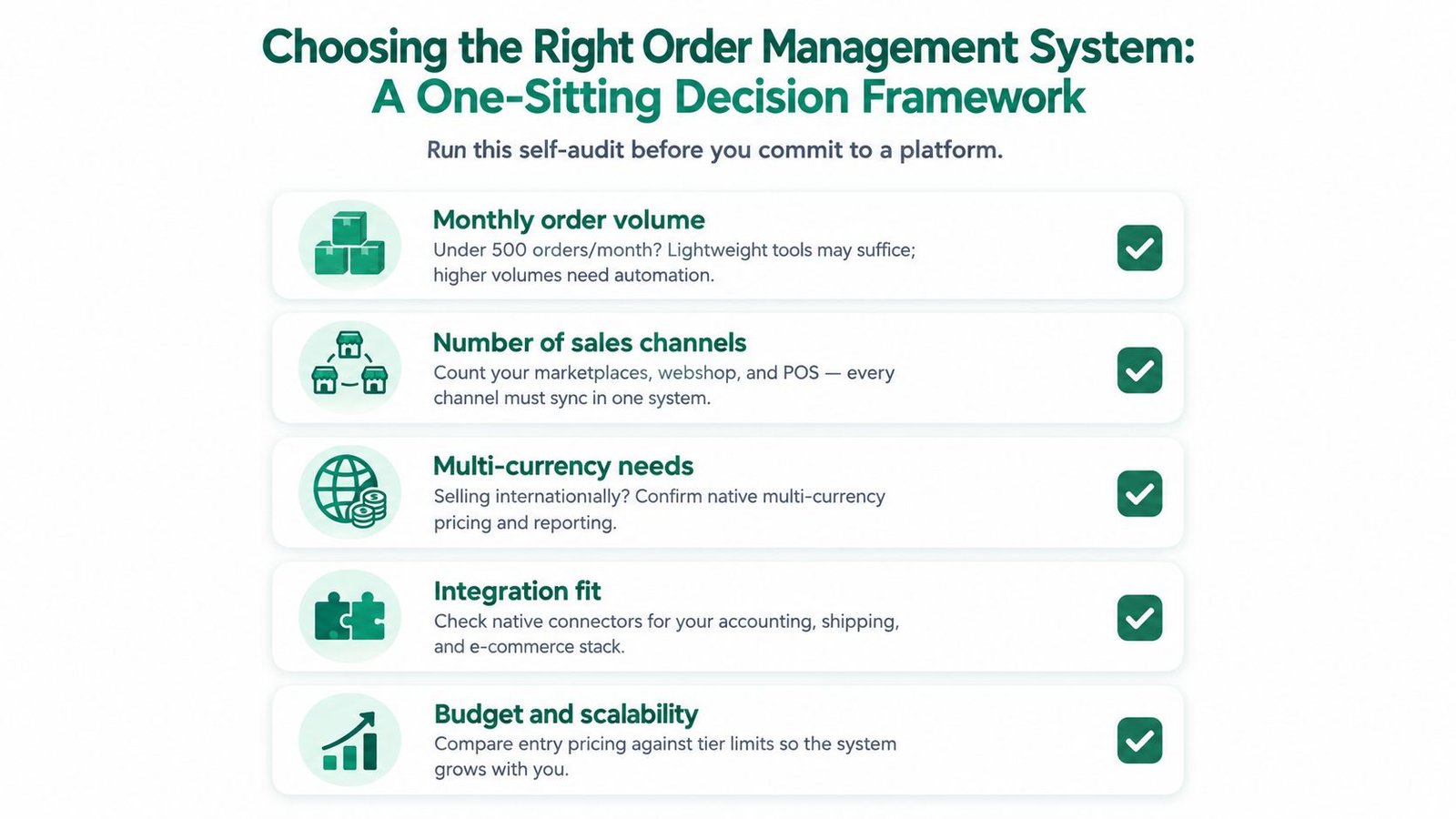
A seller can make a defensible OMS decision in one sitting by auditing the current operation before opening vendor comparison pages. The assessment should start with the order volume, channels, offer types and failure points that already consume time.
Classify the current position
Use three labels:
- Keep simple: One dominant channel, a small catalogue, straightforward fulfilment and no recurring stock or status errors. The built-in platform manager may be enough.
- Upgrade now: Orders arrive from several places, the seller repeats the same updates manually or customer queries require searches across systems. A dedicated OMS or connected order workflow deserves a pilot.
- Plan for later: The business has growing operational complexity but no immediate failure. The seller should document required integrations, reporting and tax questions before the next growth phase.
Multi-currency should be marked as needed now when buyers already pay internationally, not merely because overseas selling sounds attractive. The same principle applies to channel count. A second channel that generates little activity may not justify a new system, but a second channel that sells the same scarce stock can create immediate risk.
Run a controlled rollout
A practical implementation sequence looks like this:
- List the current pain points: Record missed updates, stock discrepancies, refund chases and repeated customer questions.
- Clean the order data: Export existing orders, standardise product names and remove duplicate customer or SKU records.
- Choose one dominant scenario: Start with physical fulfilment, digital access, services or live sessions. Don't configure every possible workflow at once.
- Pilot one channel: Run real orders through the chosen system while the existing process remains available as a fallback.
- Measure operational change: Track order cycle time, fulfilment accuracy and exception rate. These are the core UK-focused OMS measures identified in the guide to efficient order management. The same source gives a national SME order-to-delivery benchmark of 3.8 days, which can provide context when assessing fulfilment lead time.
- Review customer questions: If buyers still ask where an order stands, the workflow hasn't solved the visibility problem.
- Decide before wider migration: Move the remaining channels only when the first workflow produces clean records and clear ownership.
Know when lightweight stops being sensible
A heavier platform becomes justified when the seller has several channels, complex cross-border tax requirements, multiple warehouse or fulfilment staff, or order volumes that make manual exception handling unmanageable. A warehouse team larger than two people is one clear warning sign because ownership, picking and handovers need tighter controls. A business approaching the practical limits of its current tool should plan the migration before peak demand exposes the weakness.
Returns deserve particular attention. Under the Consumer Rights Act 2015, once a trader agrees that a consumer is entitled to a refund, the refund must be made without undue delay and within 14 days beginning with the day of that agreement, as set out in the legislation.gov.uk Consumer Rights Act. Dated order records and refund-status tracking therefore belong in the selection decision, not as an afterthought.
The best order management system for small business is the one that makes the dominant workflow boring, visible and repeatable. Sellers should fix the first operational bottleneck, prove the process with real orders and upgrade only when the evidence shows that a lightweight setup is holding the business back.
AmaJova offers a shareable OfferLink workflow for defined physical products, digital products, services and live sessions, with secure checkout and an order record that connects payment, fulfilment and communication. Visit AmaJova to assess whether a simple offer-led system fits the seller's current order process before investing in a full storefront or heavier OMS.