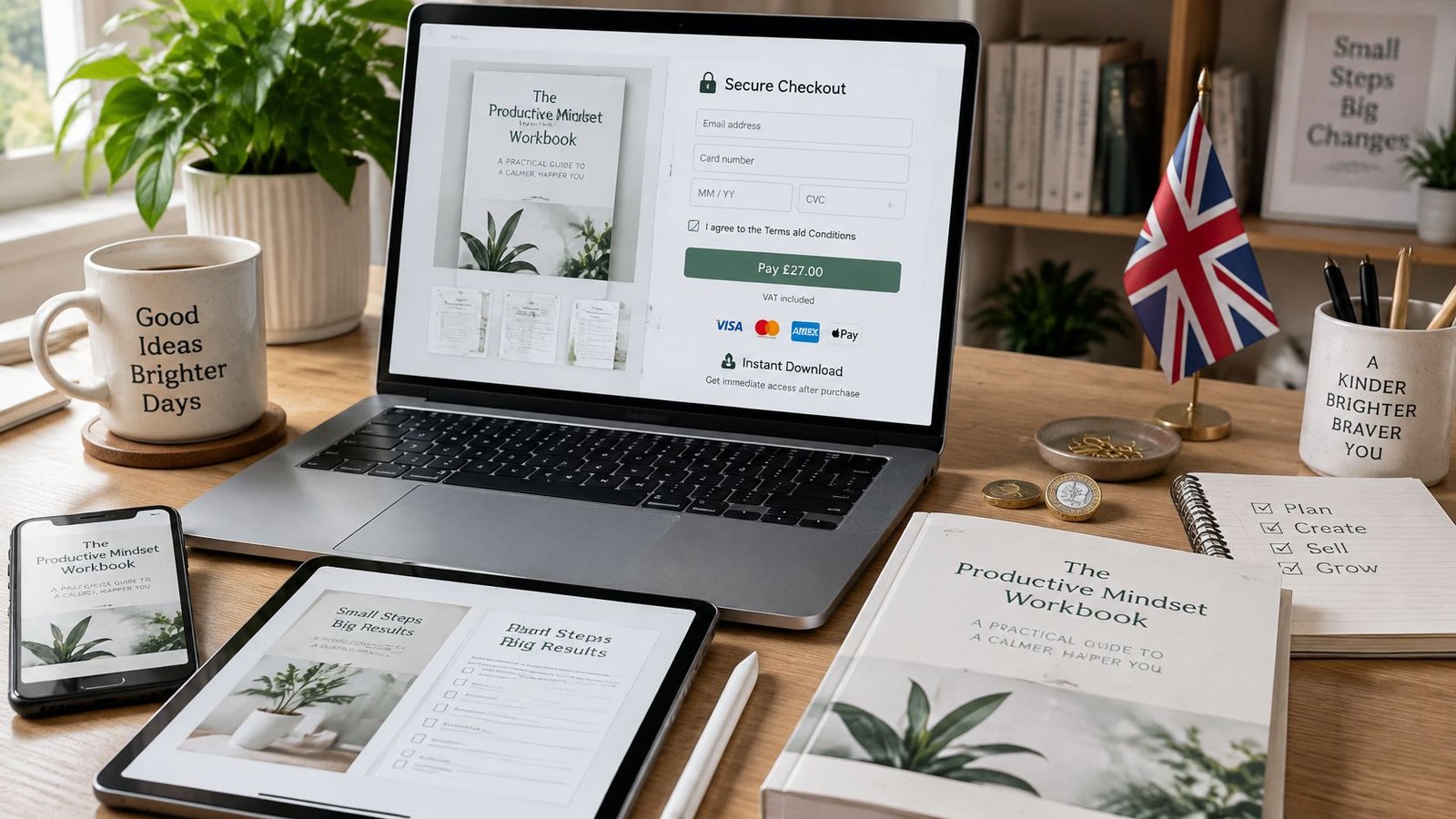
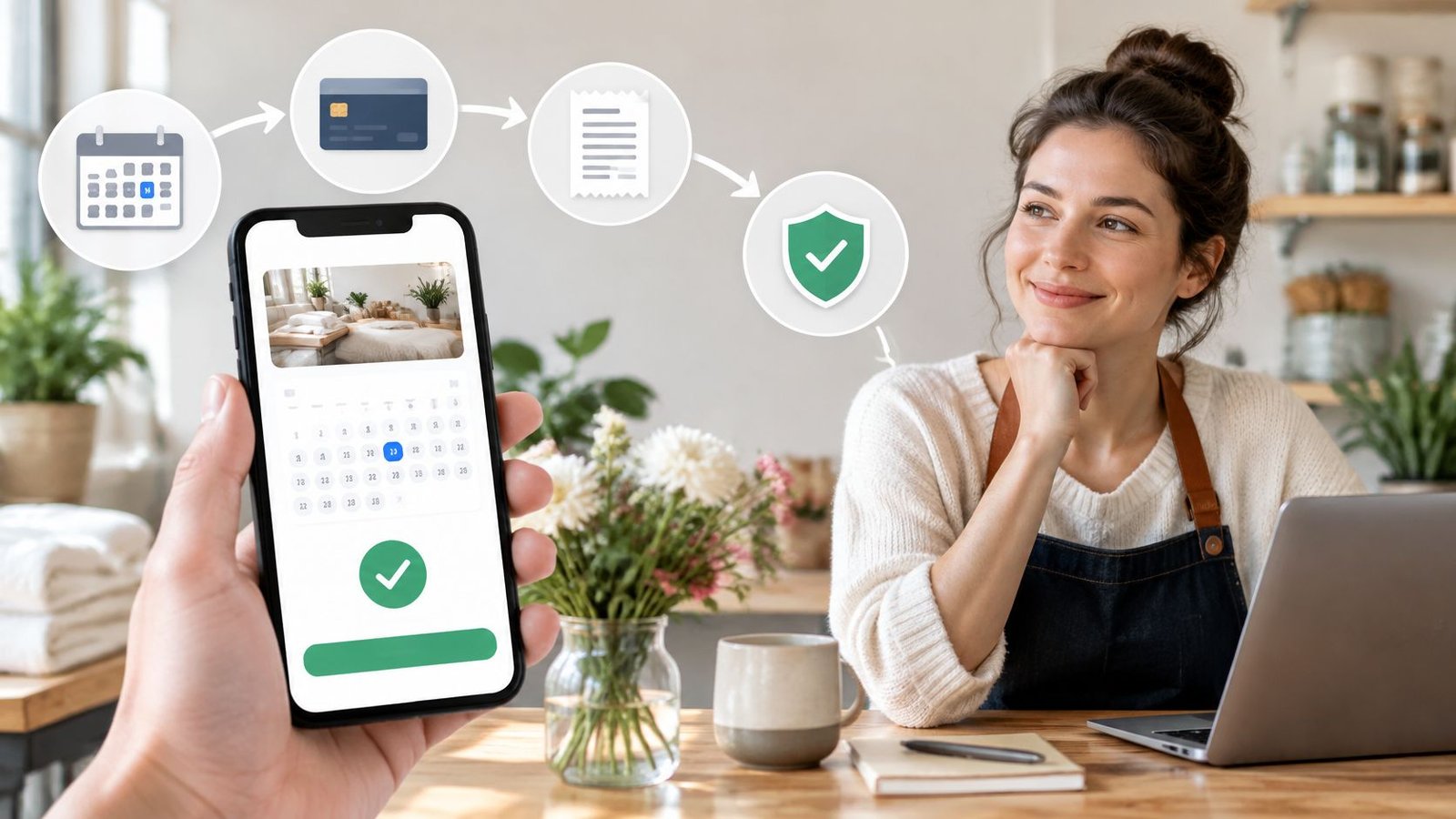
You've sent a buyer a link for a session next Thursday, and they're asking whether they pay now or on the day. The calendar looks free. The price looks right. Then a message asks them to transfer the fee to a different account, or they miss the cut-off and expect the money back the same afternoon.
A tidy checkout page doesn't tell you what happens next. An online booking and payment system earns its place when the booking goes wrong: a copied profile, a missed cancellation window, or a file that never arrives. The useful test is whether one record still shows the offer, the payment, the deadline and the next step.
This guide walks that journey for people selling physical products, digital downloads, services and live sessions from the UK. It names the checks that matter before the first payment, and the trade-offs sellers often skip because the payment itself went through.
Table of Contents
- What an Online Booking and Payment System Does
- Key Features to Check Before You Choose
- How Checkout and Payment Methods Affect Conversion
- Security Controls Against Payment Fraud
- Protecting Buyers and Sellers When Something Goes Wrong
- Cancellation, Refund and Payment Timing Rules
- How an OfferLink Approach Differs from Traditional Booking
- Confirm Your Setup Before Taking the First Booking
What an Online Booking and Payment System Does
Think of a theatre box office. One desk sells the ticket, takes the money, keeps the receipt and holds the seating plan. Three separate drawers would lose the connection between seat, payment and name. An online booking and payment system does the same job for a remote sale. A seller publishes an offer, a buyer chooses a time or an item, payment is taken securely, and one record follows the order through fulfilment and payout.
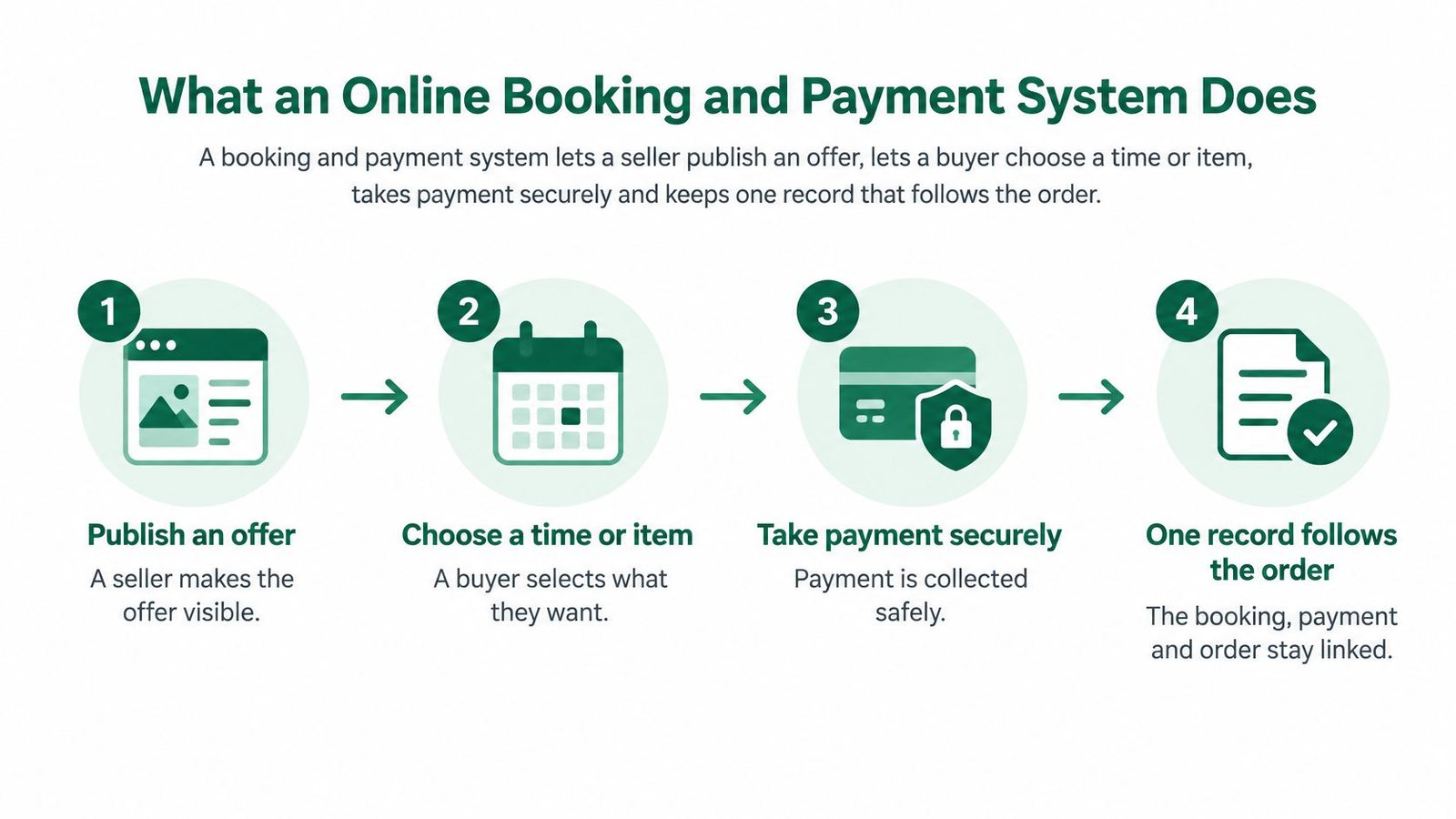
Say a coach sells a paid call. The offer states the length, the price and what the call covers. The time slot shows whether that hour is still free. Checkout collects the payment against that exact offer. The payment record sits with the order, not in a separate inbox. Delivery is the call itself, or the file, or the parcel. Payout is the last link, and its timing follows the provider and the account settings in front of the seller.
Why a missing link starts the dispute
Most arguments start where a link is missing or unclear. A buyer who never saw the cancellation rule will treat a refused refund as a broken promise. A seller who can't match a bank credit to an order can't prove the session was paid for. Remote selling is now ordinary rather than a side channel. The Office for National Statistics reported that online spending represented 50.5% of total UK card spending in September 2025, up from 43.7% in September 2019.
The path to a completed order has four steps: create the offer, share the link, let the customer order and pay, then manage and fulfil. Once payment completes, an order record is created and the seller can start fulfilment. An OfferLink-style page, such as AmaJova's, carries the offer, the checkout and that order record together, so the buyer isn't sent across three tools. Choosing the payment provider behind checkout is a separate decision, and MD TECH TEAM's payment gateway guide is a useful place to compare what a small seller needs from the processor.
Can you trace one booking from the first click to the payout inside a single record? If the answer needs three logins, the system isn't finished.
Key Features to Check Before You Choose
A coach sells 60-minute online sessions to buyers in Ireland and the UK. She needs fixed time slots, a clear price in the buyer's currency, and one place that shows who has paid. A long feature list won't help if any one of those three is weak.
Core features and what to check in each
| Feature | What to check | Why it matters for the seller |
|---|---|---|
| Scheduling and availability | Live time slots, time zone shown, changes reflected on the offer | Prevents double bookings and missed sessions |
| Offer page detail | Title, inclusions, price, fulfilment or booking details | Buyers decide on clear scope rather than guesswork |
| Checkout | Order summary before payment and the payment methods offered | Fewer abandoned orders and fewer payment queries |
| Multi-currency | Price shown in the buyer's currency, subject to provider and account settings | Avoids surprise amounts for cross-border buyers |
| Order record | Messages, delivery steps, timeline and payment record in one place | One source of truth for support and disputes |
| Messaging and delivery | Clear completion steps for both seller and buyer | Shows when fulfilment is done and what remains |
Scheduling and availability should show live slots and the time zone, and a change on the calendar should appear on the offer the buyer still has open. A slot that looks free after you've taken it is how two people arrive for the same hour.
Offer page detail should state inclusions and the fulfilment method before anyone pays. "Coaching" is not a scope. "One 60-minute video call on pricing, with written notes the same day" is.
Checkout needs an order summary before payment, plus the methods you offer. Buyers abandon when the total changes at the last screen, and they email you when the summary doesn't match the page they came from.
Multi-currency checkout should show the amount in the buyer's currency where the provider and the account allow it. A euro buyer who only sees pounds will pause, and some will leave.
The order record should hold messages, delivery or access steps, the timeline and the payment together. Support staff, and you on a Sunday evening, need one source rather than a hunt through email.
Messaging and delivery should make completion obvious to both sides. A parcel marked sent, a download marked available, or a session marked complete stops the "did this happen?" thread.
A feature list is only as good as its weakest row. Ask the provider to walk a completed test order from offer to record, and note whether each row is still visible at each stage.
How Checkout and Payment Methods Affect Conversion
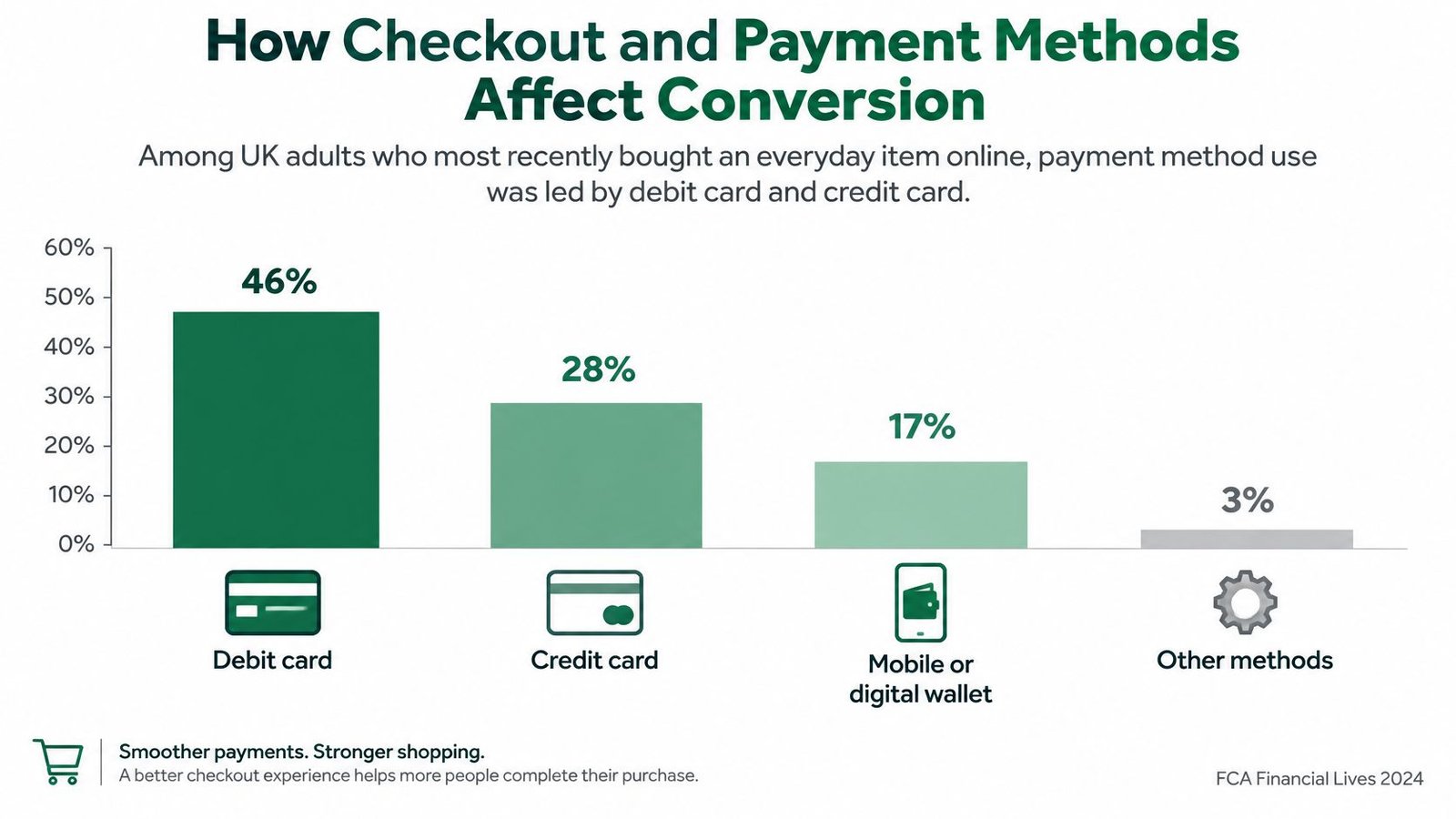
Cards still dominate UK online purchases, but wallets have moved from a niche tap to a normal choice. The Financial Conduct Authority's Financial Lives 2024 survey found that, among UK adults who most recently bought an everyday item online, 46% paid by debit card, 28% by credit card, 17% by a mobile or digital wallet, and 3% used deferred-payment credit. Debit-card use fell from 54% in 2022, while wallet use rose from 7%, an increase of 10 percentage points.
What those shares mean at checkout
Debit and credit cards together covered 74% of those reported purchases, so card payment has to be obvious and reliable. Nearly one in five purchases used a wallet, so hiding wallet buttons below the fold costs sales from people who pay on a phone. Deferred-payment credit is still a small share. If you offer it, show eligibility, any fee and the repayment terms before the buyer confirms, not in a footnote after the charge.
Payment methods and currencies follow the provider and the account configuration. Confirm both for your target regions before you publish, rather than discovering a missing method from a buyer's complaint.
Buyers move through five steps: Understand, Check, Pay, Receive and Confirm.
- Understand: the offer page states what is included, the format and the price.
- Check: the summary repeats the total, the currency, the cancellation rule and what fulfilment looks like.
- Pay: card and wallet options are both visible, and the amount doesn't change at the last tap.
- Receive: the confirmation names the booking, the file, or the delivery expectation.
- Confirm: the buyer can see that the order matches what they approved.
Sellers on WooCommerce face the same friction in a different layout. The WooCommerce checkout conversion advice from Dotstore walks through how a cluttered final step loses people who were ready to pay.
Pay a test order by card, then pay another by wallet on a phone. The total and the confirmation should match on both.
Security Controls Against Payment Fraud
A booking can look legitimate while the payment goes to the wrong person. With unauthorised card use, someone pays using a card without its holder's approval. In authorised push payment (APP) fraud, the buyer sends the money themselves after being deceived. UK Finance reported £1.28 billion in total payment-fraud losses during 2025. APP losses were £576.4 million across 248,070 cases, and 66% of APP cases originated online.
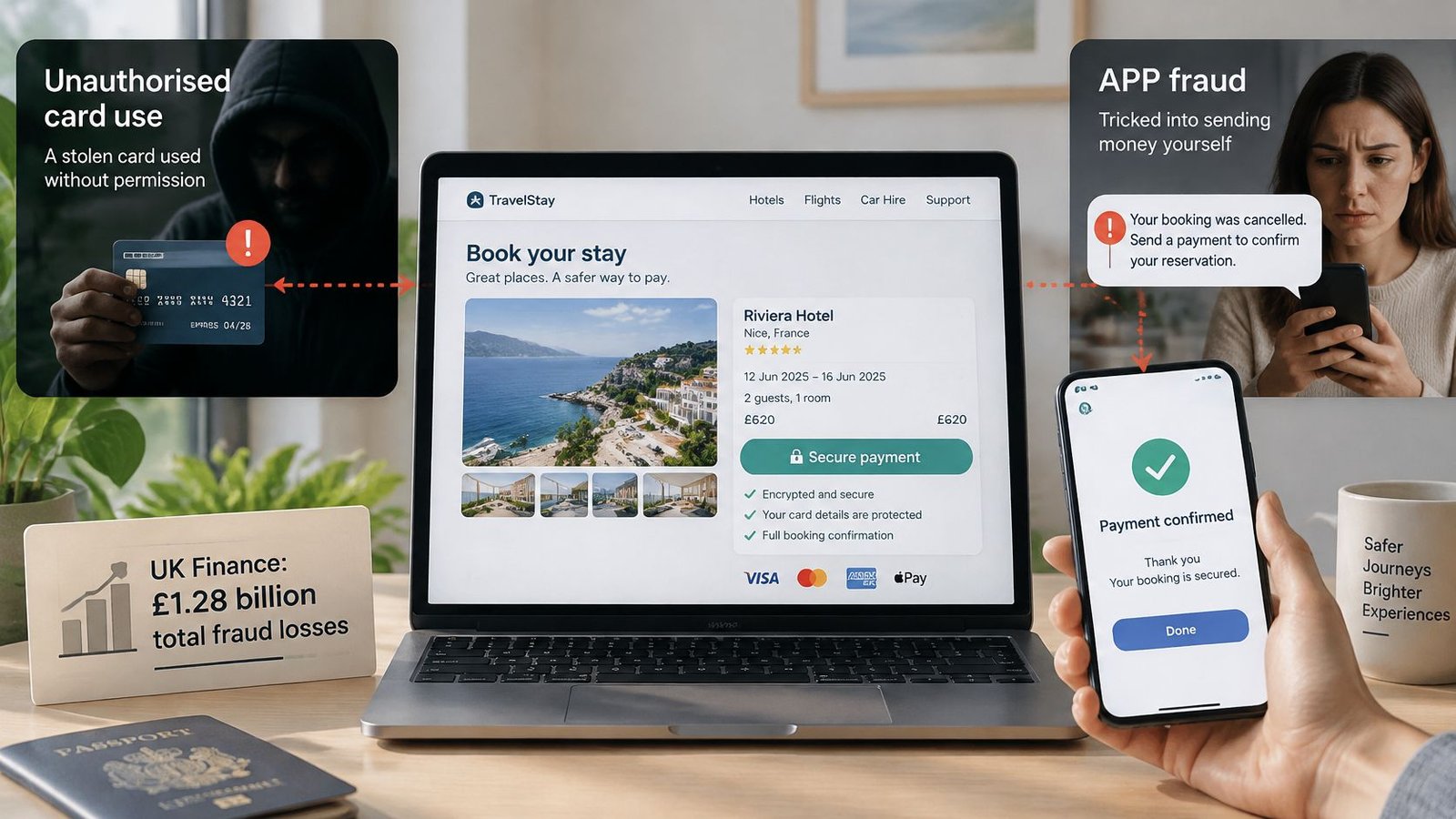
Fraud can enter through the booking page, seller messages or payment instructions. A browser padlock protects the connection; it cannot stop a message telling a buyer that checkout is broken and asking them to pay a different account.
Six controls to ask your provider about
These are controls to look for in a booking or payment provider. Confirm which ones are active, and what they cover, rather than assuming every platform offers them.
- Verified seller identity: helps buyers distinguish a genuine seller from someone copying a trusted profile. Check how verification is shown and what it establishes.
- A clear order record: should bring the offer, seller, buyer, price, currency and fulfilment expectations together. Ask what details the record retains and whether they can be updated.
- Payment risk checks: ask whether the provider checks for suspicious activity, and at what stage. Do not assume that a flagged payment will be stopped before settlement.
- Payout review rules: ask how payout timing and review work if an order raises concerns. Rules may depend on the provider and account settings.
- Warnings about off-platform payment requests: can help buyers pause when someone asks them to ignore checkout and transfer money elsewhere.
- Evidence of the purchase: a saved offer and payment summary can help clarify what the buyer saw and approved if a dispute follows.
Bank-transfer payments can involve different protections from card payments. Where the UK APP reimbursement regime may apply, its terms depend on banks and the regulator. Read the current official guidance before relying on reimbursement. Disputely's fraud prevention guide offers further practical advice on spotting payment fraud. For checkout, a secure checkout process should make the offer and payee clear before the buyer pays.
A Buyer Service Fee, where charged, can help support platform operation, order management and support, fraud-prevention measures, identity checks where required, and dispute administration. The fee is not a guarantee that fraud will be prevented or that money can be recovered. Sellers should keep payment within the checkout and retain a copy of the offer as shown at purchase.
Protecting Buyers and Sellers When Something Goes Wrong
A scammer copies a seller's photo and bio, then sends a payment request through the platform's messages. The buyer pays, but the genuine seller never receives an order. A convincing profile is not proof that the person requesting payment controls the offer.
The Consumer Council for Northern Ireland reported that 44% of consumers had been targeted by a scam during the previous three years. Among people who complained, only 53% were satisfied with the outcome. Those figures show why it helps to decide how problems will be reported before a booking is paid for.
A secure payment is not the same as a protected purchase
What a buyer can do after paying depends partly on the payment method. Recovering an authorised payment can be difficult, even if the listing was fraudulent. A padlock in the browser confirms an encrypted connection. It does not confirm that the payee is the person shown in the profile, or guarantee a refund if a session never takes place.
Before checkout, state four things clearly:
- Seller identity: Give the trading name and explain how buyers can recognise genuine messages.
- What protection applies: Describe it plainly, including what it does not cover.
- What happens if fulfilment fails: Say whether the buyer can expect a repeat session, replacement file or refund route.
- Where to report a problem: Explain how to raise it through the order, the platform and the payment provider.
Platform terms do not remove statutory rights or payment-provider rights. Completing an order or closing a dispute does not remove them either. AmaJova's terms cover accounts, offers, payments, verification, buyer and seller responsibilities, payouts, disputes and platform safety. Its buyer protection information explains buyer-facing protections, but a badge should not be treated as a promise of a refund.
If something goes wrong, keep the communication connected to the order record. Message the seller there, raise the issue on the order, and report it to the platform. If the problem remains unresolved, contact the payment provider or card issuer. The Financial Ombudsman Service has eligibility rules, and those rules do not cover every payment type or complainant.
Individual circumstances, payment methods and scheme rules affect the outcome. Clear terms and a record of what was promised make it easier to establish what was agreed, but they cannot guarantee that a payment will be recovered.
Cancellation, Refund and Payment Timing Rules
A booking can be paid for and still go wrong: the buyer may miss a cancellation deadline, the seller may cancel, or a digital item may not work as described. Clear terms help both sides know what happens next. Visa reported that 16% of UK consumers had missed a cancellation window. A successful payment alone does not guarantee a refund, since the available route can depend on the payment method and applicable rules.
Booking terms to state before taking payment
| Term | What to state | Example wording |
|---|---|---|
| Total price and currency | Final amount the buyer pays, with currency, shown before payment | Total and currency shown on the offer and at checkout |
| Deposit or full payment | Whether a deposit secures the booking and when the balance is due | 30% deposit now, balance due 7 days before the session |
| Cancellation deadline | Exact date, time and time zone | Cancel by 14:00 UK time two days before the session |
| Refund rule | What is refunded after the deadline | Deposit kept after the deadline unless the seller cancels |
| Scope and format | What is included and how it is delivered | One 60-minute video call on one topic, with notes the same day |
| Attendance or delivery | What the buyer must provide or do | Stable internet connection and login five minutes early |
Write the cancellation deadline as a date, time and time zone. “Before the session” leaves room for disagreement about when the window closes. State the terms before payment and keep the buyer's acceptance with the booking record. A reminder before the deadline can help prevent a missed cancellation. Set out seller cancellation separately from buyer cancellation, because the refund outcome may differ.
Payment and payout timing also need careful wording. Fees, review periods and payout-clearance timing can change, so the values shown in the seller's account and at checkout or payout request are the applicable ones. Keep the refund wording beside the offer, and ensure buyers can see it before confirming payment. Sellers can also consult the refunds and cancellations policy.
What the Consumer Rights Act 2015 adds
For paid digital content, the Consumer Rights Act 2015 provides for satisfactory quality. Information about file type, access, functionality and compatibility may form part of the contract, so describe those limits on the offer. For services, the government summary of the Act explains that work must be carried out with reasonable care and skill, and that information a consumer relies on can become a contractual term. If a service does not conform, repeat performance is usually the first remedy where possible.
If a trader had no right to supply digital content, the Act's explanatory notes provide for a full refund. It should be given without undue delay and no later than 14 days after agreement that the consumer is entitled to it, normally using the original payment method and without a fee for making the refund. These points do not cover every legal rule or offer type.
For example, a buyer books a 60-minute session six days ahead, with a 48-hour cancellation window, then cancels 12 hours before it starts. If the deposit rule was shown on the offer and accepted at checkout, the seller can apply it. If the seller cancels, the terms should explain what the buyer receives back. Keeping the accepted terms with the order makes it easier to resolve a dispute over which rule applied.
How an OfferLink Approach Differs from Traditional Booking
A seller choosing how to take bookings has three routes: list on a traditional booking platform that controls the presentation, build a website, or share one link that carries a single offer. The first two can be right. They aren't automatically clearer when something fails.
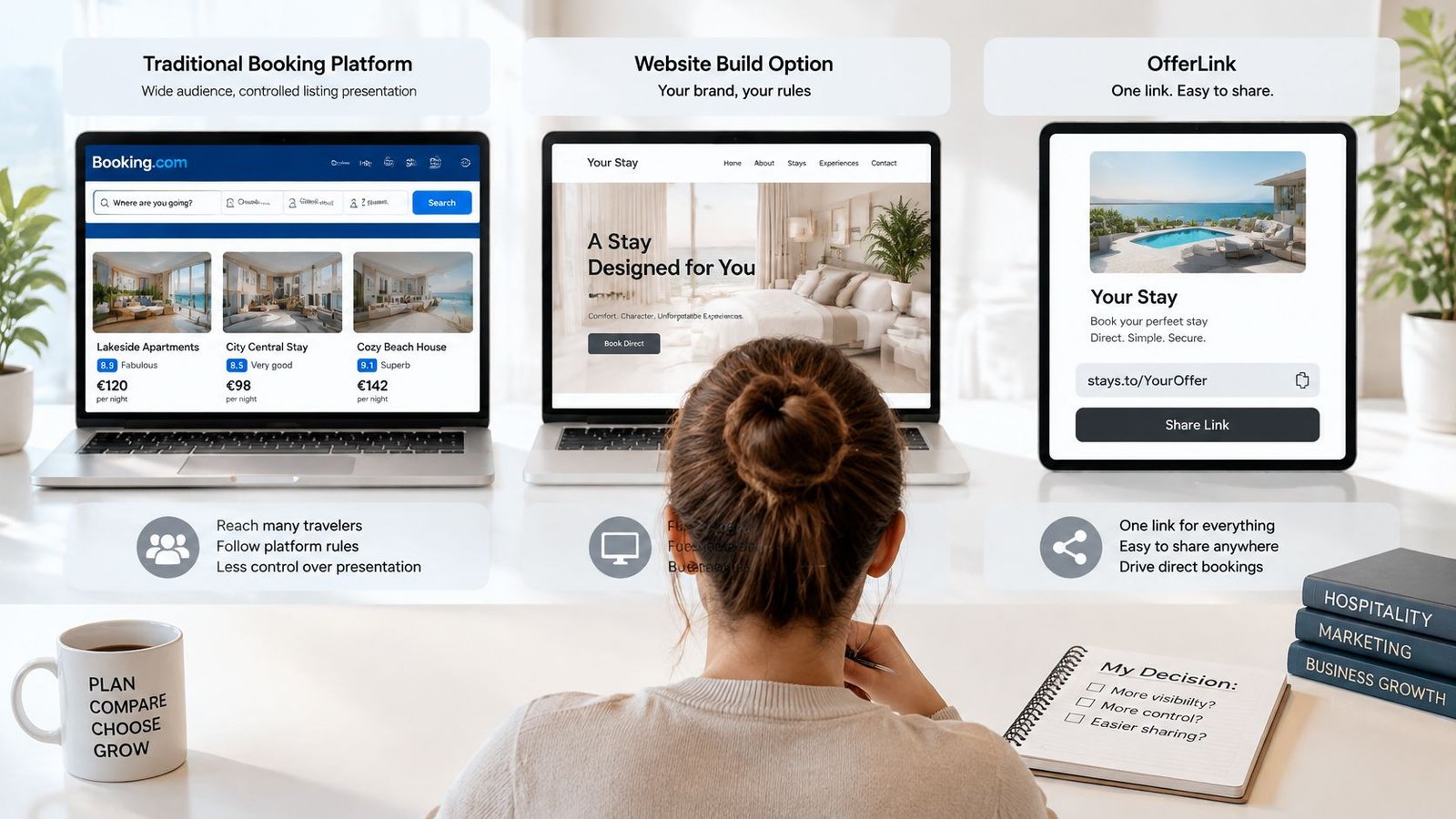
Traditional booking platform compared with the OfferLink approach
| Criterion | Traditional booking platform | OfferLink approach (AmaJova) |
|---|---|---|
| Shareable link | Set by each platform's listing tools | One OfferLink for bios, messages and campaigns |
| Information before payment | Set by each listing template | Offer scope, price and fulfilment details shown before payment |
| Order record | Set by each platform's order tools | Order messages and delivery steps kept with payment details, where available |
| Website build | Often tied to the platform's own store | Not required for simple selling |
| Currencies and payment methods | Set by the platform and its payment provider | Set by the payment provider and the seller's account configuration |
| Seller verification | Set by each platform's onboarding rules | Check what is shown to buyers in your own account |
Read each traditional platform's terms before you treat a badge or a calendar as a promise. Listing tools, records and verification differ, and a marketplace can change them.
On an OfferLink, confirm only what your own account shows. Sellers can present seller information, price and fulfilment expectations before the buyer pays. The same link can also show seller details, customer reviews where they're available, and support information. Buyers complete checkout through AmaJova rather than on a page you maintain yourself. Payment methods, currencies, verification and any review or support features follow the provider, the account and what is on screen at the time. Don't assume a feature you haven't opened.
The approach fits independent sellers packaging an offer they already deliver, coaches booking paid sessions, and educators selling a live resource. It doesn't fit a seller who needs a full product catalogue, complex stock, or a bespoke shop with many variants. Put the same offer through each route side by side, using the checklist below, and keep the route that still makes sense when a buyer cancels late or a message looks fake.
Confirm Your Setup Before Taking the First Booking
Run this list on a real offer, not on a demo screen.
- Confirm the offer page. Scope, price and fulfilment expectations are visible before payment.
- Run a test order. The order page should show messages, delivery or access, the timeline, the payment record and dispute status together, at every stage.
- Check methods and currencies. Confirm what buyers in your target regions can use.
- Write the cancellation and refund terms. Use a date, a time and a time zone, not "in advance".
- Confirm the dispute route. The terms the buyer accepts at checkout should name where a problem is reported.
- Set reminders. One before the cancellation deadline, and one for the delivery or attendance step.
If the system can't show these items clearly, don't take payment through it yet. Fix the gap, then test again. AmaJova lets sellers offer services, physical products, digital products and live sessions through one OfferLink, so a single test can stand in for the kind of sale you make.
Build one real offer and score it against the six points before you share the link widely. Fees, review periods and payout timing may change. The applicable values are the ones in the seller's account and at checkout or payout request. Platform terms don't remove statutory rights or payment-provider rights, so the checklist is a selling control, not a substitute for those rules.
AmaJova turns a service, a product, a download or a live session into one OfferLink, with the scope and the price visible before checkout and the order record kept with the payment. If you're about to take a first booking, build that offer and walk it against the checks in this guide. Visit AmaJova when you're ready to publish the link.