
Someone likes a photograph on social media, asks for a price in a message, then goes quiet when size, rights and delivery still need sorting. The picture isn't the problem. The buyer hasn't been given a complete offer to act on. Learning how to sell your picture online starts with turning that loose enquiry into one page that states what's for sale, what it costs and what happens after payment.
Table of Contents
- Why the Offer Page Is Where the Sale Actually Happens
- Preparing Your Images So Buyers Trust What They See
- Print, File or Licence? Choosing What You Are Actually Selling
- Designing the Offer Page Around Clarity Before Payment
- Secure Checkout, Multi-Currency Pricing and What Happens After Payment
- Returns, Refunds and Distance-Selling Rules for Photographers
- UK Tax Basics Every Picture Seller Should Understand
Why the Offer Page Is Where the Sale Actually Happens
A familiar pattern plays out every week. A photographer posts a scene, receives three messages asking for prints, quotes different prices from memory, sends a payment link days later and loses the thread of who wanted which size. The buyer, meanwhile, still doesn't know whether the price includes postage, framing or permission to use the image at work.
That friction isn't a marketing failure. It's a missing offer page. One structured page per product type can hold the title, preview images, price, format, usage scope, fulfilment method and delivery expectations together, so the next step is a purchase rather than another round of questions.
One link instead of scattered messages
The practical shift is simple. Build a separate offer for a print, a digital download, a commission and a licence, then share the relevant link in profiles, messages, campaigns or on an existing website. Photographers who also sell your designs online will recognise the same discipline, because the product still needs a defined deliverable and a clear production route.
UK buyers don't need persuading that online shopping exists. The Office for National Statistics Internet Retail Sales by Sector for Great Britain reports online sales by sector in pounds sterling, showing that internet retail is an established national sales channel rather than an occasional supplement to physical shops.
The offer page does the selling work that scattered messages can't. If price, scope and delivery aren't visible before payment, the buyer has to guess.
A new audience won't fix an unclear offer. A clear page, shared consistently, gives existing interest somewhere reliable to land.
Preparing Your Images So Buyers Trust What They See
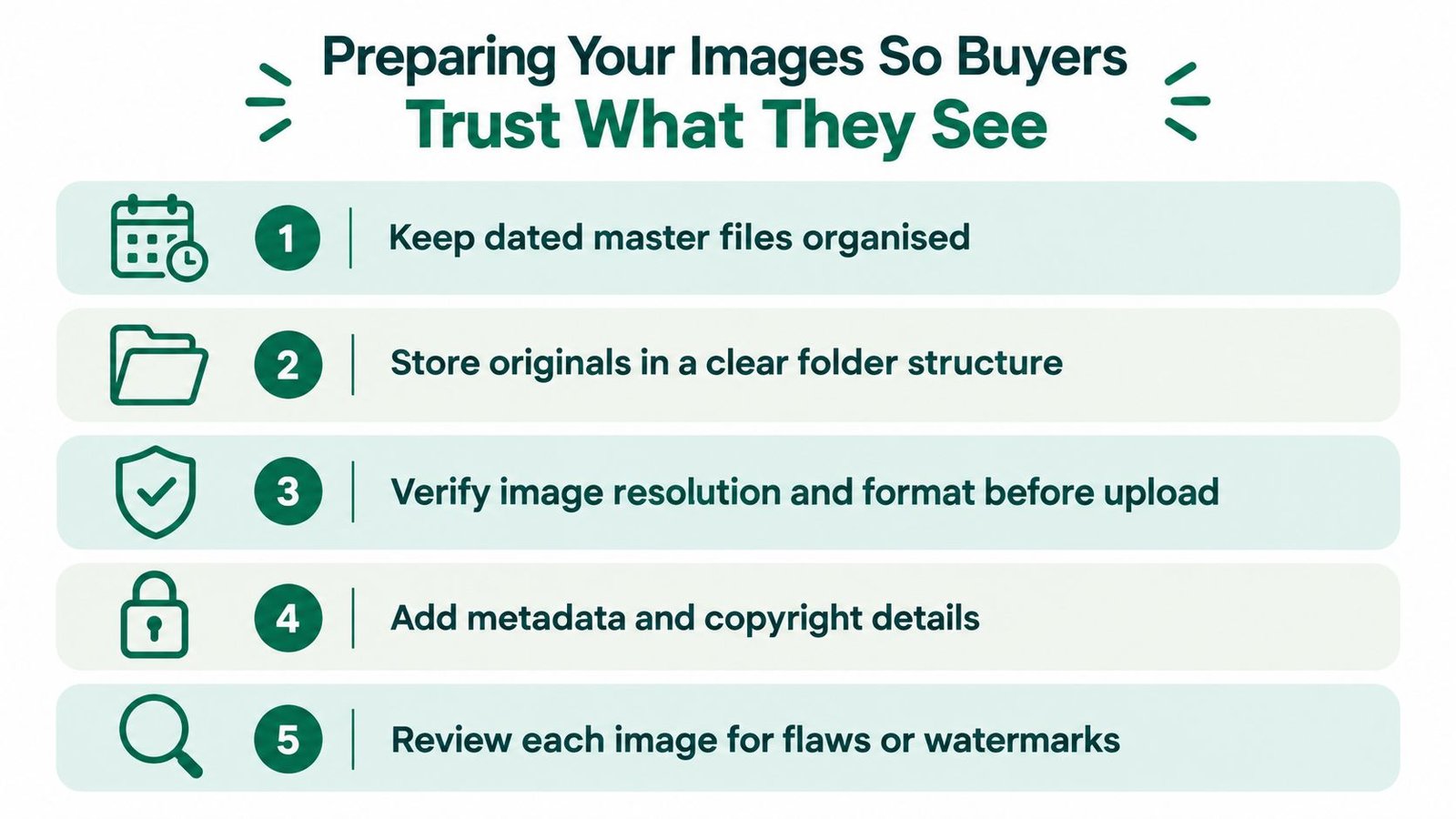
Preparation starts long before upload. The master file should stay separate from anything published online, with dated RAW captures, editing records and backups kept in a clear folder structure. Web previews can then be exported as appropriately sized JPEG or WebP files without risking the original.
Colour consistency matters across the whole set. A print that looks warm in one preview and cold in another creates doubt, even when the underlying file is sound. Descriptive alt text should be added for accessibility and search discovery, naming the subject, location or medium rather than repeating the file name.
What a useful picture set includes
- Complete view: Show the full image first, uncropped and without props that aren't included.
- Close details: Add crops that reveal texture, paper surface, sharpness or print finish.
- Scale and context: Photograph a mounted print beside a familiar object or on a wall, with dimensions in centimetres.
- Honest flaws: Show border marks, mounting imperfections or edition numbering where they exist.
- Process evidence: For a commission, include past examples that show lighting style and likely deliverables.
Thin image sets are a known weakness in online retail. Canon reporting on ecommerce image quality and Baymard findings notes that 25% of ecommerce sites provide images that are insufficient for visual evaluation, and cross-market benchmarking attributes 22% of online returns to products not matching their depiction. Both figures are benchmarks, not guarantees for any single listing.
For physical prints, careful capture of the object itself matters as much as the original photograph. Photographers photographing finished pieces for reproduction or sale can use the practical tips for photographing your artwork to control glare, alignment and colour before those previews reach the offer page.
Print, File or Licence? Choosing What You Are Actually Selling
Most disputes begin with a simple confusion. A buyer pays for a picture and assumes that payment covers every future use, while the photographer assumes only a personal copy was sold. That gap closes when the offer names the transaction precisely.
GOV.UK guidance on copyright for digital images and photographs states that photographs are generally protected as artistic works and that permission is normally required for acts such as copying or posting an image online. Selling a copy doesn't automatically transfer the underlying rights.
Three Ways to Sell a Picture and What the Buyer Gets
| Offer type | Deliverable | Rights granted | Main dispute risk |
|---|---|---|---|
| Physical photograph in a stated size and finish | Personal display of that copy | Buyer scans or reprints it | |
| Digital file | Download in a stated format and resolution | Personal use as described | Buyer shares or uses it commercially |
| Licence | File supplied for a defined purpose | Specified medium, territory and duration | Use expands beyond the agreed scope |
A licence can limit medium, territory, duration, exclusivity, resolution, alterations and attribution. An assignment is different because it transfers copyright itself, so the contract must state which transaction is being sold.
Before publishing, a rights-first check should identify the copyright owner and confirm written permission for third-party work or identifiable contributors where relevant. Sublicensing, edits and exclusions belong in the listing, not in a later email. Sellers who want a plain reference point for ownership language can review the intellectual property information for sellers and then adapt the wording to the specific image.
Practical rule: If the offer can't be described in one sentence, the buyer can't be expected to understand it at checkout.
Designing the Offer Page Around Clarity Before Payment
Clarity before payment is the strongest conversion lever a photographer controls directly. Traffic helps, but a visitor who can't tell what's included won't become a buyer by arriving in greater numbers. Every field on the page should remove a reason to pause, message or abandon the purchase.
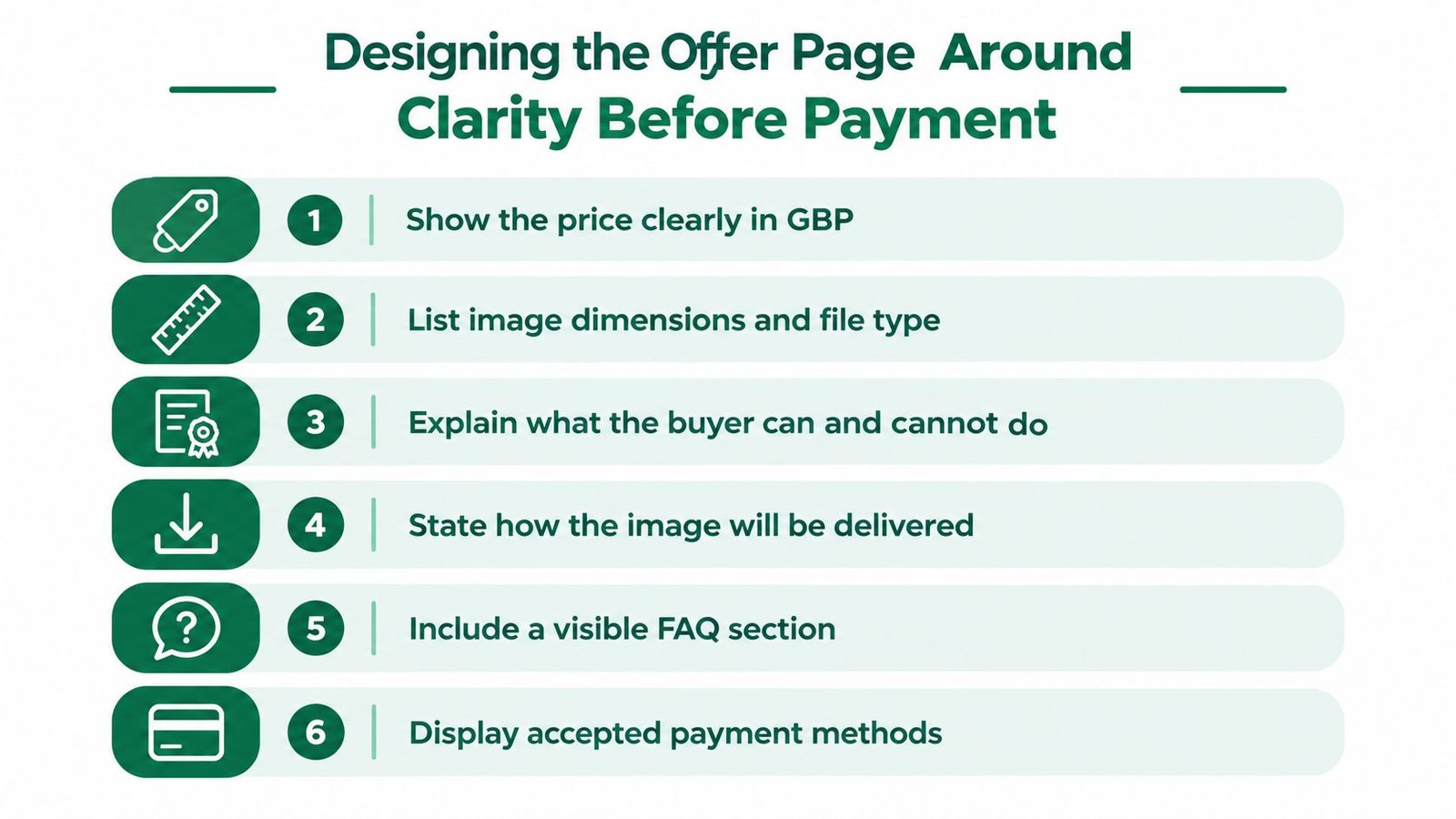
Fields every offer should complete
- Title and description: Name the image, subject and format without vague claims.
- Inclusions: State the print, file, licence, frame, mount or session deliverables included.
- Price: Show the total clearly and explain optional extras separately.
- Licence summary: State permitted use, exclusions and whether commercial use is included.
- Fulfilment: Explain download timing, production time, postage or session booking steps.
- Delivery window: Use specific wording such as dispatch after payment clearance.
- Returns and support: Summarise the process and give a visible contact route.
Ownership language deserves that prominence. The UK Intellectual Property Office as the government body responsible for copyright sits alongside work on patents, designs and trade marks, and historical government research found 34% of surveyed respondents reported having used copyright protection in the 2015 Intellectual Property Awareness Survey. Buyers don't need a lecture, but they do need to know what payment authorises.
Platform structure can support that discipline. AmaJova offers an OfferLink format for products, digital products, services and live sessions, with fields for title, description, inclusions, price and fulfilment details on a single shareable page. Used that way, it's one option for publishing the offer, not a substitute for writing the terms carefully.
Pricing from cost, market and usage
A defensible price starts with a cost floor. Materials, printing, packaging, software, time and any platform or payment costs should be counted before profit is considered. A price below that floor may generate orders while losing money.
The second input is a market read. Comparable prints, downloads and licences offered to a similar audience show the range buyers already encounter, although a distinctive image, limited edition or established reputation can justify a different position. Creators who want broader context on turning online work into sustainable income may find the serious money online guide a useful companion to their own cost calculations.
The third input is the licence premium. A personal wallpaper download, a 30 × 40 cm archival print and a UK website licence for a defined period shouldn't carry the same price because they use the same image. Wider territory, longer duration, paid advertising use or exclusivity increases the value transferred and should increase the price.
Price the use, not just the file. The same photograph can support several offers when each scope is defined and priced separately.
Testing works best one variable at a time. Change the price or the included format, keep the images and terms stable, then review enquiries, checkout completion and refunds. Guesswork becomes less tempting once each offer has a cost floor and a stated reason for its final number.
Secure Checkout, Multi-Currency Pricing and What Happens After Payment
Checkout is where trust becomes concrete. The buyer should see an order summary, the total payable, any disclosed fees and a confirmation of the deliverable being authorised. Vague totals or surprise charges undo the confidence built by the offer page.
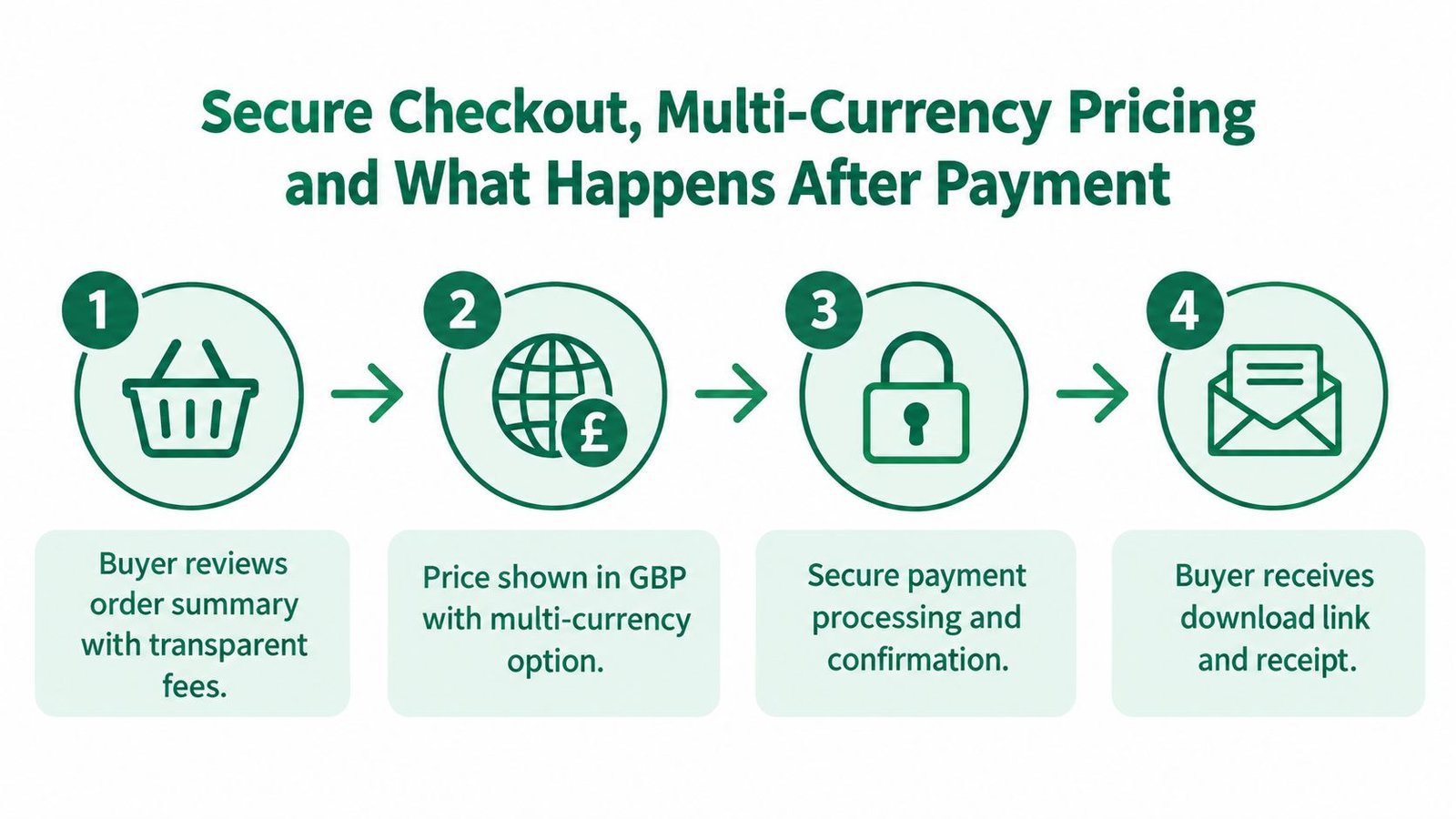
For UK sellers, GBP should be clear as the base price, even when a system can present other currencies to overseas buyers. Multi-currency display reduces mental arithmetic for the buyer, but the seller still needs to understand settlement, conversion and when funds become available. The relevant payout policy details for sellers should be checked before promising delivery dates that depend on payment clearance.
After the buyer pays
- Confirmation: Send a receipt that repeats the product, licence scope and next step.
- Fulfilment: Release the download, start print production or confirm the session date.
- Delivery record: Keep messages, tracking, access steps and payment evidence with the order.
- Completion: Record receipt or download access so support questions have a shared reference point.
Digital products need one extra step. Under the Consumer Contracts Regulations guidance on digital content and cancellation, a consumer generally loses the 14-day cancellation right once a download begins only when the seller has told them this and obtained explicit acknowledgement before access starts. That consent should be recorded rather than assumed, and final high-resolution files shouldn't be released before payment has cleared.
Returns, Refunds and Distance-Selling Rules for Photographers
Physical and digital pictures don't follow identical return routes, so one generic policy rarely fits both. The offer page needs a short summary that matches the product being sold, with fuller terms available before purchase.
GOV.UK guidance on online and distance selling for businesses requires clear information before purchase, including a description of the goods, the total price including taxes, delivery arrangements, contract conditions and cancellation rights. Consumers generally have 14 days from delivery to cancel a distance purchase, plus a further 14 days to return the goods.
Prints compared with downloads
- Physical prints: State size, paper, finish, edition details, delivery charges, dispatch time and the return process before payment.
- Digital downloads: Explain the file, delivery method and the effect of starting the download after explicit consent.
- Faulty items: Keep fault-based remedies separate from change-of-mind cancellations in the wording.
Missing cancellation information carries a real consequence, because the cancellation period can be extended by up to 12 months where required information hasn't been provided. Personalised or bespoke print work needs especially careful wording, since the circumstances affect how cancellation applies and general information shouldn't be treated as legal advice for a specific order.
Sellers should also make the practical route easy to find. A visible refunds and cancellations policy gives buyers a reference point and gives the seller a consistent process when a print arrives damaged or a file won't open.
UK Tax Basics Every Picture Seller Should Understand
Tax shouldn't be discovered after a successful launch. A solo photographer needs a simple system that records each sale as it happens, keeps the related invoice and licence together and shows rolling turnover without a year-end reconstruction.
GOV.UK guidance on registering for VAT states that registration is required when taxable turnover for the previous 12 months exceeds £90,000. Registration must be completed within 30 days of the end of the month in which the threshold was exceeded.
That threshold isn't a tax charged on one photograph. Taxable turnover is the total value of sales and supplies that aren't exempt, so relevant print sales, digital products and services may need to be considered together. VAT treatment can depend on the product, customer and circumstances, which is why personalized advice becomes more valuable as turnover approaches the threshold or cross-border sales grow.
Records worth keeping with every order
- Sales record: Date, buyer, offer title, amount paid and currency.
- Invoice and receipt: A copy that matches the order summary.
- Licence agreement: The exact scope, duration, territory and exclusions sold.
- Releases and permissions: Model, property or third-party permissions where relevant.
- Delivery evidence: Tracking details, download record or session completion note.
- Costs: Printing, postage, software, materials and other business expenses.
Making Tax Digital makes organised digital records more than good housekeeping for sellers within its scope. Even below that point, a spreadsheet or accounting tool updated weekly beats a folder of screenshots reviewed once a year. Cross-border sales add another layer because the customer's location and the nature of the supply can affect treatment, so multi-currency pricing shouldn't be mistaken for automatic tax compliance.
Pre-launch checklist and post-sale loop
Before any new offer goes live, the image set, rights wording, price, checkout total, delivery plan, returns summary and record-keeping route should all be checked together. After a sale, confirmation, fulfilment, support and completion should stay attached to the same order record.
Early results should be read through a small set of measures: add-to-cart rate, checkout completion, refund rate and revenue per visitor. Those numbers show whether the problem sits in presentation, price, checkout or fulfilment. Likes and profile visits can flatter an offer that still isn't converting, so they shouldn't drive the next change on their own.
That loop is what turns picture selling into a repeatable practice. Prepare the file, define the rights, publish a clear offer, deliver exactly what was promised and keep the evidence. Each new image then starts from a process that already works.
Photographers ready to replace scattered messages and manual invoices with one clear offer page can use AmaJova to present a picture, its price, licence scope and fulfilment steps through a single OfferLink with secure checkout. Build the first offer carefully, share the link where buyers already see the work, and refine it from real orders rather than guesswork.